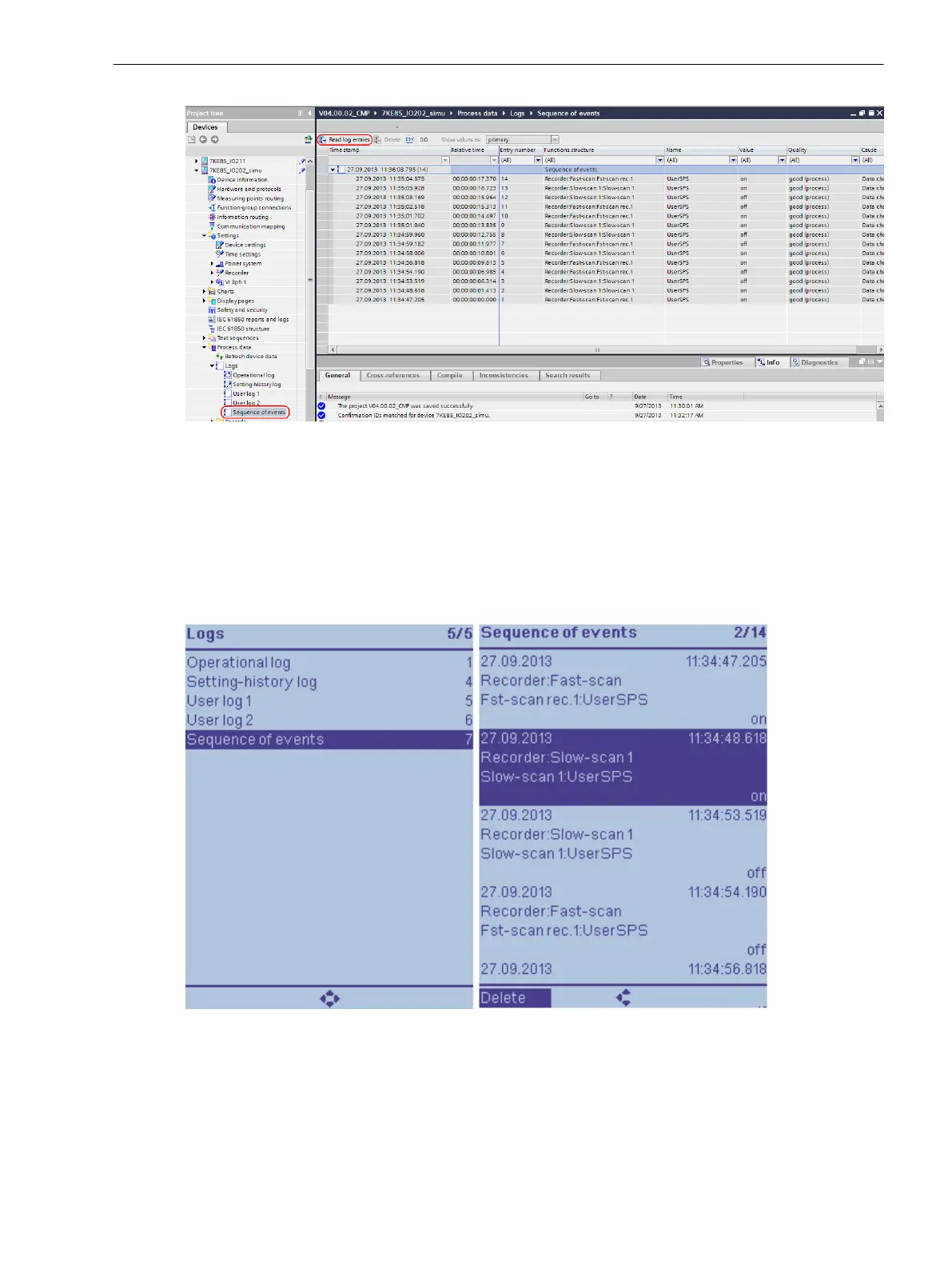
[scsoedig-040713-01.tif, 1, en_US]
Figure 3-9 Reading the Sequence of Events with DIGSI 5
Reading on the Device through the On-Site Operation Panel
•
To access the sequence of events from the main menu, use the navigation keys of the on-site operation
panel.
Main Menu → Logs → Sequence of events
•
You can navigate within the displayed indication list using the navigation keys (up/down) on the on-site
operation panel.
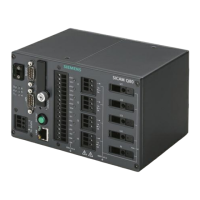
[scsoehmi-040713-01.tif, 1, en_US]
Figure 3-10 Reading the Sequence of Events on the On-site Operation Panel of the Device
Deletability
The sequence of events for your SIPROTEC 5 device can be deleted.
To know more about this, read chapter 3.1.10 Saving and Deleting the Log .
System Functions
3.1 Indications
SIPROTEC 5, Fault Recorder, Manual 53
C53000-G5040-C018-5, Edition 11.2017



 To Next Page