11
SMART 7KT0210 Manual
Configuration
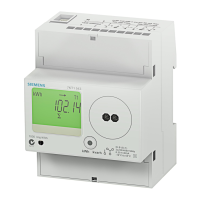
There are two dedicated keys “F1” and “F2”.
Keyshavemultipleassignments.Functionassignmentsandkeylabellingchange
according to the context of operator input.
For reading serial number
TouchF1keyfor3sec.todisplay8-digitserialnumberonlyfor5sec.
Eg.:Forserialnumber11220002,thedisplaywillbe:
11220002
Automatic / manual mode
Auto/Manualmodecanbesetincongurationsetting.
Bydefault,unitoperatesinautomaticmode.
Inautomaticmodeonlinepagesscrollautomaticallyattherateof5secondsperpage.
Inautomaticmodewhenanykeyispressed,unittemporarilyswitchestomanualmodeandtheappropriatepageis
displayed.Ifanykeyisnotpressedfor5sec,unitresumesautomaticmode.
Inmanualmode,unitshowsthelastsetpageafterpoweron.
Password to start conguration
WhenthemeterissettocongurationmodebytouchingkeysF1+F2,thepasswordpagewilldisplaywhichshows
the password 0000.
Enterthepassword1000,whichisthedefaultpassword,bytouchingtheF1andF2keys.TheF2keyistobeusedto
shiftintoeditmode&movecursorrightbyonedigitatatime;whiletheF1keyistobeusedtoincrementthevalues.
TosavethepasswordtouchandholdF2for2sec.
Use F1 to enter and go to the next page
For the conguration setting mode
TouchandholdF1+F2keyfor3sectoenterandexitfromcongurationmenu.
Use F2 key to shift the parameter in edit mode
Use F1 key to increment the parameter
TouchandholdF2keyfor2sectosavetheparametervalue
Use ‘F1’ for enter & go to next page












 To Next Page