Document No. 546-00085
Installation Instructions
December 8, 2011
Siemens Industry, Inc. Page 3 of 7
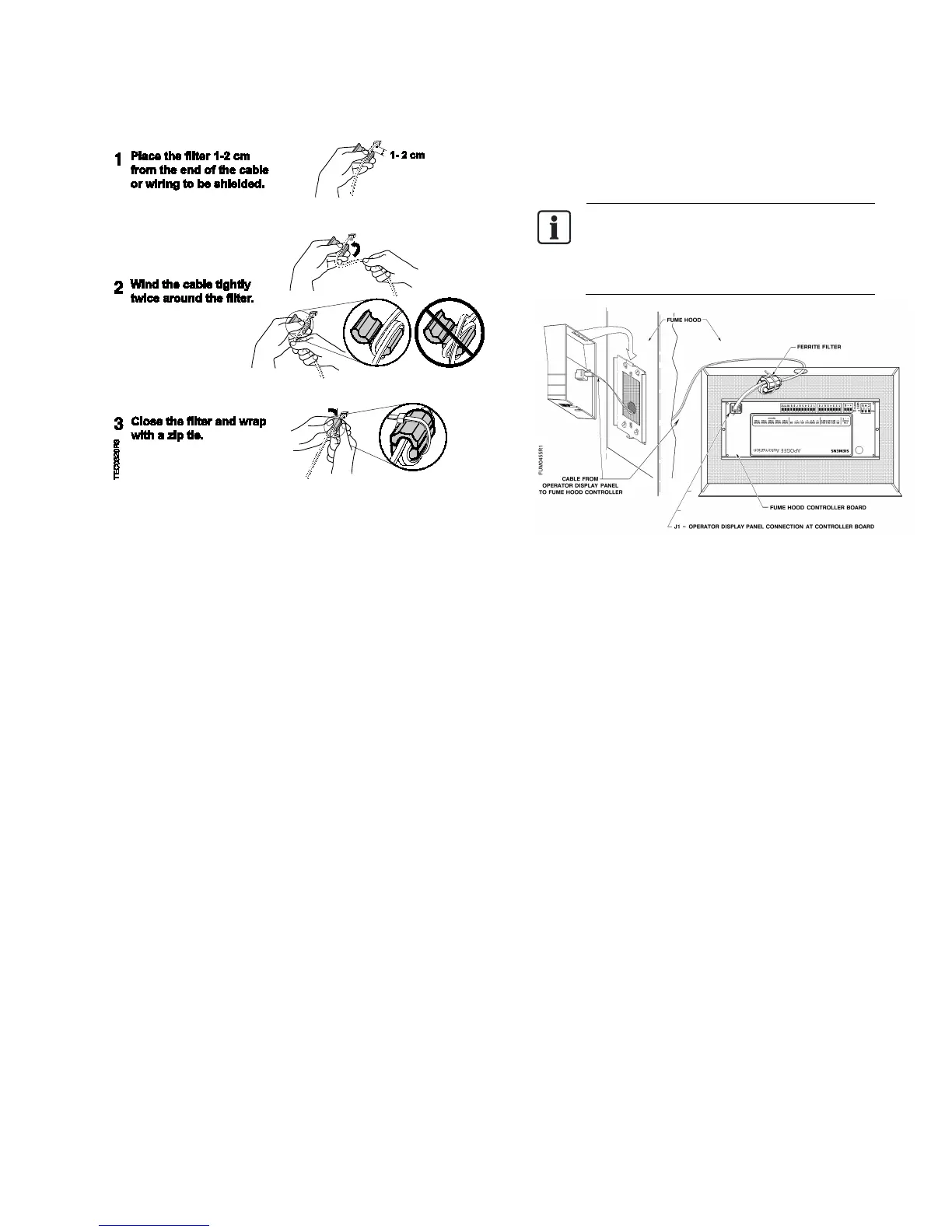
Figure 5. Installing a Ferrite Filter.
10. Plug the Operator Display Panel cable into the
Operator Display Panel Communication port on
the controller board (Figure 6 and Figure 7).
The ferrite filter must be installed on the
cable inside the enclosure to meet FCC
and CE requirements (
Figure 6).
Figure 6. Ferrite Filter Installed.
The installation is complete.





 To Next Page