Tips for Integrating with an OPC client
75
Building Technologies 048_DMS_MK8000_ICC_MP4.10_A6V10062407_a_en.doc
Fire Safety & Security Products 06.2007
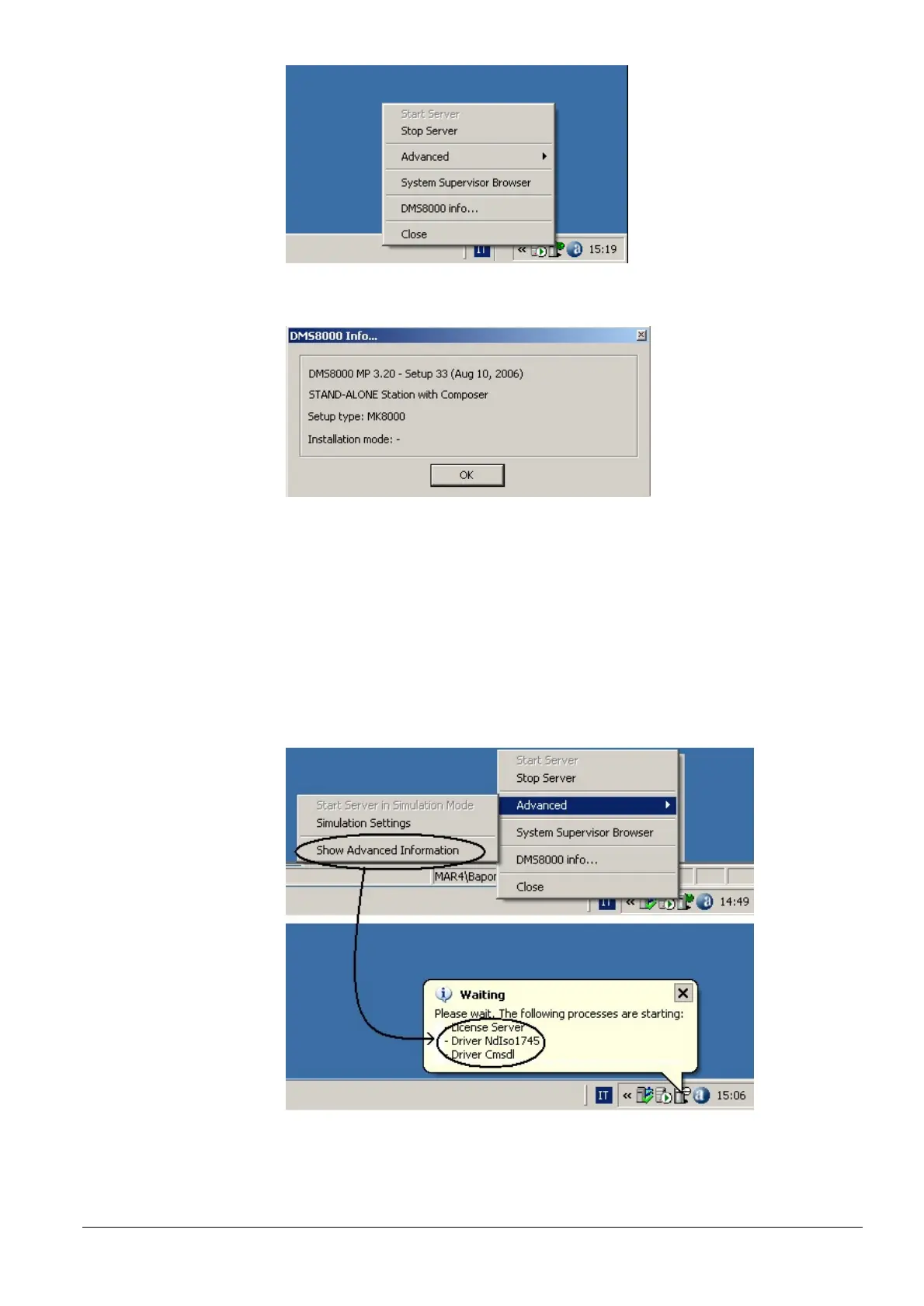
Fig 65 System Monitor right-click menu: Server is running, therefore the ‘Stop’
command is available
Fig 66 DMS8000 information window (note that the version displayed in this pic-
ture may not match the official product release)
Advanced menu
The Advanced menu includes
– Start Server in Simulation Mode: start the system with an additional applica-
tion that allows simulating field events (see below).
– Simulation Settings: this command permits to set the name of the simulation
PC: in most cases, the default option (localhost) is exactly what you need.
– Show Advanced Information: checking this option allows getting more de-
tailed information in the status messages (Fig 67).
Fig 67 Getting detailed status information



 To Next Page