Step by step
Making calls with multiple lines
98
Making calls with multiple lines
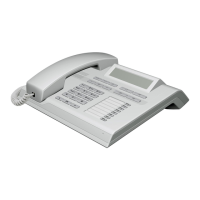
You can use your OpenStage 20 E as a multi-line phone.
If you have any questions regarding how to configure
your OpenStage phone as a multi-line phone, please
contact your service personnel.
The following is a description of the telephony scenari-
os for multi-line phones. To facilitate comprehension,
you should familiarize yourself with the enhanced tele-
phony application and how to use the line keys before-
hand. You can make further individual settings for your
multi-line phone. Refer to the following sections for a
detailed description of the individual components:
• Introduction to multi-line phones Æ page 13
•Lines and line keys Æ page 20
Incoming calls
Depending on your individual settings, you will be noti-
fied of incoming calls Æ page 150.
Accepting calls for the primary line
In this case, the telephone behaves in the same way as
a single-line telephone. See Æ page 32 and Æ page 70.
Accepting calls for secondary lines
Prerequisite: The secondary line is configured on your
multi-line telephone.
Using the handset
^ Lift the handset.
[ Conduct call.
The line used for the ringtone is selected auto-
matically. If there are calls on several lines, you
are connected with the line that has been ringing
the longest.



 To Next Page