33
To set a LOOP
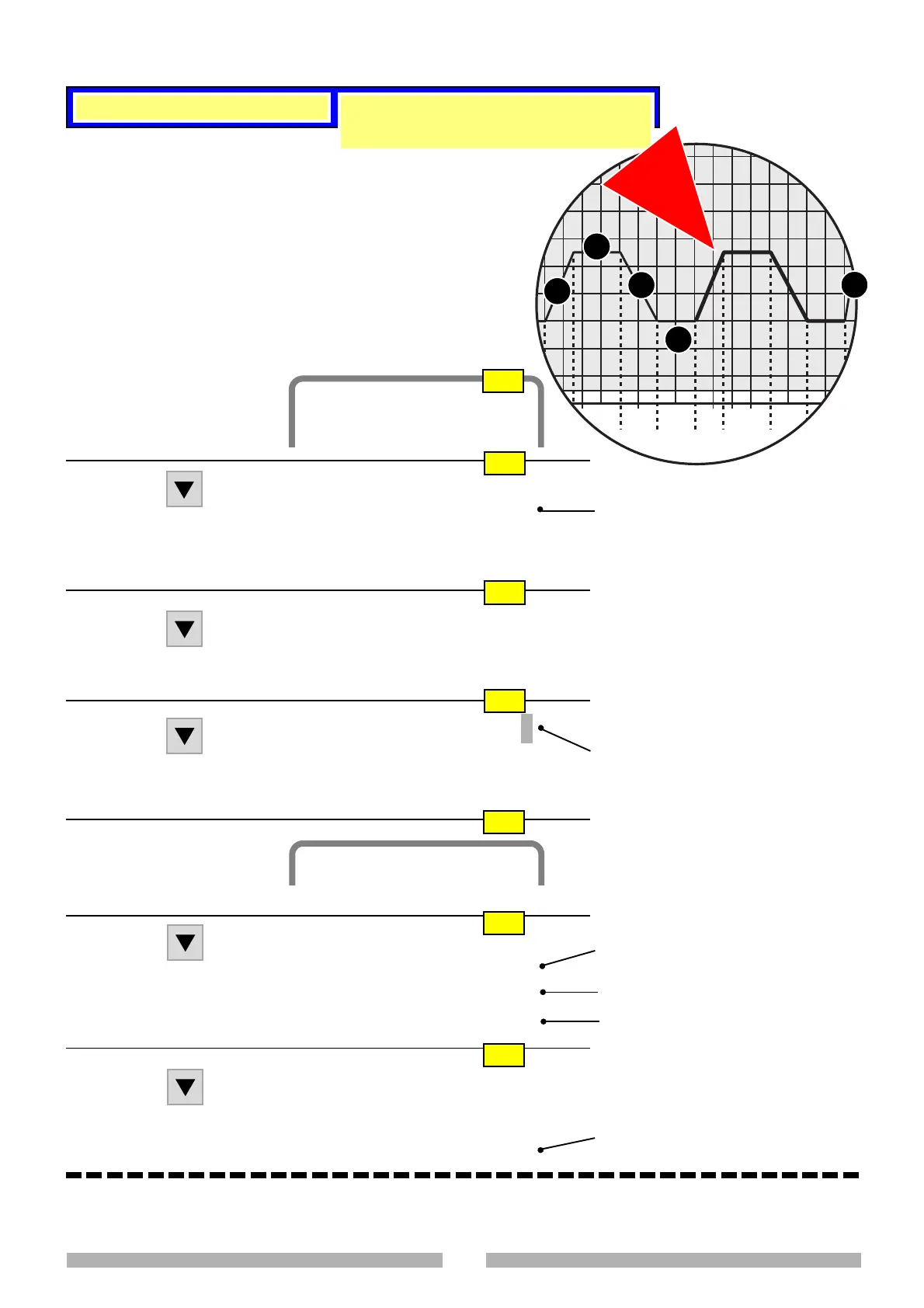
How to set the LOOP, a repetition of
segments 4,5,6,7
OP2605-150
LOOP
4
5
6
7
8
Cycles Menu
Program edit : (1)
Loop table : (2)
Save program : (3)
Load program : (4)
Delete program : (5)
Ripetition : (6)
Ver. curr. progr. : (7)
to define a loop
Choice 2
Start progr. STOP
Monitoring : OFF
to set a loop
Move on to page 01
LOOP page
O2
O3
O4
O1
Loop 1
From (<) : _ _ _
To (>) : _ _ _
Loops : _ _ _
O6
First loop segment (always lower than
the following number)
Last loop segment (always higher than
the preceding number)
Number of times the loop has to be
executed
Loop 1
From (<) : 4
To (>) : 7
Loops : 2
O7
Digit the data shown and confirm
them with Enter
4.4 LOOP TABLE
It is now possible:
To save the programme (paragraph 4.5)
To carry out the programme even if it has not been saved (paragraph 4.6).
This enables up to 10 repetitions of parts of a programme (series
of segments or single segment) to be set.
It is possible to carry out another nested loop within a loop; this,
however, must form part of the main loop.
E.g. Loop of segments 4,5,6,7 (see diagram on the right)
Execution: 4,5,6,7
Nested loop 5,6
Execution: 4,5,6,5,6,7, 4,5,6,5,6,7
The set segments (page O6) are carried
out twice
O5
Loop Table
< ESC > menu prec.




 To Next Page