14
CYCLE START-UP
K1
VISUALIZED ON THE DISPLAY:
• The key led light is switched on.
• The machine starts, reaches the set temperature value (20°C) and continues
to operate along this value.
• The set rising and descending value is reached at maximum speed.
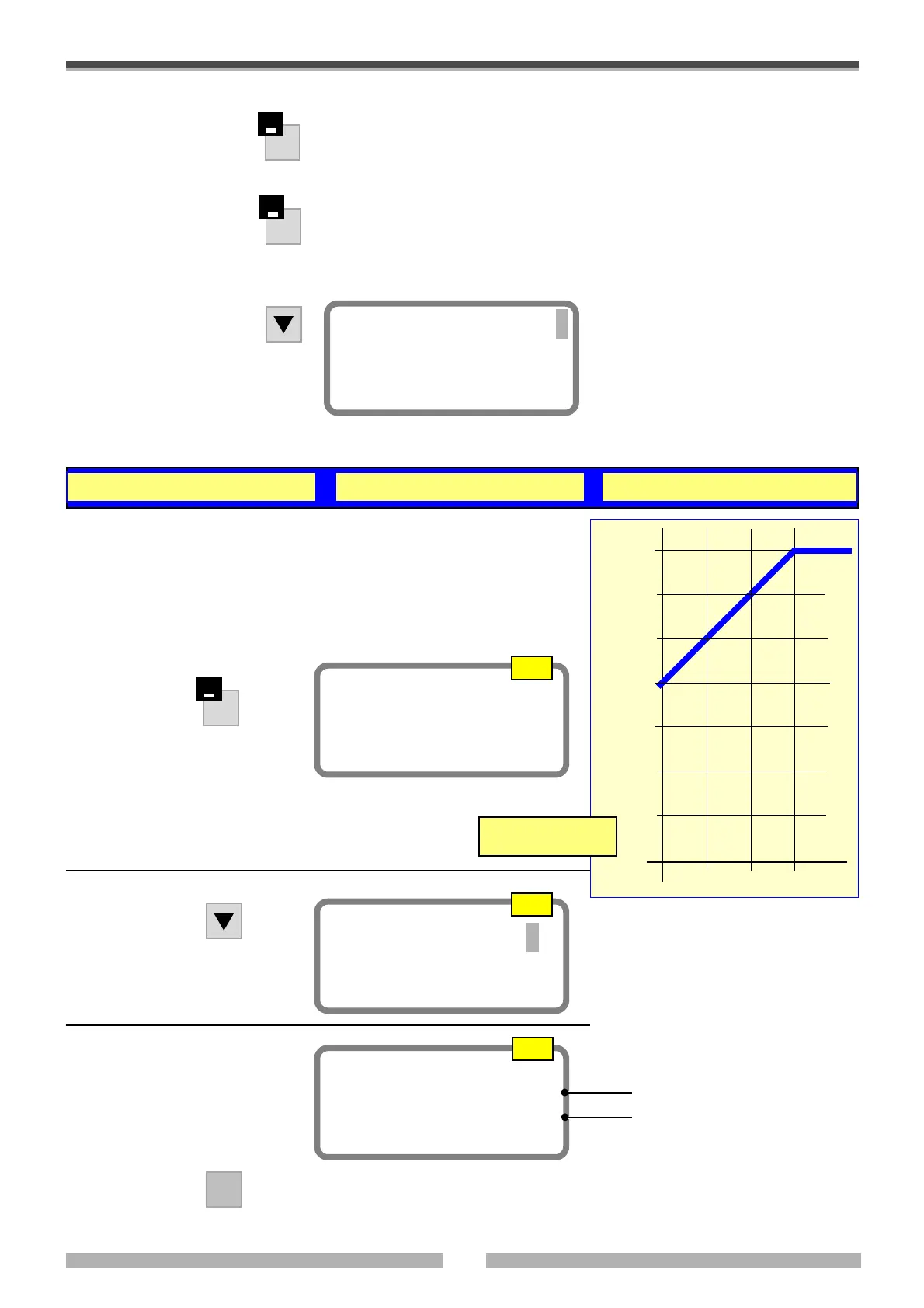
3.2 STEP B • Set a temperature slope from 20°C to 35°C with a gradient of 1°C/min and a 60% RH.
• Wait for the chamber to reach the set departure value (20°C) (Step A).
• Follow the example to programme a temperature slope as shown in the
diagram with the gradient that is indicated below.
• Move to the page shown below.
10
15
20
25
30
35
5
5’
10’
15’
t= min.
Temp
°C
gradient: 1°C/min
K2
Settings
A1
A3
Temper. Set. 35.00°C
Humid. Set. 60.00 %
ENTER
To confirm.
If you enter the wrong number, you will
still have to press ENTER and then re-
digit the number.
Temper. Set. 20.00°C
Humid. Set. 0.00 %
A2
The previously set values are visual-
ized
Final temperature
Final humidity
K2
• Press this key to switch it
off (led light switched off)
If the machine has stopped:
• Press this key to start the
machine
KEYS
DISPLAY FUNCTIONS
• Press
The chamber internal data are visual-
ized.
The chamber reaches these values and
maintains them.
Temp. meas. .......°C
Humid. meas. .......%
• Enter the values visualized on
the display in the page shown on
the right.




 To Next Page