CP340/CP341/CP440/CP441 Communication and Programming
Entry-ID: 88867653, V1.0, 02/2014
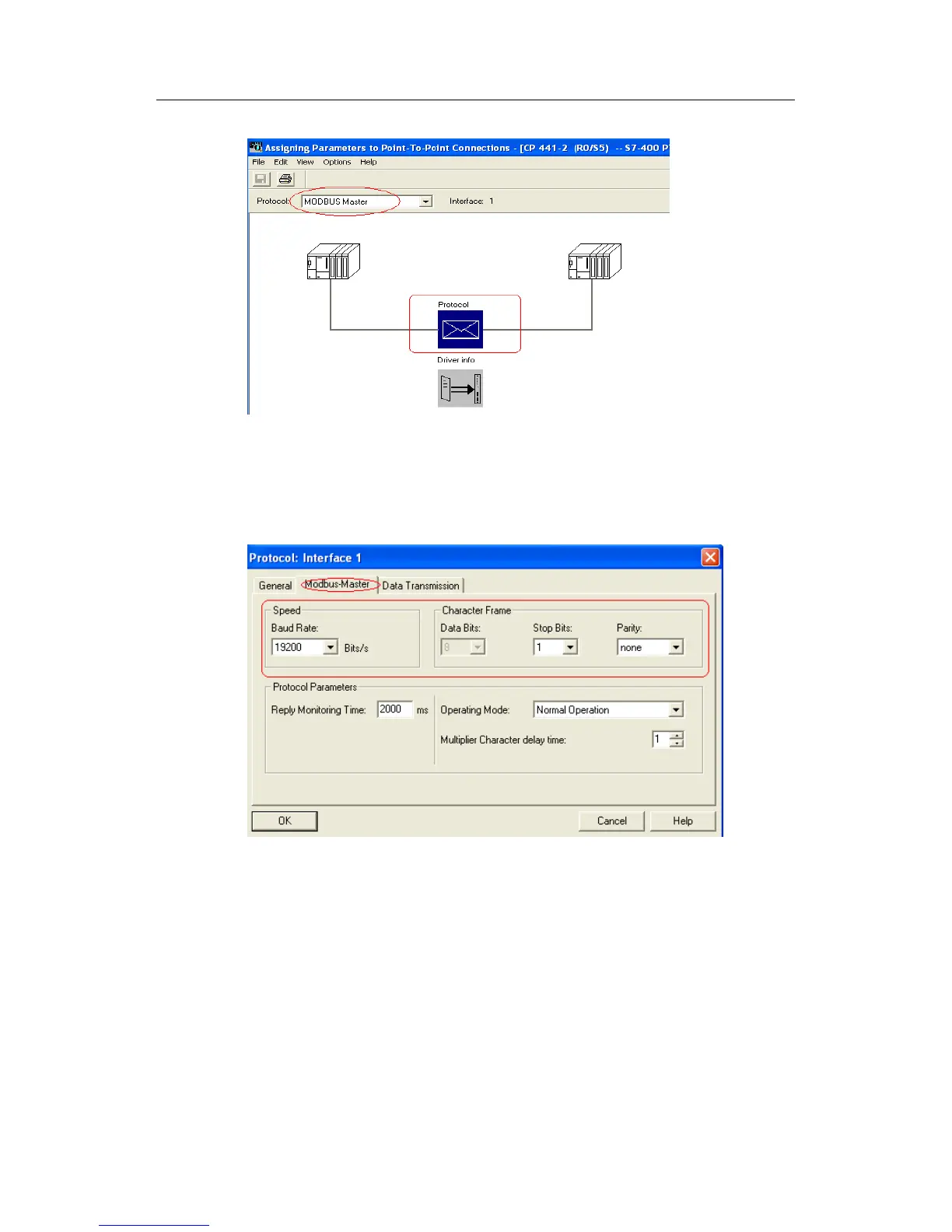
Fig. 100: Selecting communication protocol
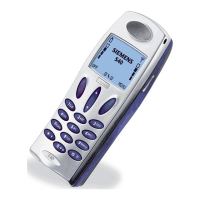
3. Double-click the envelop icon under Protocol to configure Modbus Master
parameter, and click Modbus-master button to set the basic parameters such
as communication rate and message details, etc., and other parameters may
be in default settings.
Fig. 101: Configure MODBUS Master communication parameter
4. After completing configuration, click OK and save it, and close the dialog
box. Just as ASCII communication with CP441-2, create PtP connection for the
used interface, and record the Local ID (Hex) connection number.


 To Next Page