06.2006 Parameterization
Siemens AG 6SE7087-6KP50
SIMOVERT MASTERDRIVES Operating Instructions 8-11
Some parameters may also be displayed without a parameter number,
e.g. during quick parameterization or if "Fixed setting" is selected. In
this case, parameterization is carried out via various sub-menus.
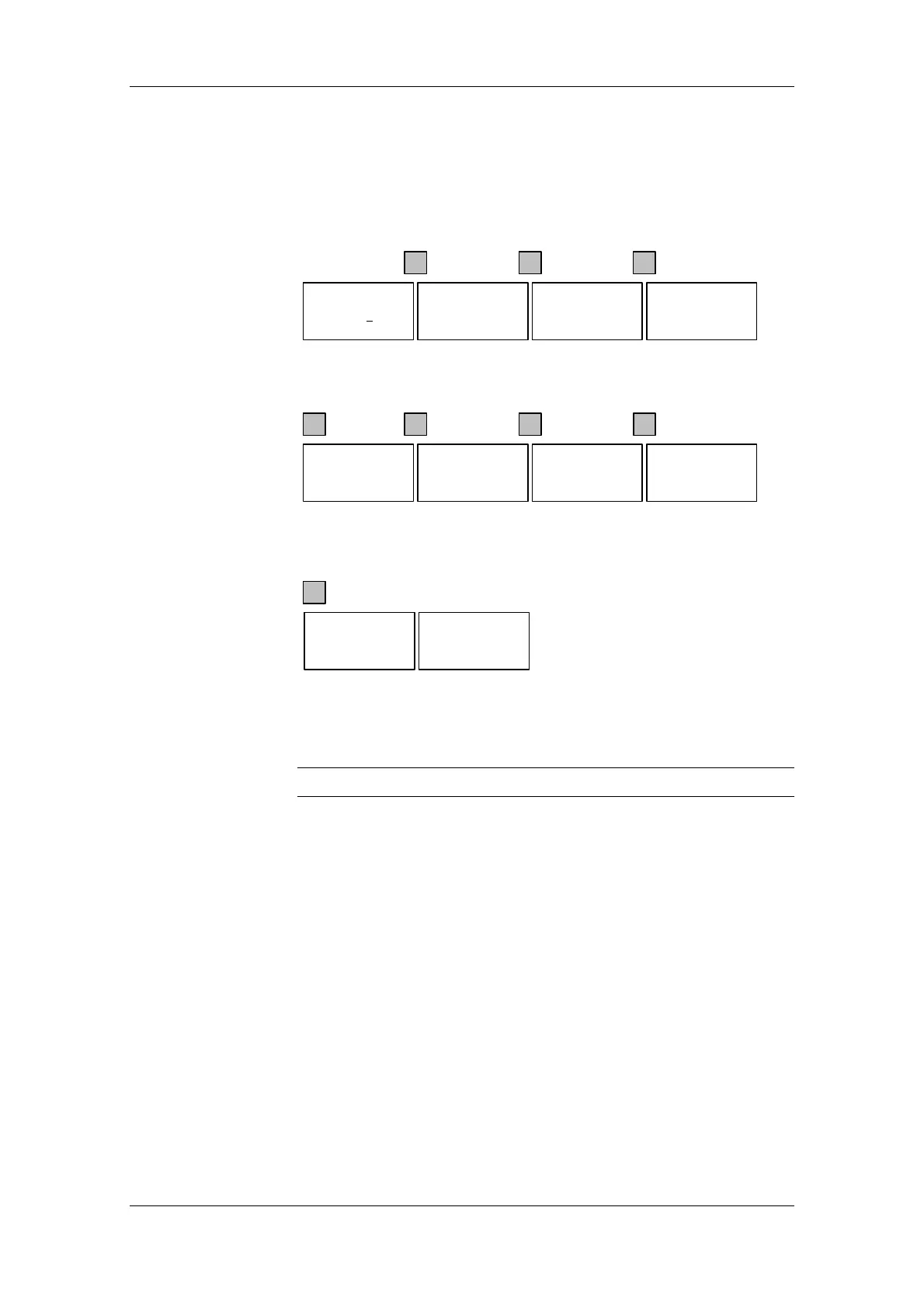
Example of how to proceed for a parameter reset.
P
Ê Ì
0.0 A 0 V 00
# 0.00 min-1
* 0.00
min-1
Ready
∇
Ê Ì
P
Ê Ì
MotionControl
*Menu selection
OP: Upread
OP: Download
Menu Selection
*User Param.
Param Menu..
Fixed Set...
Menu Selection
*User Param.
Param Menu..
#Fixed Set...
2 x
Selection of fixed setting
P
Ì
Fixed Setting
*Select FactSet
FactSet.
P
Ê Ì
∇
Ê Ì
Fixed Setting
*Select FactSet
#FactSet.
Factory Setting
FactSet.
*No FactSet
Factory Setting
#FactSet.
*No FactSet
∇
Ê Ì
Selection of factory setting
P
Ì
Factory Setting
#FactSet.
*No FactSet
busy............
Ê Ì
Menu Selection
*User Param..
Param. Menu..
FixedSet...
wait
Start of factory setting
It is not possible to start the parameter reset in the "Run" status.
NOTE




 To Next Page