06.2006 Parameterization
Siemens AG 6SE7087-6KP50
SIMOVERT MASTERDRIVES Operating Instructions 8-19
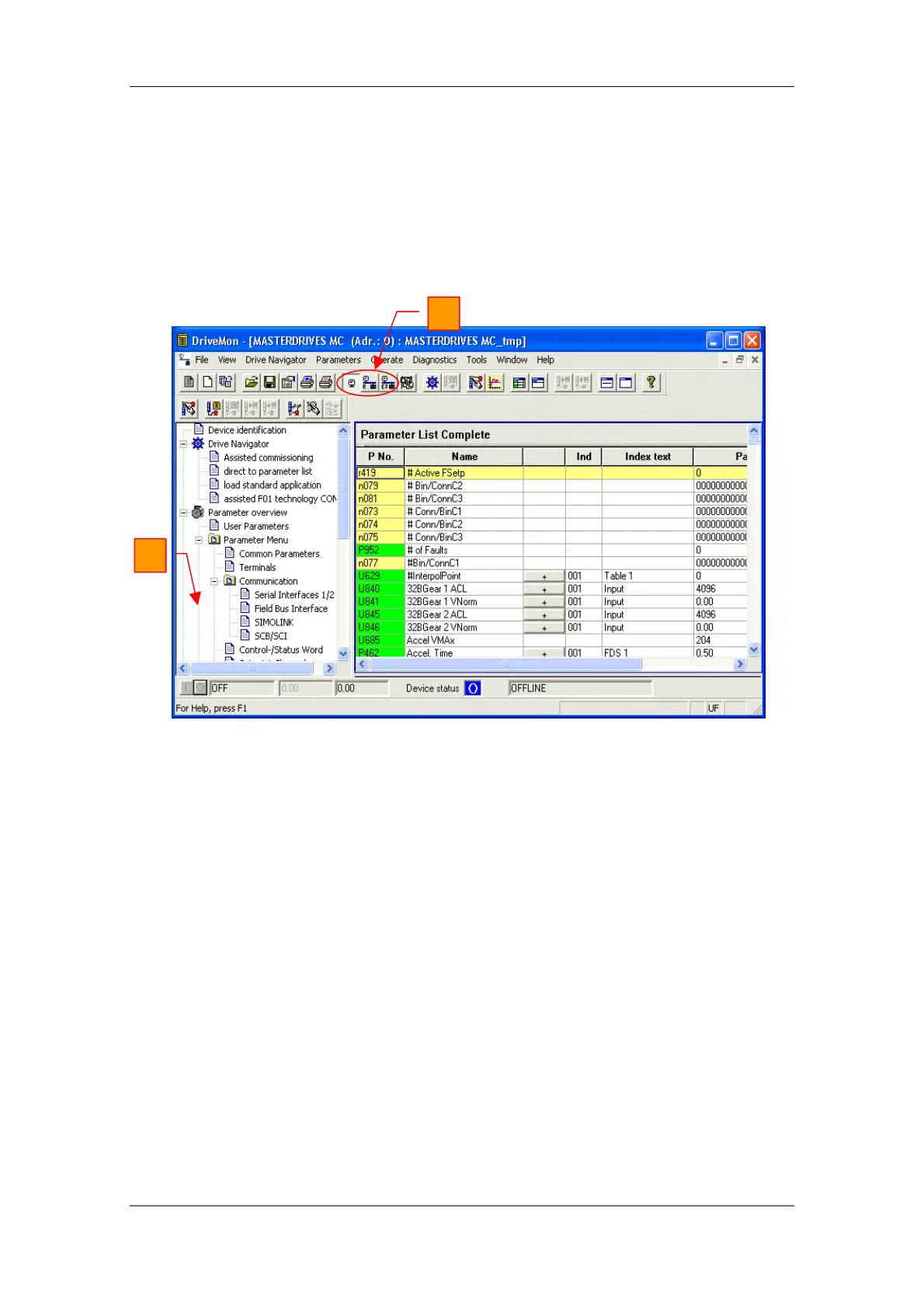
With buttons Offline, Online (RAM), Online (EEPROM) (Fig. 8-12 [1])
you can switch modes. When you switch to online mode, device
identification is performed. If the configured device and the real device
do not match (device type, software version), an alarm appears. If an
unknown software version is recognized, the option of creating the
database is offered. (This process takes several minutes.)
1
2
Fig. 8-12 Drive window/parameter list
The DriveMonitor drive window has a directory tree for navigation
purposes (Fig. 8-12 [2]). You can deselect this additional operating tool
in menu View - Parameter selection.




 To Next Page