Part programming
4.5 Free contour programming
Milling Part 1: Operation
Programming and Operating Manual, 12/2012, 6FC5398-4DP10-0BA0
71
Contour symbol colors
The meaning of the symbol colors in the contour chain on the left of the main screen is as
follows:
Icon Significance
Selected Symbol color black on a red background -> Element is defined geometrically
Symbol color black on a light yellow background -> Element is not defined
geometrically
Not selected Symbol color black on a gray background -> Element is defined geometrically
Symbol color white on a gray background -> Element is not defined geometrically
4.5.4 Parameters for contour elements
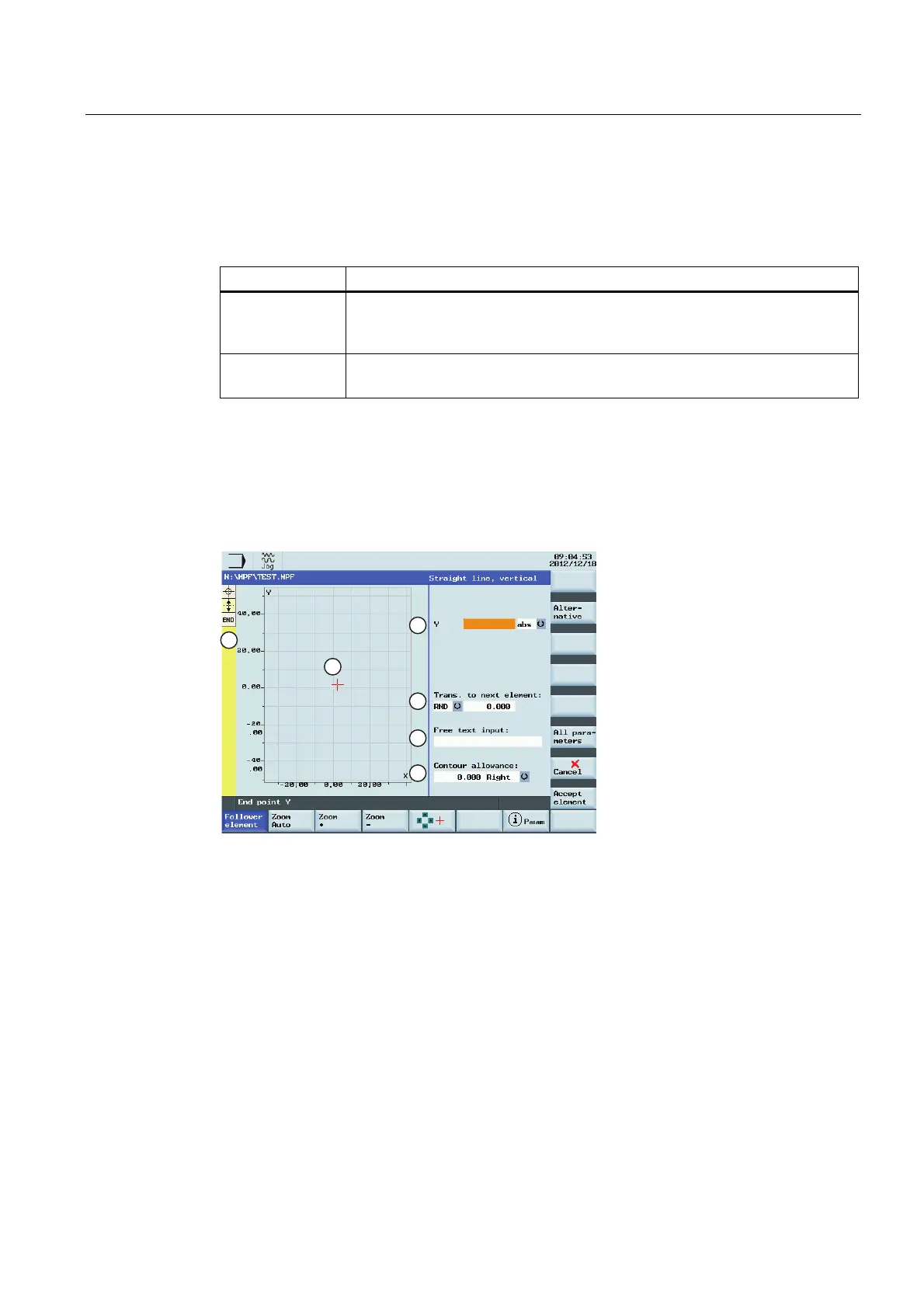
Parameters for programming straight lines
①
Absolute (abs) / incremental (inc) end
position in X or Y direction.
④
You can specify a side-based parallel
contour allowance. It is displayed as an
allowance in the graphics window.
②
Transition element to the next contour is
a chamfer (CHR) or a radius (RND).
CHR=0 or RND=0 means no transition
element.
⑤
The contour chain which displays the
start point and programmed contour
elements. The current position in the
chain is color-highlighted.
③
Input field for supplementary comments,
such as F1000 feedrate values, H or M
functions. If comments are entered as
text, they must always be started with a
semicolon ";".
⑥
The graphics window which displays the
progress of the contour as you configure
the parameters for the contour elements.













 To Next Page