EasyManua.ls Logo

Siemens SITRANS TS Series - User Manual

Siemens SITRANS TS Series
196 pages
Print Icon
To Next Page IconTo Next Page
Loading...
SITRANS T
Temperature sensors
SITRANS TS100/TS200/TS300/
TS500/TSinsert/TSthermowell
Operating Instructions
08/2020
A5E47810090-AA
Introduction
1
Safety notes
2
Description
3
Installing/mounting
4
Connecting
5
Commissioning
6
Operating
7
Parameter assignment
8
Service and maintenance
9
Diagnostics and
troubleshooting
10
Technical data
11
Dimension drawings
12
Product documentation and
support
A
Remote operation
B

Table of Contents

Questions and Answers

Summary

1 Introduction

1.2 Scope of documentation

Defines the product range covered by the documentation, listing article numbers and product names.

1.3 Functional Safety Manual

Provides instructions and information on functional safety for specific SITRANS transmitters.

1.6 Checking the consignment

Details the procedure for checking delivered items for damages and completeness.

1.7 Security information

Provides guidance on industrial security for Siemens products and network protection.

2 Safety notes

2.1 Preconditions for use

Ensures safe operation by observing instructions and symbols on the device.

2.1.3 Improper device modifications

Warns about risks from modifications and cancels warranty if not following instructions.

2.3 Use in hazardous areas

Outlines qualifications for personnel and safety precautions for hazardous area use.

2.4 Use in flameproof enclosures d and protection in enclosures tb

Provides installation guidelines for flameproof enclosures and protection in enclosures.

3 Description

3.1 Overview

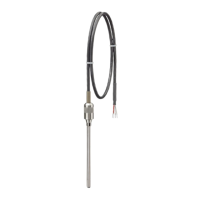
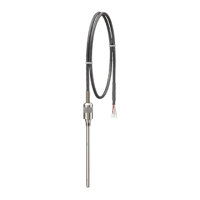
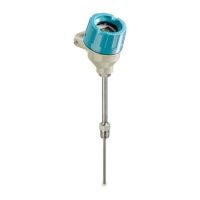
Introduces the SITRANS TS product family with descriptions of individual models.

3.2 Application

Describes the use of SITRANS TS sensors in industrial plants and various sectors.

3.3 Functional principles

Explains the two measuring principles: resistance thermometers and thermocouples.

3.5 Temperature transmitter for SITRANS TS500

Details head-mounted transmitters and displays compatible with SITRANS TS500 sensors.

3.8 USB modem and SIPROM T

Describes the application and features of the USB modem for parameter assignment.

4 Installing;mounting

4.1 Basic safety notes

Provides essential safety warnings for installation, including pressure and connection safety.

4.1.1 Installation and location requirements

Details requirements for installation location, considering vibration and direct sunlight.

4.1.2 Proper mounting

Covers correct mounting procedures, including protective tubes and electrostatic charge.

4.4 Rotating the display

Explains how to rotate the device display in 90° increments for optimal readability.

5 Connecting

5.1 Basic safety notes

Covers safety notes related to cables, glands, plugs, power supply, and hazardous areas.

5.2 Connecting the device

Provides a general procedure for connecting the device, including terminal assignments.

5.3 Connecting the resistance thermometer

Illustrates wiring diagrams for connecting resistance thermometers in 2-wire configuration.

5.4 Connecting the thermocouple

Shows wiring diagrams and cable colors for connecting thermocouples.

5.6 Connecting the SITRANS TS500

Details the steps for connecting the SITRANS TS500, including opening the device.

6 Commissioning

6.1 Basic safety notes

Highlights safety precautions for commissioning, especially in hazardous areas and with hot surfaces.

6.3 Commissioning the USB modem and SIPROM T

Provides instructions for commissioning the USB modem and SIPROM T software.

6.3.2 Installing the SIPROM T parameterization software

Guides through the installation of SIPROM T software and required USB drivers.

7 Operating

7.1 Local operation

Describes local operation using the device display and buttons.

7.1.2 Operating the device with display

Explains how to navigate through measurement, parameter, and edit views on the device display.

7.3 Locking the device

Details methods to lock the device, including write protection switch, User PIN, and button lock.

7.3.3 Enable the User PIN on the display

Guides on enabling the User PIN to protect parameters and device functions.

7.3.4 Enable the button lock on the display

Explains how to enable button lock to prevent accidental changes via the display.

8 Parameter assignment

8.1 Overview of parameters and functions

Lists and groups parameters available via local or remote operation for configuration.

8.2 Parameter assignment with USB modem and SIPROM T

Details the procedure for assigning parameters using the USB modem and SIPROM T software.

8.3 Parameter assignment over device with display

Describes how to access and set various parameters directly on the device display.

8.3.1 Input type 1 [01]

Explains how to select the input type for the first sensor input.

8.3.9 Lower range value [09];Upper range value [10]

Guides on setting the lower and upper range values for the measuring span.

8.4.5 Sensor calibration

Covers one-point and two-point calibration procedures for setting device characteristics.

8.4.5.2 Setting one-point calibration

Details the process for calibrating the device at a single low calibration point.

8.5 Setting the fault current of the internal transmitter with switch to ≥ 21 mA

Explains how to configure the fault current setting using the device switch.

9 Service and maintenance

9.1 Basic safety notes

Highlights safety precautions for maintenance, especially in hazardous areas.

9.3 Maintenance and repair work

Covers important warnings and procedures for permissible maintenance and repair work.

9.3.3 Replacing the display

Provides instructions for removing and installing the device's local display.

Recalibration

Recommends recalibration intervals based on operating conditions and applications.

10 Diagnostics and troubleshooting

10.1 Device status symbols

Explains device status symbols, their meanings, and priorities for diagnostics.

10.2 Diagnostic messages

Lists diagnostic message IDs, symbols, causes, and suggested corrective actions.

10.3 Troubleshooting of USB modem

Offers guidance on troubleshooting common issues with the USB modem.

11 Technical data

11.1 Rated conditions

Specifies rated conditions including storage, ambient, and sample temperatures.

11.1.1 Minimum permissible ambient temperatures in the connection area of the sensor

Lists minimum permissible ambient temperatures for various SITRANS sensors.

11.1.2 Maximum permissible ambient temperatures in the connection area of the sensor

Provides maximum permissible ambient temperatures for sensors, including specific model data.

11.1.4 Measuring range

Defines the practical temperature limits for thermometer usage.

11.3 Electrical data

Presents electrical specifications for general use and explosion-protected versions.

11.4 Measuring tolerances for resistance thermometers

Details tolerance classes and validity ranges for resistance thermometer accuracy.

12 Dimension drawings

12.1 Overview

Provides a summary of dimensional drawings for SITRANS TS sensors and inserts.

12.2 SITRANS TS100

Shows dimensional drawings for the SITRANS TS100 temperature sensor.

12.3 SITRANS TS200

Presents dimensional drawings for the SITRANS TS200 temperature sensor.

12.4 SITRANS TS300

Displays dimensional drawings for the SITRANS TS300 temperature sensor, including process connections.

12.5 SITRANS TS500

Provides dimensional drawings for various types of SITRANS TS500 temperature sensors.

A Product documentation and support

A.1 Product documentation

Lists available product documentation formats like certificates, downloads, and manuals.

A.2 Technical support

Provides information on how to access technical support and online services.

B Remote operation

B.1 SIMATIC PDM

Introduces SIMATIC PDM as a tool for device configuration, commissioning, and diagnostics.

B.1.1 Overview SIMATIC PDM

Describes the functionality of SIMATIC PDM for monitoring and managing intelligent field devices.

B.1.3 Updating the Electronic Device Description (EDD)

Guides on updating the Electronic Device Description (EDD) for SIMATIC PDM integration.

Summary

1 Introduction

1.2 Scope of documentation

Defines the product range covered by the documentation, listing article numbers and product names.

1.3 Functional Safety Manual

Provides instructions and information on functional safety for specific SITRANS transmitters.

1.6 Checking the consignment

Details the procedure for checking delivered items for damages and completeness.

1.7 Security information

Provides guidance on industrial security for Siemens products and network protection.

2 Safety notes

2.1 Preconditions for use

Ensures safe operation by observing instructions and symbols on the device.

2.1.3 Improper device modifications

Warns about risks from modifications and cancels warranty if not following instructions.

2.3 Use in hazardous areas

Outlines qualifications for personnel and safety precautions for hazardous area use.

2.4 Use in flameproof enclosures d and protection in enclosures tb

Provides installation guidelines for flameproof enclosures and protection in enclosures.

3 Description

3.1 Overview

Introduces the SITRANS TS product family with descriptions of individual models.

3.2 Application

Describes the use of SITRANS TS sensors in industrial plants and various sectors.

3.3 Functional principles

Explains the two measuring principles: resistance thermometers and thermocouples.

3.5 Temperature transmitter for SITRANS TS500

Details head-mounted transmitters and displays compatible with SITRANS TS500 sensors.

3.8 USB modem and SIPROM T

Describes the application and features of the USB modem for parameter assignment.

4 Installing;mounting

4.1 Basic safety notes

Provides essential safety warnings for installation, including pressure and connection safety.

4.1.1 Installation and location requirements

Details requirements for installation location, considering vibration and direct sunlight.

4.1.2 Proper mounting

Covers correct mounting procedures, including protective tubes and electrostatic charge.

4.4 Rotating the display

Explains how to rotate the device display in 90° increments for optimal readability.

5 Connecting

5.1 Basic safety notes

Covers safety notes related to cables, glands, plugs, power supply, and hazardous areas.

5.2 Connecting the device

Provides a general procedure for connecting the device, including terminal assignments.

5.3 Connecting the resistance thermometer

Illustrates wiring diagrams for connecting resistance thermometers in 2-wire configuration.

5.4 Connecting the thermocouple

Shows wiring diagrams and cable colors for connecting thermocouples.

5.6 Connecting the SITRANS TS500

Details the steps for connecting the SITRANS TS500, including opening the device.

6 Commissioning

6.1 Basic safety notes

Highlights safety precautions for commissioning, especially in hazardous areas and with hot surfaces.

6.3 Commissioning the USB modem and SIPROM T

Provides instructions for commissioning the USB modem and SIPROM T software.

6.3.2 Installing the SIPROM T parameterization software

Guides through the installation of SIPROM T software and required USB drivers.

7 Operating

7.1 Local operation

Describes local operation using the device display and buttons.

7.1.2 Operating the device with display

Explains how to navigate through measurement, parameter, and edit views on the device display.

7.3 Locking the device

Details methods to lock the device, including write protection switch, User PIN, and button lock.

7.3.3 Enable the User PIN on the display

Guides on enabling the User PIN to protect parameters and device functions.

7.3.4 Enable the button lock on the display

Explains how to enable button lock to prevent accidental changes via the display.

8 Parameter assignment

8.1 Overview of parameters and functions

Lists and groups parameters available via local or remote operation for configuration.

8.2 Parameter assignment with USB modem and SIPROM T

Details the procedure for assigning parameters using the USB modem and SIPROM T software.

8.3 Parameter assignment over device with display

Describes how to access and set various parameters directly on the device display.

8.3.1 Input type 1 [01]

Explains how to select the input type for the first sensor input.

8.3.9 Lower range value [09];Upper range value [10]

Guides on setting the lower and upper range values for the measuring span.

8.4.5 Sensor calibration

Covers one-point and two-point calibration procedures for setting device characteristics.

8.4.5.2 Setting one-point calibration

Details the process for calibrating the device at a single low calibration point.

8.5 Setting the fault current of the internal transmitter with switch to ≥ 21 mA

Explains how to configure the fault current setting using the device switch.

9 Service and maintenance

9.1 Basic safety notes

Highlights safety precautions for maintenance, especially in hazardous areas.

9.3 Maintenance and repair work

Covers important warnings and procedures for permissible maintenance and repair work.

9.3.3 Replacing the display

Provides instructions for removing and installing the device's local display.

Recalibration

Recommends recalibration intervals based on operating conditions and applications.

10 Diagnostics and troubleshooting

10.1 Device status symbols

Explains device status symbols, their meanings, and priorities for diagnostics.

10.2 Diagnostic messages

Lists diagnostic message IDs, symbols, causes, and suggested corrective actions.

10.3 Troubleshooting of USB modem

Offers guidance on troubleshooting common issues with the USB modem.

11 Technical data

11.1 Rated conditions

Specifies rated conditions including storage, ambient, and sample temperatures.

11.1.1 Minimum permissible ambient temperatures in the connection area of the sensor

Lists minimum permissible ambient temperatures for various SITRANS sensors.

11.1.2 Maximum permissible ambient temperatures in the connection area of the sensor

Provides maximum permissible ambient temperatures for sensors, including specific model data.

11.1.4 Measuring range

Defines the practical temperature limits for thermometer usage.

11.3 Electrical data

Presents electrical specifications for general use and explosion-protected versions.

11.4 Measuring tolerances for resistance thermometers

Details tolerance classes and validity ranges for resistance thermometer accuracy.

12 Dimension drawings

12.1 Overview

Provides a summary of dimensional drawings for SITRANS TS sensors and inserts.

12.2 SITRANS TS100

Shows dimensional drawings for the SITRANS TS100 temperature sensor.

12.3 SITRANS TS200

Presents dimensional drawings for the SITRANS TS200 temperature sensor.

12.4 SITRANS TS300

Displays dimensional drawings for the SITRANS TS300 temperature sensor, including process connections.

12.5 SITRANS TS500

Provides dimensional drawings for various types of SITRANS TS500 temperature sensors.

A Product documentation and support

A.1 Product documentation

Lists available product documentation formats like certificates, downloads, and manuals.

A.2 Technical support

Provides information on how to access technical support and online services.

B Remote operation

B.1 SIMATIC PDM

Introduces SIMATIC PDM as a tool for device configuration, commissioning, and diagnostics.

B.1.1 Overview SIMATIC PDM

Describes the functionality of SIMATIC PDM for monitoring and managing intelligent field devices.

B.1.3 Updating the Electronic Device Description (EDD)

Guides on updating the Electronic Device Description (EDD) for SIMATIC PDM integration.

Siemens SITRANS TS Series Specifications

General IconGeneral
BrandSiemens
ModelSITRANS TS Series
CategoryTemperature Controller
LanguageEnglish

Related product manuals