Install the oMG
Rev 1 Jul.16 11 4119612
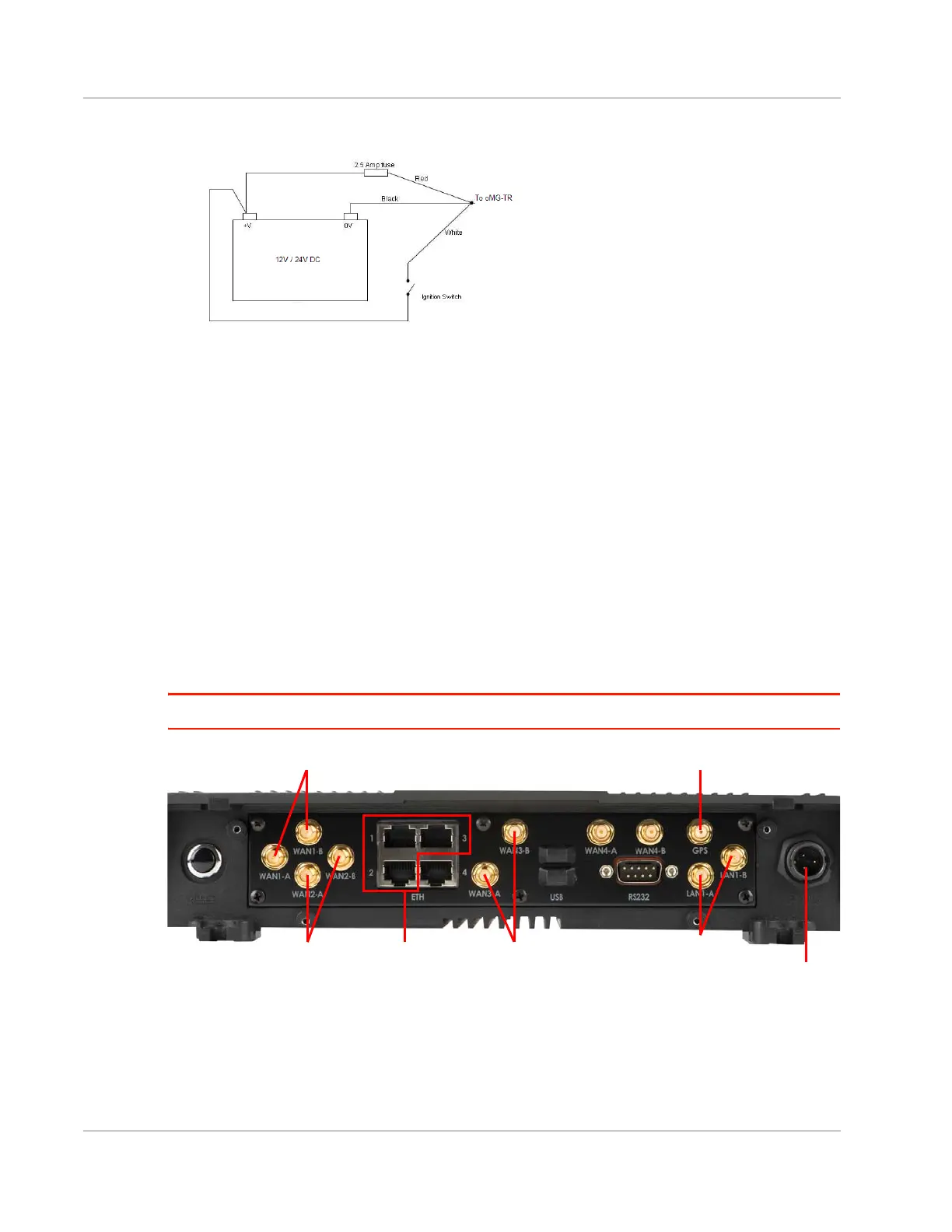
3. Wire the cable-end of the DC power cable into the vehicle’s electrical system.
Figure 5-2: DC Power Cable Wiring
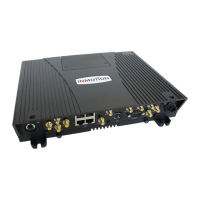
4. Attach the following cables to the ports on the rear of the oMG as shown in Figure 5-3 below:
a. Attach Ethernet cables from client devices to ETH ports 1, 2, and 3 (if used).
b. Attach Wi-Fi WAN antennas (2.4–6 GHz) to WAN3-A and WAN3-B.
c. Attach the Wi-Fi LAN antenna(s) (2.4–6 GHz):
· If using two antennas (MIMO)—Connect to the LAN1-A and LAN1-B connectors.
· If using one antenna (not MIMO)—Connect to the LAN1-A connector.
d. Attach the GPS antenna to the GPS connector.
e. Attach the LTE WAN antennas (694–894 MHz and 1700–2700Mhz) to WAN1-A and
WAN1-B.
f. If your unit was ordered with the dual embedded cellular WAN radio option, attach a
second set of LTE WAN antennas (694–894 MHz and 1700–2700Mhz) to WAN2-A and
WAN2-B.
g. With ignition OFF (or AC POWER UNPLUGGED if using adapter), attach the power cable
connector to the power socket.
Warning: Do not power down without following proper procedures (see Chapter 9 on page 15).
Figure 5-3: oMG Rear Panel Ports
Ethernet Ports 1-3
GPS
Power
Socket
Wi-Fi WAN Wi-Fi LAN
LTE WAN
LTE WAN
(Dual WAN) (Use LAN1-B only
if using 2 antennas)




 To Next Page