Rev 1 Jul.16 15 4119612
9
9: Using the oMG
When powered up, the oMG will automatically connect to the WAN, allowing external
communications (e.g. you should be able to browse to http://www.sierrawireless.com
using a web browser on your PC).
Warning: Sierra Wireless does not recommend powering down the oMG unexpectedly. When
wired correctly, turning the ignition off will cause the oMG to perform a graceful shutdown.
To manually power down the oMG:
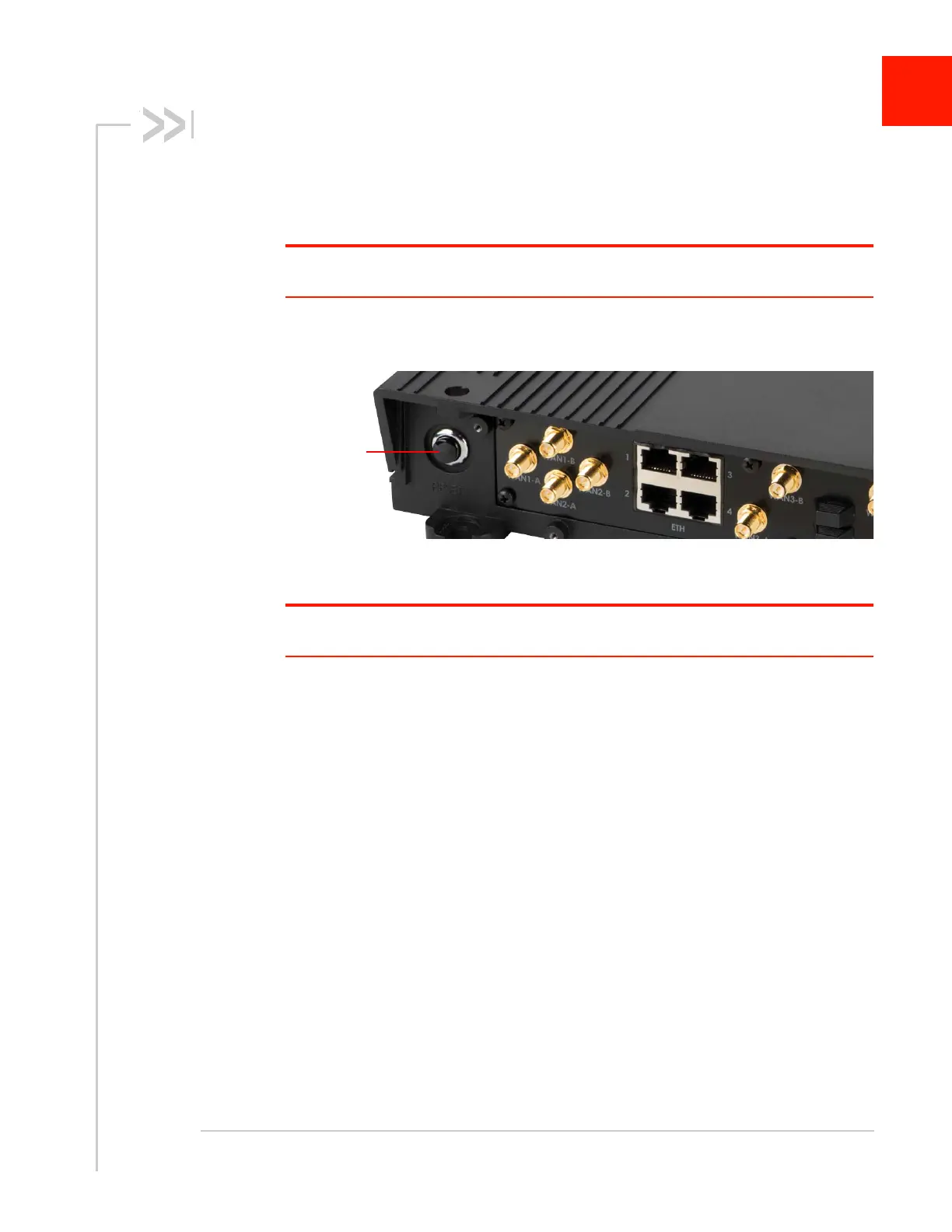
1. Press the Reset button on the unit for 2 seconds, then release.
Figure 9-1: Reset Button on Rear Panel of the oMG
2. When all LEDs stop flashing unplug the power cable.
Warning: Holding down the Reset button for 30 seconds will reset the unit to its factory
default configuration.
The oMG Operation and Configuration Guide listed in Table 1-1 on page 6 provides
details about how to customize your configuration. One essential customization is to
secure the built-in Wi-Fi access point of the oMG using the WLAN Config menu in the
LCI. The oMG supports WEP and WPA security.














 To Next Page