Rev 1 Jul.16 9 4119612
4
4: Install the SIM Card into the oMG
Warning: Use ESD protection including a grounded wrist-strap.
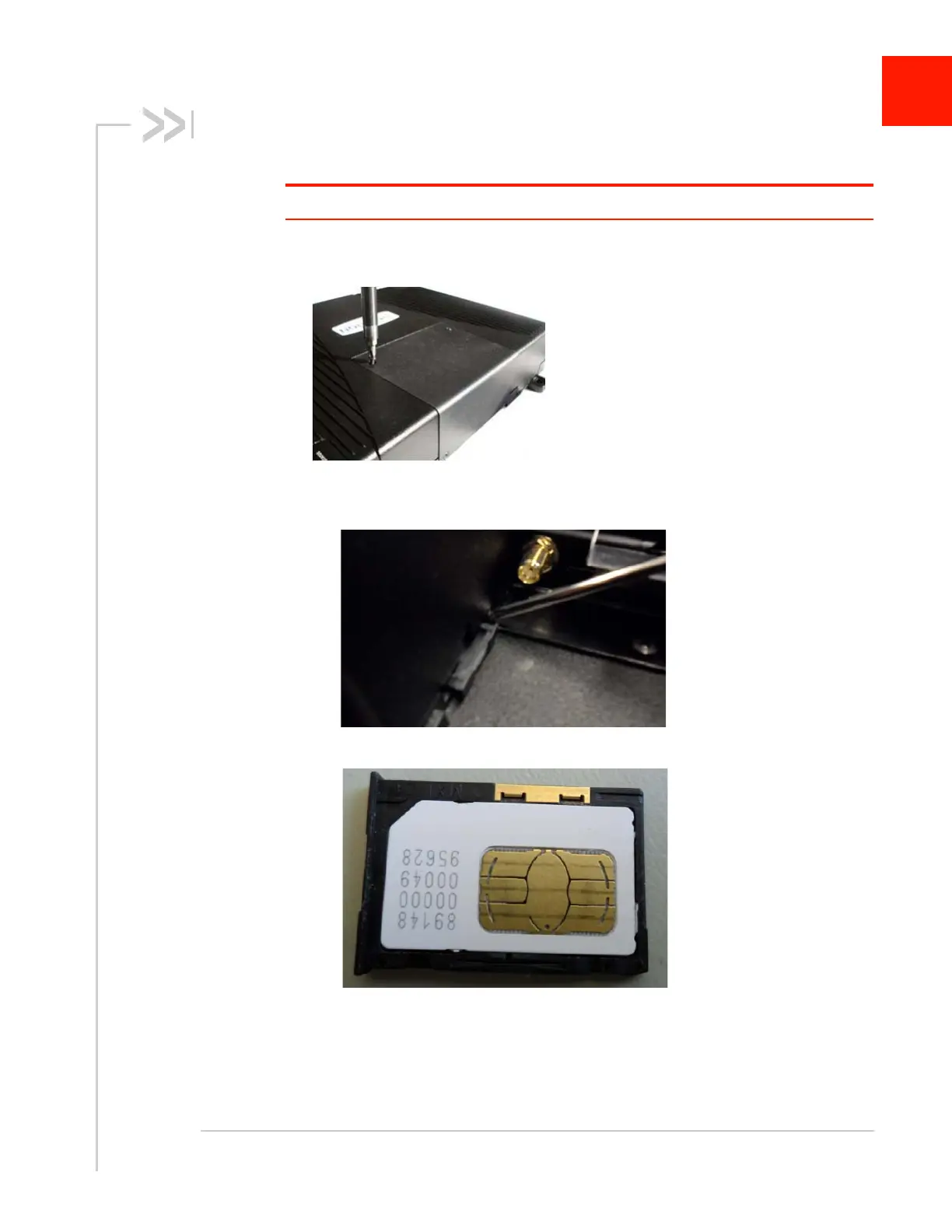
1. Open the center cover by unfastening the four Phillips screws using a #1 Phillips
screwdriver.
2. Insert the SIM card as follows:
a. Use the screwdriver to push the SIM tray eject button.
b. Place the SIM in the SIM tray.
c. Insert the SIM tray.
d. Replace the cover and refasten it.
e. If you ordered an oMG with a dual embedded cellular radio option, refer to the
SIM Card Installation Guide listed in Table 1-1 on page 6.














 To Next Page