Rev 1 Jul.16 12 4119612
6
6: Power Up the oMG and Connect the
PC
1. Power on the oMG. This may require you to turn on the ignition in the vehicle.
Warning: Do not power down without following proper procedures (see Chapter 9 on
page 15).
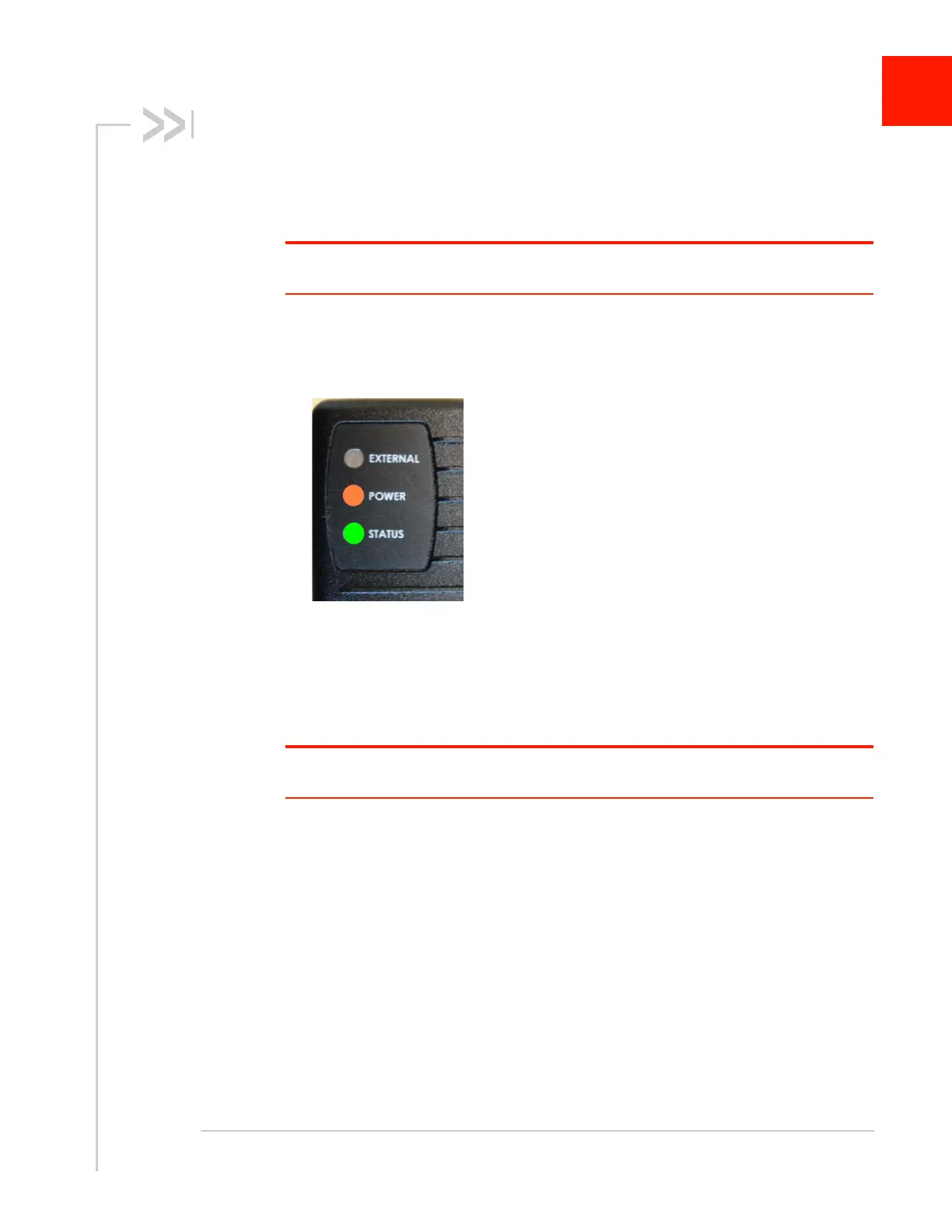
2. On power-up, the Red LED indicator will blink, followed by blinking Yellow, then
solid Yellow, then blinking Green until WAN connection is established. See the
Installation Guide listed in Table 1-1 on page 6 for a full description of status
indications.
Figure 6-1: oMG Status Indicators
3. Connect your PC to the oMG using ONE of these methods:
· Wireless: Use the 802.11 b or g Wireless interface of your PC to connect to the
oMG.
· Wired: Use an Ethernet cable between Port 1, 2 or 3 of the oMG and your PC
Ethernet connector
Warning: The TCP/IP network configuration of the PC must use Dynamic IP addressing.
Refer to Appendix A on page 16 for instructions on how to set this up in Windows XP.














 To Next Page