Sierra Wireless USB Modem User Guide
18 2131232
Connect to the network
Oncethesoftwareissuccessfullyinstalled,themodemisready
touse.
1. Clickthe
Connectbuttontoconnecttothenetwork.
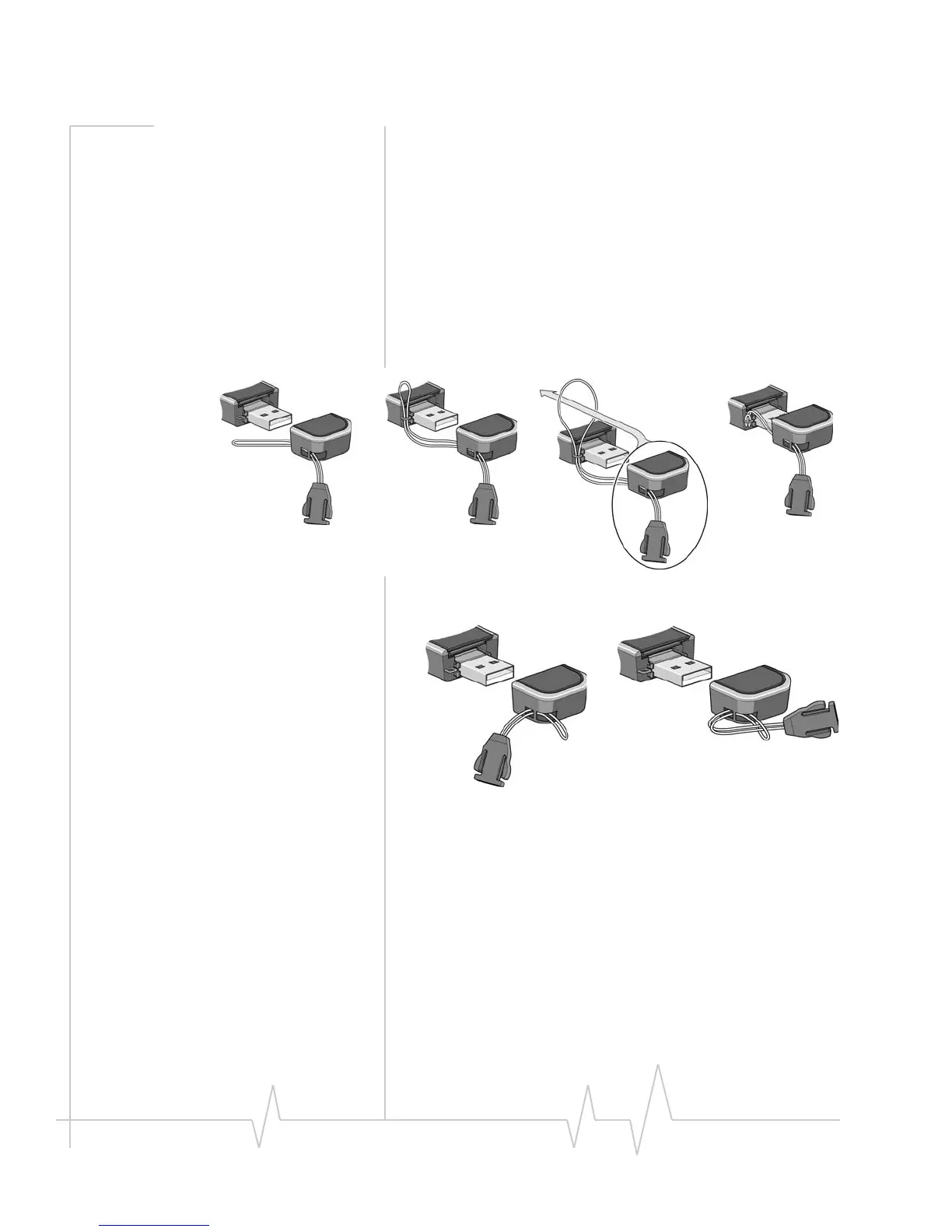
Attach the modem to the
lanyard
Tokeepeverythingtogether,threadthelanyardthroughthe
capandthemodem,asshownintheillustrations.
Youcanalsoattachthelanyardtothecap.











 To Next Page