Rev 1.0 Sep. 09 7
Contents
Introducing the Sierra Wireless USB Modem . . . . . . . . . . . . . . . . . . . . . . . . . . .9
About the USB modems . . . . . . . . . . . . . . . . . . . . . . . . . . . . . . . . . . . . . . . . . . . . 9
Services supported . . . . . . . . . . . . . . . . . . . . . . . . . . . . . . . . . . . . . . . . . . . . . . . . . 9
Your account and coverage area. . . . . . . . . . . . . . . . . . . . . . . . . . . . . . . . . . . . . 10
Modem software . . . . . . . . . . . . . . . . . . . . . . . . . . . . . . . . . . . . . . . . . . . . . . . . . . 11
Frequency band support . . . . . . . . . . . . . . . . . . . . . . . . . . . . . . . . . . . . . . . . . . . 11
Getting Started . . . . . . . . . . . . . . . . . . . . . . . . . . . . . . . . . . . . . . . . . . . . . . . . . . . . .13
Overview of installation steps . . . . . . . . . . . . . . . . . . . . . . . . . . . . . . . . . . . . . . . 13
System requirements . . . . . . . . . . . . . . . . . . . . . . . . . . . . . . . . . . . . . . . . . . . . . . 13
Inserting the SIM card . . . . . . . . . . . . . . . . . . . . . . . . . . . . . . . . . . . . . . . . . . . . . 14
Insert the modem into the computer . . . . . . . . . . . . . . . . . . . . . . . . . . . . . . . . . 15
Installing the software . . . . . . . . . . . . . . . . . . . . . . . . . . . . . . . . . . . . . . . . . . . . . 16
Windows Operating System . . . . . . . . . . . . . . . . . . . . . . . . . . . . . . . . . . . . . 16
Mac OS X . . . . . . . . . . . . . . . . . . . . . . . . . . . . . . . . . . . . . . . . . . . . . . . . . . . . . 17
Attach the modem to the lanyard . . . . . . . . . . . . . . . . . . . . . . . . . . . . . . . . . . . . 18
Using your USB Modem . . . . . . . . . . . . . . . . . . . . . . . . . . . . . . . . . . . . . . . . . . . . .19
USB modem features . . . . . . . . . . . . . . . . . . . . . . . . . . . . . . . . . . . . . . . . . . . . . . 19
LED operation . . . . . . . . . . . . . . . . . . . . . . . . . . . . . . . . . . . . . . . . . . . . . . . . . 20
Using the microSD card (some models only). . . . . . . . . . . . . . . . . . . . . . . . . . 21
Removing the microSD card . . . . . . . . . . . . . . . . . . . . . . . . . . . . . . . . . . . . 22
Removing the SIM card . . . . . . . . . . . . . . . . . . . . . . . . . . . . . . . . . . . . . . . . . . . . 23
Using the extension cable and clip . . . . . . . . . . . . . . . . . . . . . . . . . . . . . . . . . . 23
Connection management software . . . . . . . . . . . . . . . . . . . . . . . . . . . . . . . . . . 24
Launching Watcher . . . . . . . . . . . . . . . . . . . . . . . . . . . . . . . . . . . . . . . . . . . . 25
Enable Airplane mode . . . . . . . . . . . . . . . . . . . . . . . . . . . . . . . . . . . . . . . . . . . . . 25
Frequency band and network selection . . . . . . . . . . . . . . . . . . . . . . . . . . . 26

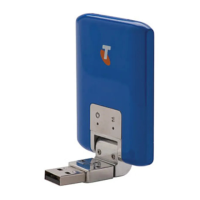




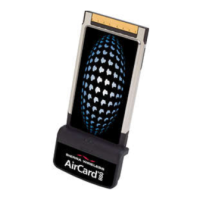




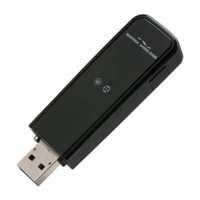

 To Next Page