Sierra Wireless USB Modem User Guide
22 2131232
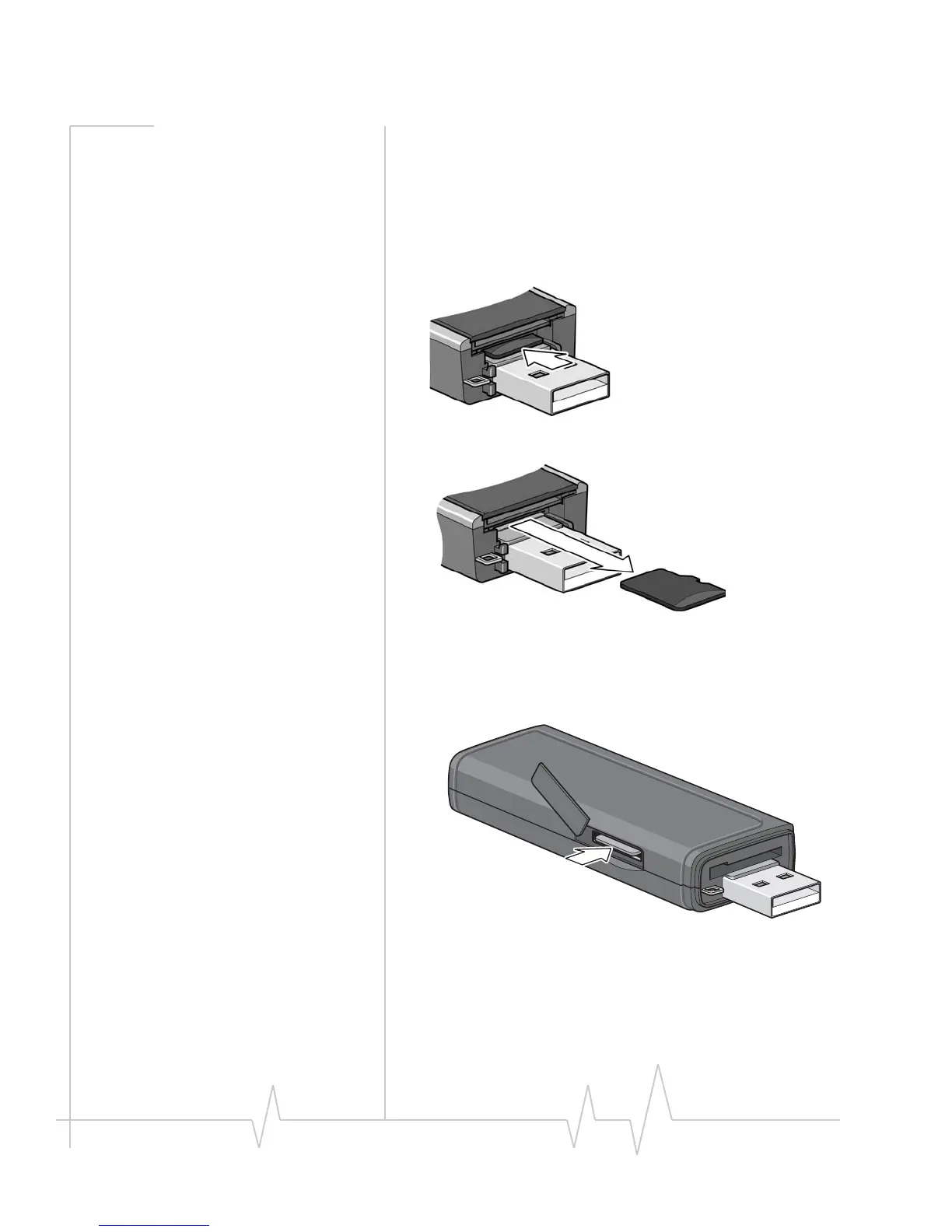
Removing the microSD card
ToremovethemicroSDcard:
If the microSD slot is in the end of the modem:
1. Removethecap.
2. PushthemicroSDcardinandthenreleaseit.
3. GentlypullthemicroSDcardout.
If the microSD slot is on the side of the modem:
1. Opentheflaponthesideofthemodem.
2. PushthemicroSDcardinandthenreleaseit.










 To Next Page