Sierra Wireless USB Modem User Guide
24 2131232
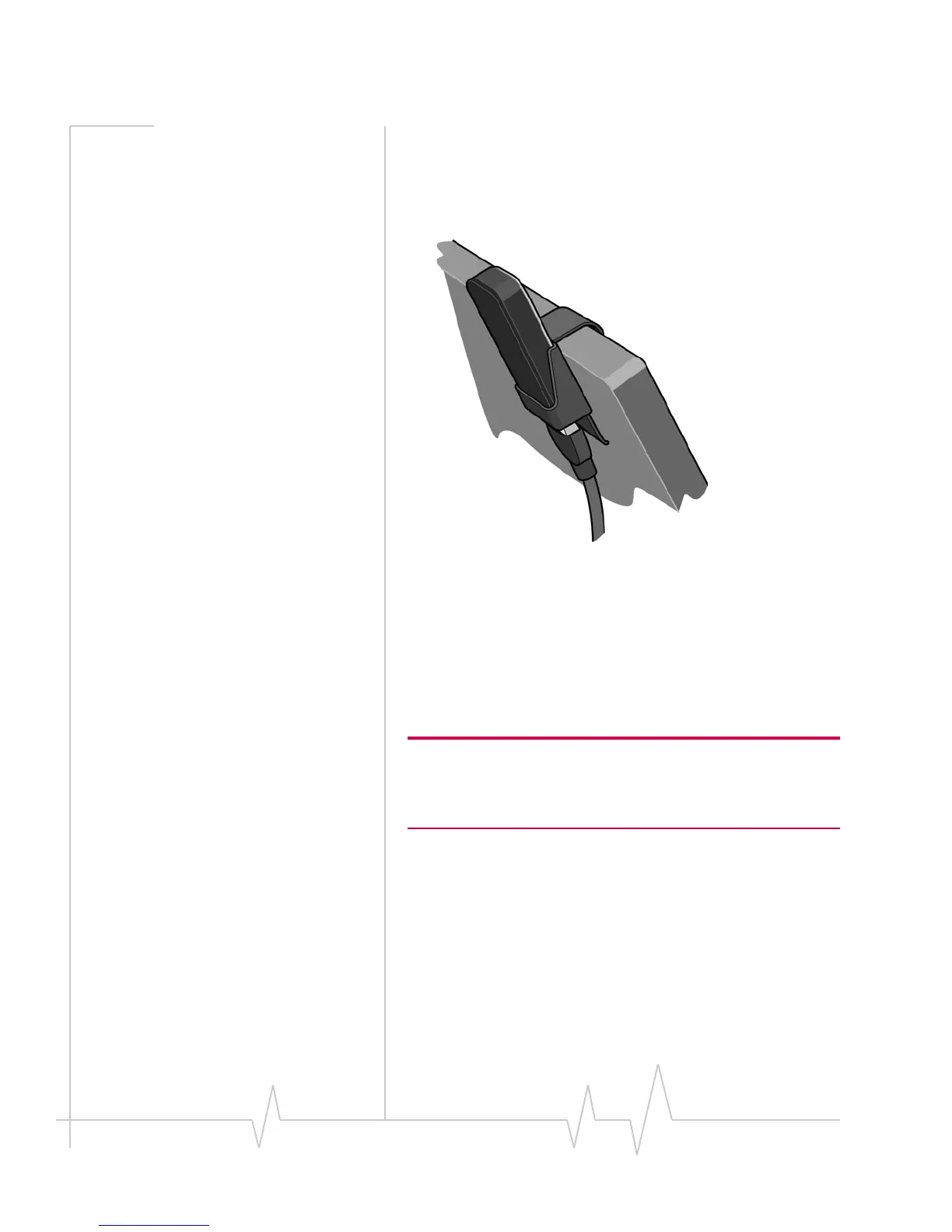
2. Connecttheextensioncabletothemodem.
3. Placethemodemintheclipholder.
4. ConnecttheotherendoftheextensioncabletotheUSB
slotonyourcomputer.
Connection management
software
YourmodemcomeswithSierraWirelessWatcher,Watcherfor
Mac,orotherconnectionmanagementsoftware,dependingon
yourcarrier.
Note: Sierra Wireless Watcher and Watcher for Mac are compatible
with earlier Sierra Wireless modems. You can set Watcher to
automatically check for updates. For more information, see the
Watcher Help (select Help > Help topics).
Watcherenablesyouto:
• Initiatedataconnections
• Determinesignalstrength,roamingstatus,GPRS, EDGE,
UMTS,orHSDPA/HSUPAavailability,andothernetwork
connectionparameters
• MonitorthestatusofthemodemandGSMservice
• SendandreceiveSMSmessages
• Monitoryourdatausage(byselectingCallHistory)











 To Next Page