Human-machine interface and its operation
There are unified operations under each menu: pressing up/down button for
page turning, long pressing up/down button for fast paging, pressing QUIT to
exit and Pressing SET to enter the next level menu.
The display interface of main menu:
Main menu 1/1
Run.con ValueSettg
TimeSettg EventInfo
LocalSettg LCD.Settg
语言(Language)
Figure 3 CSC-1321 main menu display interface
3.1 Operating condition
There are four first level menus in operating condition: communication status,
function setting, input and output, restart module and version information.
[1] 1/3
CommState
Functiong Set
DI&DO
Restart module
VersionInfo
Figure 4 CSC-1321 operating condition display interface
3.1.1 Communication status
Move the cursor to communication status on operation condition menu, and
pressing SET to display view options. The interface is as follow
s:
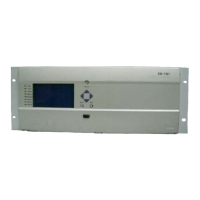
S232 serial port is located on front panel, the software tool in PC can be
connected with the IED via this port to make setting, testing and cofiguration,
etc.
[1-1] 1/1


 To Next Page