Applicaon
Operang the Menu
1. Press the POWER buon to turn the LCD TV on.
2. Press the MENU buon on the remote control, the on-screen menu will appear on the
screen.
3. Use the ◄/► buons to select your main menu opon.
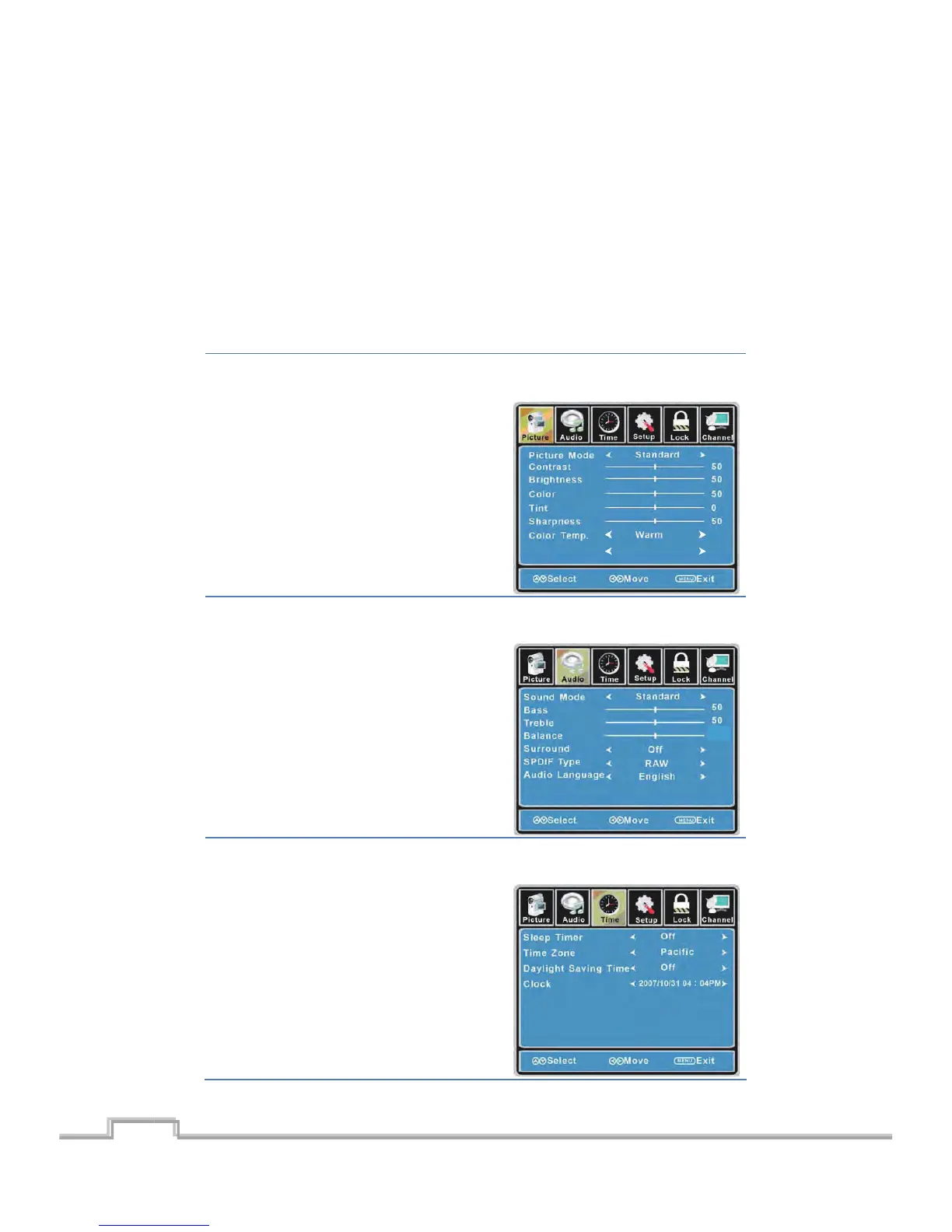
PICTURE MENU:
Allows you to make adjustments your picture sengs. (Select TV sources for example)
SOUND MENU:
Allows you customize the sound opons and effects. (Select TV source for example)
TIMER MENU:
Allows you to set up variety of mer opons. (Select TV source)
13
Blue Screen Off
SIGMAC
LE15AB
14
0
LCD/LED TV on.


 To Next Page