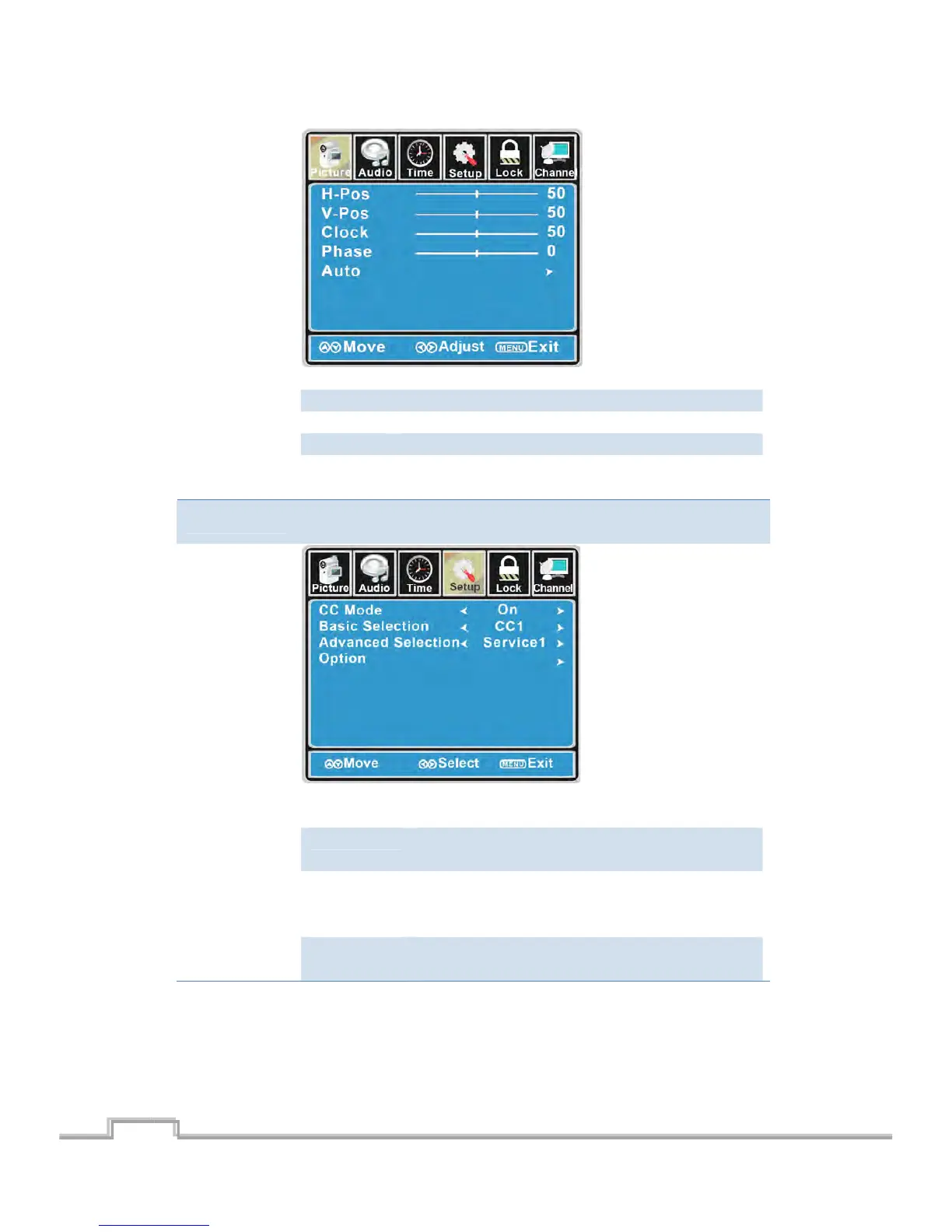
HͲPosition AllowyoutousetheŻ/ŹbuttonstoadjusttheHPosition.
VͲPosition AllowyoutousetheŻ/ŹbuttonstoadjusttheVPosition.
Clock Allowyoutoprolongtheimage.
Phase Allowyoutoadjustthedefinition.
Auto Select “Auto” and press the Ź button, the unit will
automaticallyadjustallitemstoachieveabesteffect.
CloseCaption
Use the ź butto n to highlight the Close Caption item, then press the Ź
buttontoenterintothefollowingmenu.
CCMode AllowyoutoselecttheCCModeamong:On,OffandCC
onMute.
BasicSelection Allowyoutoselectthebasicselectionamong:CC1,CC2,
CC3,CC4,Text1,Text2,Tex t 3andText4.
Advanced
Selection
Allow you to select the advanced selection among:
Service1, Service2, Service3, Service4, Service 5 and
Service6.
Option Use the ź button tohighlightthe “Option”item,then
press theŹbuttontoenterintothefollowingmenu.
19
SIGMAC
LE15AB
20



 To Next Page