UM_FULL_56SL_REV_A 15
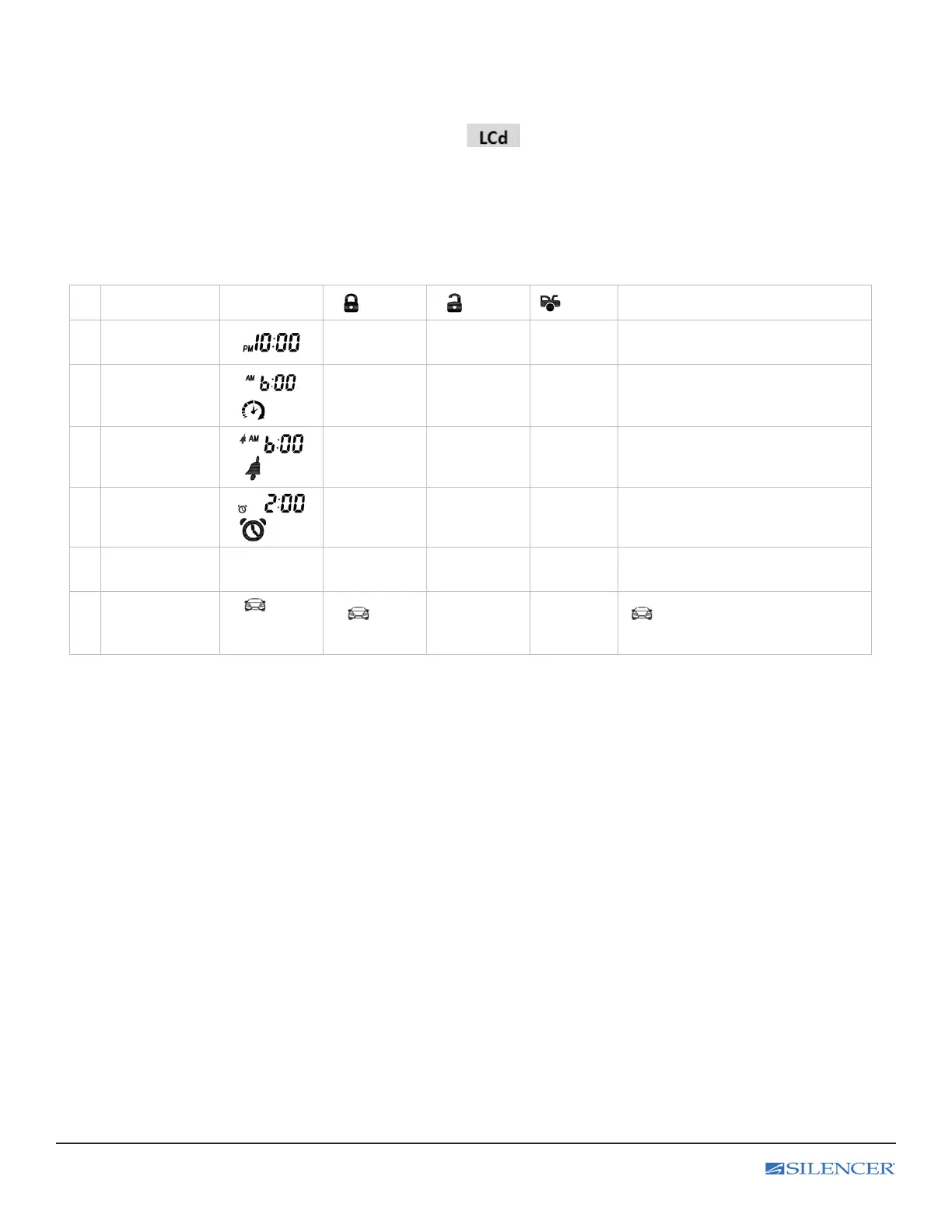
L. LCD Remote Control Program Setting
Enter:
1. Press and hold the F button for 3 seconds until the text and a tone
play to conrm is heard and then release.
2. Press F button conrm the selection and move to the next setting, and the
“Display” text and a tone play to conrm.
Exit: Press and hold the F button for 3 seconds until 2 beeps are heard and then release.
Feature Display
button button
button
Function / Description
1 Time
Adjusts
Hour
Adjusts
Minute
Sets the time on your remote
2
Daily timer start
ash
Adjusts
Hour
Adjusts
Minute
Sets the time at which you want
your vehicle to start every day.
3
Alarm Clock
Time
ash
Adjusts
Hour
Adjusts
Minute
On/Off
Sets the time which you would like
the remote alarm clock to alert you.
4
Parking
Meter Timer
ash
Adjusts
Hour
Adjusts
Minute
On/Off
Sets the time which you would like
the parking meter timer to alert you.
5
Backlight delay
or turn off
5 / 10 / OFF 5 sec. 10 sec.
Backlight
Turn off
Sets the Backlight of LCD
6
Car Icon
Illumination
icon
displayed or
not
icon
Displayed
Not
icon displayed when required
by the 2-way information system.



 To Next Page