5.3 Radio Configuration File
5.3.1 Radio Initialization with RF Parameters
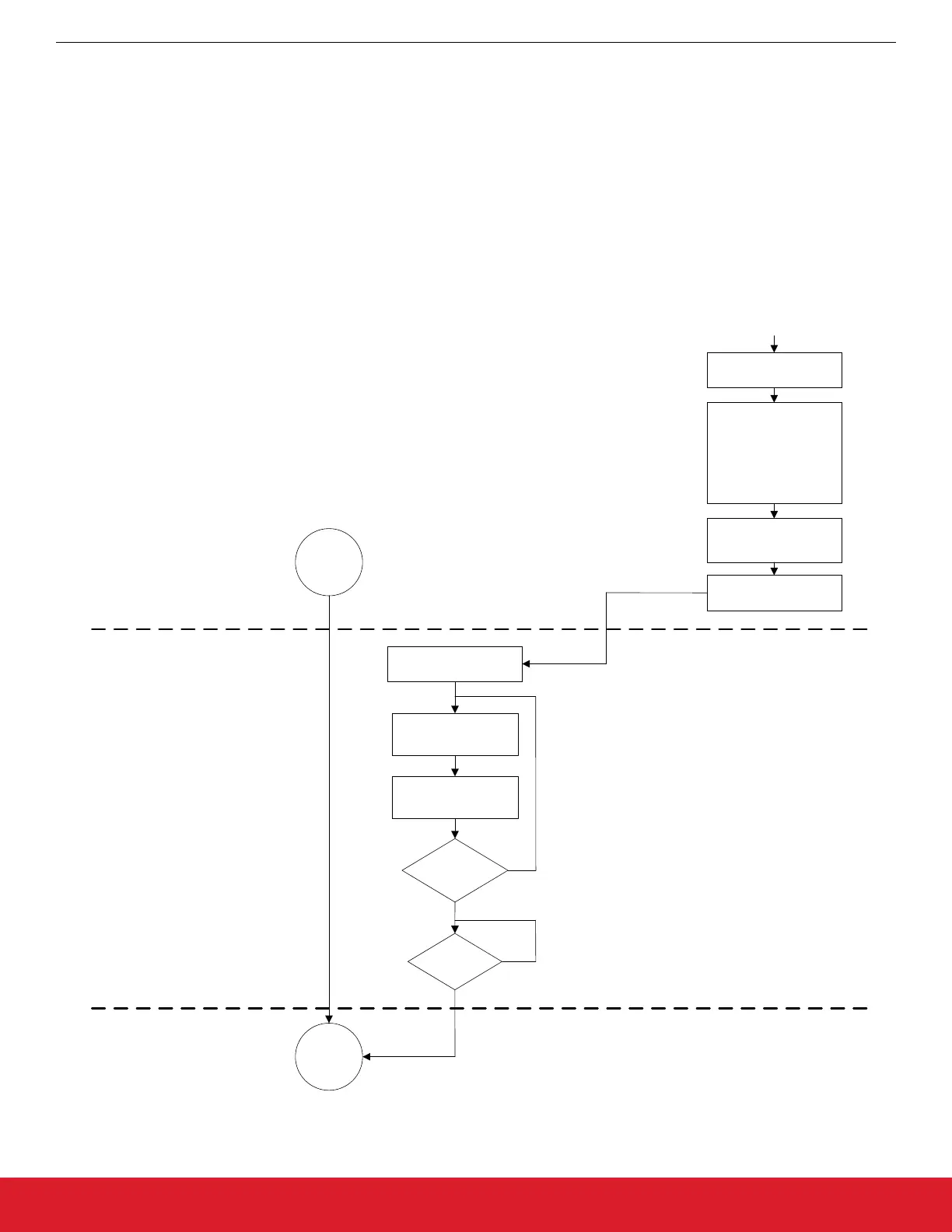
The radio parameter configuration process can be accomplished by using the Wireless Development Studio (WDS). After the required
parameters are given to the radio configuration application, WDS creates the configuration data based on these parameters. If the
Launch IDE option is selected, WDS generates a radio_config.h header file that contains the configuration data. This header file con-
tains all the information needed by the application to configure the radio properly. This information includes the parameters of the RF
link such as the modulation type, channel bandwidth, data rate, center frequency, crystal tolerance, crystal capacitor bank value, modu-
lation source, CRC calculation, and sync word setting. For more complete information on WDS and EZConfigPRO usage, refer to the
WDS User's Guide.
4. Radio
ready
5. Radio
ready and
initialized
Include
radio_config.h
Host MCU sends the API
command/property to
radio via SPI
Is API property
remaining
Yes
Radio sent
CTS?
No
No
Yes
Si446x_configuration_init(...)
Run
“Radio Control Application”
Set:
Frequency and power
RF parameters
Packet
Interrupts
GPIOs
Fast response registers
Generate configuration
header file
(radio_config.h)
Export
radio_config.h
Open WDS
Host MCU reads one API
Command/property from
radio_config.h
Figure 5.7. Radio RF Initialization Process
AN954: Programming Guide for EFM8 and EZRadio ®
Radio Initialization
silabs.com | Smart. Connected. Energy-friendly. Rev. 0.1 | 28




 To Next Page