41 GB/IE
unnecessarily shake out and distribute itself in
the surrounding area.
Pull the release lever
23
downwards (towards
the user) to open the base flap
21
on the dust
collector
20
(see Figure I).
If needed, remove hair and dust, which have
become stuck to the dust collector
20
by hand.
Close the base flap
21
again by pushing it
back into the opening of the dust collector
20
and pushing the release lever
23
upwards
(towards the dust collector
20
) until it audibly
clicks into place (see Fig. J).
Replace the dust collector
20
on the main unit
4
by lining up the dust collector
20
and the
cover
24
precisely in the corresponding recesses
in the main unit
4
(see Fig. K). The dust collec-
tor
20
must audibly click into place, it is only
properly installed if it does so (see Fig. L).
Cleaning the filters and dust
collector
Clean the filters (HEPA filter
25
and stainless steel filter
27
) after
every two or three uses. Other-
wise the vacuum function will be
reduced and the product could
be damaged.
Do not wash the filters (HEPA
filter
25
and stainless steel filter
27
) in the dishwasher or wash-
ing machine.
Do not clean the HEPA filter
25
under running water.
Do not clean the dust collector
20
in the dishwasher.
Allow the stainless steel filter
27
to air dry thoroughly after clean-
ing.
Do not put the stainless steel
filter
27
in the dryer or on the
stove to dry.
IMPORTANT: Allow all parts
of the product to dry thoroughly
after cleaning. If the stainless
steel filter
27
is not fully dry, water
may seep into the product and
damage it!
To clean the filters, follow these steps:
Switch the product off using the On/Off
button
18
(see Fig. A).
Remove the aluminium suction tube
15
from
the main unit
4
by pushing the upper release
button
19
and removing the aluminium suction
tube
15
from the main unit
4
.
Remove the dust collector
20
from the main
unit by pushing the release button
22
on the
base of the dust collector
20
and carefully
removing the dust collector
20
(see Fig. H).
Ensure that the dust collector
20
is empty (see
chapter “Emptying the dust collector”). Tap the
dust collector
20
out again over a waste bin if
needed.
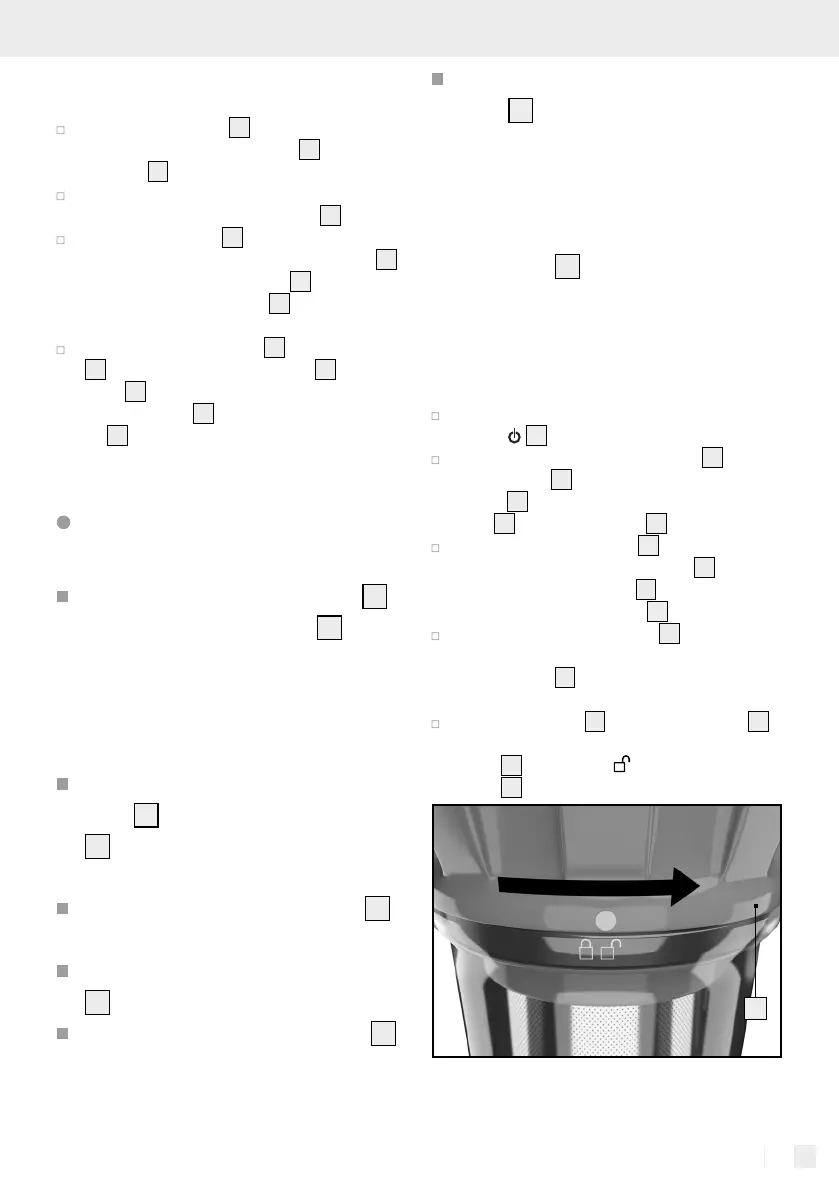
Remove the cover
24
of the dust collector
20
by turning it to the right until the marking on the
cover
24
is above the - symbol. Remove the
cover
24
, pulling it upwards.
24


 To Next Page
 Loading...