Preparation
7
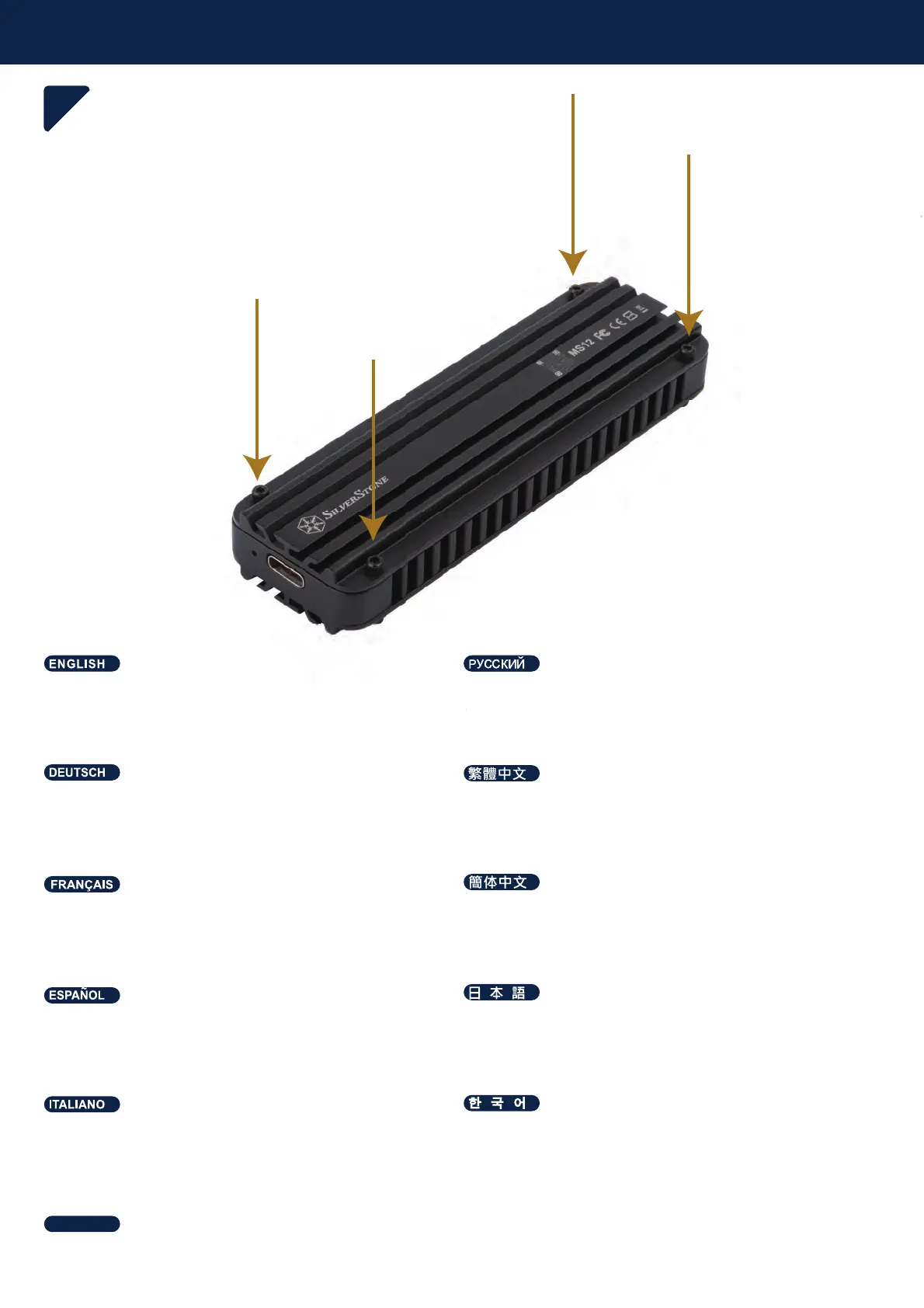
Secure top cover to the enclosure with screws to finish
installation
Ɂɚɤɪɟɩɢɬɟɜɟɪɯɧɸɸɤɪɵɲɤɭɧɚɤɨɪɩɭɫɟɜɢɧɬɚɦɢ
ɱɬɨɛɵɡɚɜɟɪɲɢɬɶɭɫɬɚɧɨɜɤɭ
Zum Abschließen der Installation obere Abdeckung
mit Schrauben am Gehäuse sichern
坚ₙₙ坚᧨春⦉婉倁⸛㒟⸘孬
Fije la cubierta superior a la carcasa con tornillos para
finalizar la instalación
ₙ捷ኈክዙትኅዐኌዊዙንዀዙኪን㷱ቤሼቮቋᇬኁዐኖ
እዙወ⸛ℕቊሼ
Fixez le capot supérieur sur le boîtier avec les vis
pour terminer l'installation
䥥ₙₙ䥥᧨析⦉婉€⸛㒟⸘孔
Fissare la copertura superiore al box con viti per
terminare l'installazione
理決枪櫖喞斲庂斲殯穞櫲旇埮珪憊庂処洛穞櫲渂柦
篊沫焯汊歊巒穯城埪
ѕѩчѐѥчҖѥьэьѯеҖѥдѤэдјҕѠкчҖњѕѝдіѬѯёѪҕѠѯѝіѶлдѥішѧчшѤҖк
ѳъѕ
the enclosure with screws to
inish
Ɂɚɤɪɟɩɢɬɟɜɟɪɯɧɸɸɤɪɵɲɤ
ɧɚɤɨɪɩ
ɱɬɨ
ɵɡɚɜɟɪɲɢɬɶɭɫɬɚɧɨɜɤ




 To Next Page