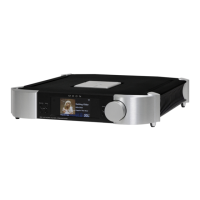
Personalize your MOON 791
Setup Menu
The device features an extensive menu for configuring and customizing many of its functions.
Navigating the Menu
• The Setup button enters the menu and returns to previous
screens.
• The knob rotates to scroll through options.
• The
OK button selects the emphasized option.
Editing Text
• The knob rotates to reveal uppercase letters, lowercase letters,
digits, and symbols.
• The
Input and buttons move the cursor left and right.
• When the complete text is correctly displayed and the cursor
remains on the last character, the
OK button registers the text.
Note: Do not advance the cursor beyond the last desired
character.
Network
Upon powering on the device, it automatically connects to a wired or wireless network. An Ethernet
connection has priority over a Wi-Fi connection. The Wi-Fi antennas are deactivated when an active
Ethernet connection is detected. When a wireless connection is necessary, the supplied antennas
should be fixed to the rear panel.
• MiND Name identifies this device as a playback Zone in the MiND Controller app on a mobile
device.
The default MiND name is
MOON 791, although it may be changed to make it easier to identify.
• Wi-Fi
Configuration is possible with the Setup menu, which also permits manual
configuration of specific advanced network parameters.
•
Information displays useful details about the network connection of this device.
Automatic Wi-Fi Configuration
1. From the Setup menu, select Network, Configuration, Wi-Fi Parameters, and Automatic.
2. Select the appropriate SSID (Wi-Fi name) from the list of networks.
If the desired SSID does not appear, return to
Wi-Fi Parameters, and select Manual to enter
the SSID.
3. Enter the security key and leave the cursor on the final (flashing) character.
- Analog Outputs
- Network
- Multiroom
- Bluetooth Audio
- Remote Control
- MOONLink
- Display
- Volume Settings
- Standby Settings
- Firmware
- Information
-


 To Next Page