13
GETTING STARTED
SELECTING A KIT
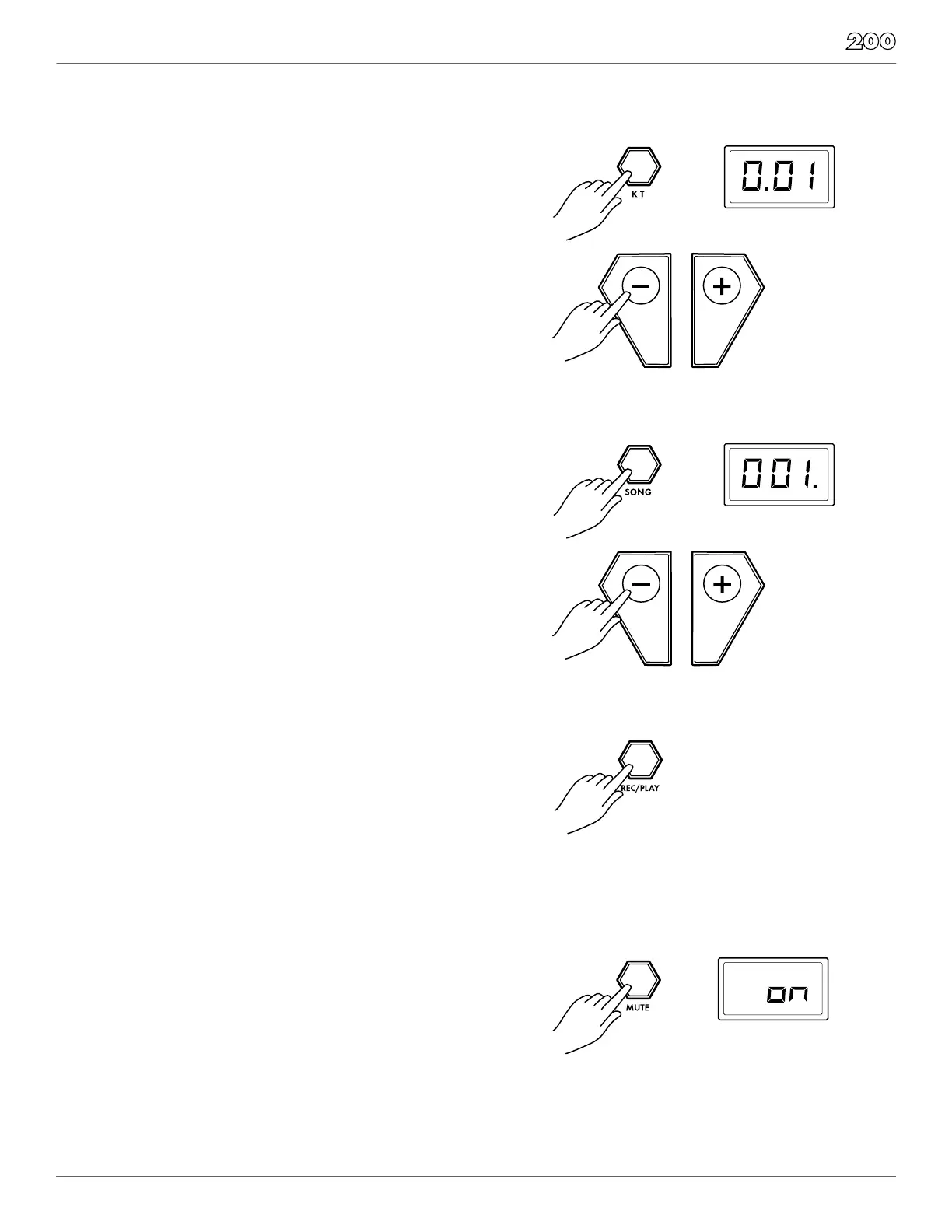
Entering KIT Mode
1. Press the [KIT] button. The LCD displays the current Kit
pictured to the right.
2. Press the [–] / [+] buttons to select a preset or user kit.
SELECTING A SONG
1. Press the [SONG] button. The LCD displays the current Song
Number and the decimal is in the last place as shown on
the right.
2. Press the [–] / [+] buttons to select the song you want to play.
MUTING THE DRUM PART
1. While a Song is playing press the [MUTE] button. This
will mute the drum sound. The screen will show the
mute status “On” or “Off”
2. To unmute the Drums press the [MUTE] button again.
PLAYING A SONG
1. Press [REC/PLAY] to play a song.
2. Press the [REC/PLAY] button again to stop playback of
the song.
NOTE: You can temporarily change the tempo of a song
while playback is in progress by using the [TEMPO/TAP]
and [–] / [+] buttons. The song returns to its default tempo
when a different song is selected.


 To Next Page