14
OWNER’S MANUAL
ADVANCED OPERATIONS
EDITING A KIT
factory presets. However to save them you will have to store
them to the User memory location. See the steps below on
how to change the parameters for each pad input.
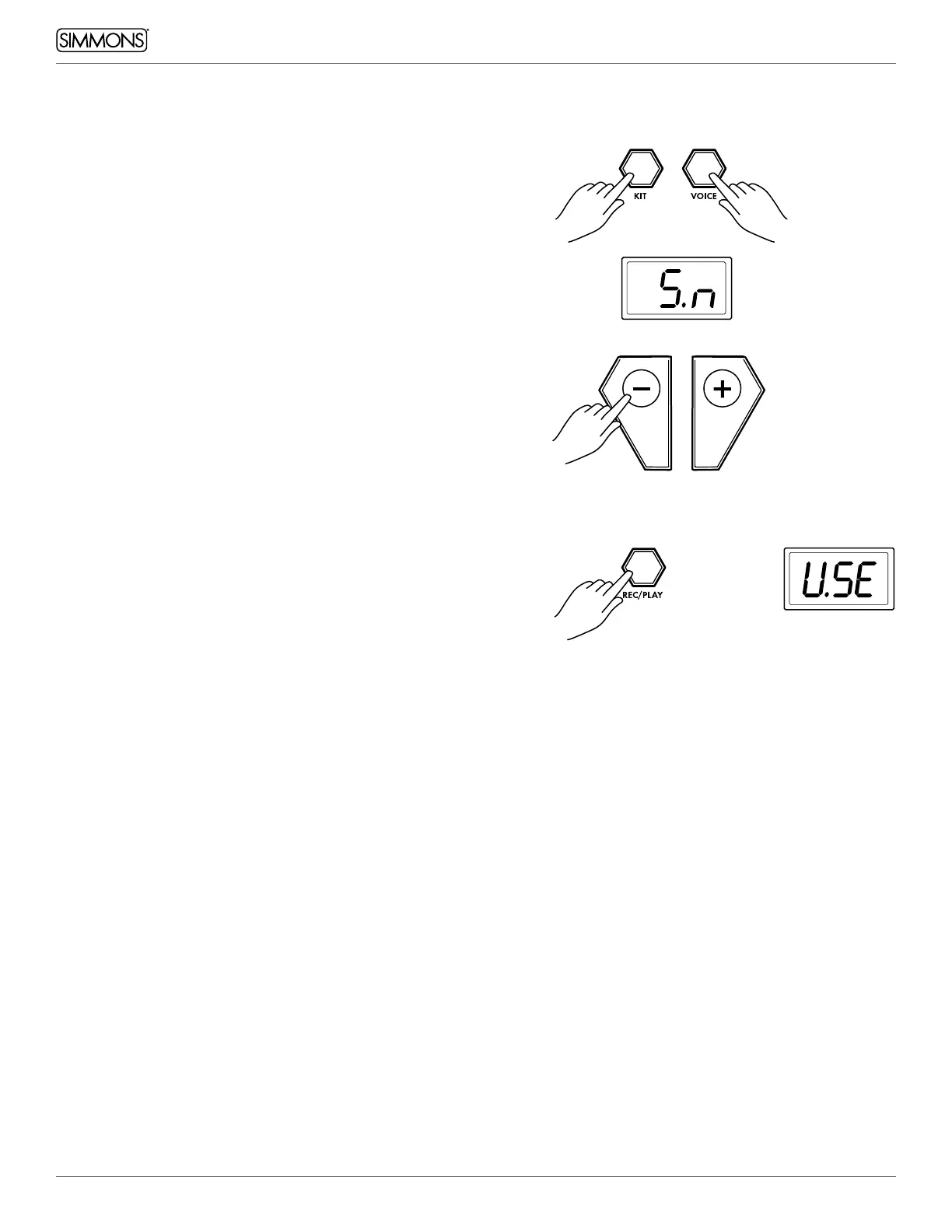
1. Press the [KIT] button.
2. Press the [VOICE] button to see the current voice - the
default is the Snare pad.
3. Strike a drum pad to view the Voice currently assigned.
4. Press the [ - ] / [+] buttons to change the assigned voice.
A list of drum sounds is at the end of this manual.
5. Press the [MIX] button to change the volume of the
selected pad.
6. Press the [REC/PLAY] button to save the assignment to the
User Kit.
RECORDING A SONG
Press and hold the [REC/PLAY] button for 2 seconds.
Recording will start after you hear one bar of metronome hits.
Press [REC/PLAY] button again to stop recording. After you
have stopped recording, press the [REC/PLAY] button to play
back your recording. Press the [REC/PLAY] button again to
stop playback.


 To Next Page