15
ADVANCED OPERATIONS
CLICK (METRONOME)
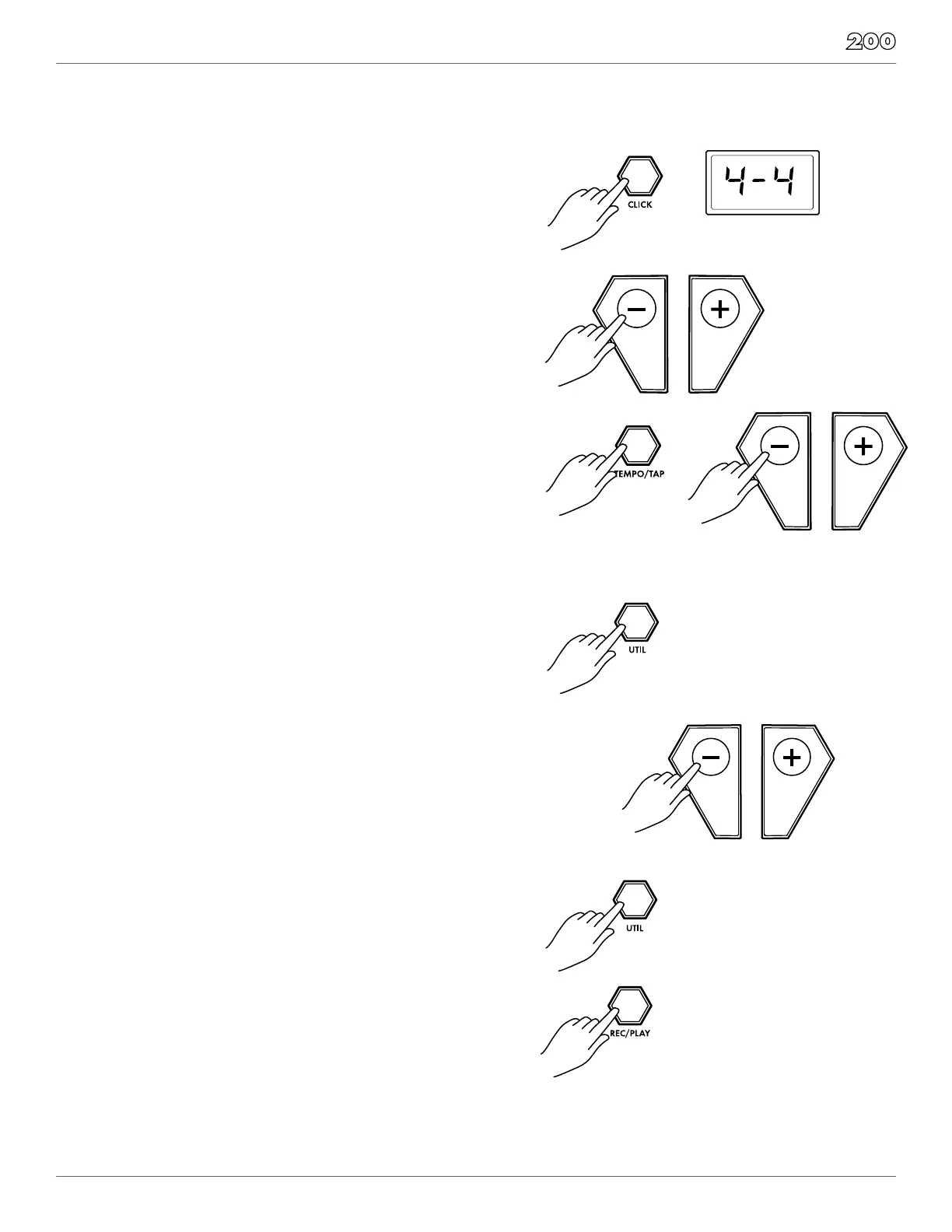
The Click is the metronome. The click can be played during a
song in song mode or on its own.
Press [CLICK] button to start and stop the metronome.
1. To change the time signature, press and hold the [CLICK]
button for 2 seconds
2. Press the [ - ] / [ + ] buttons to select the time signature that
3. To adjust the tempo of the click press the [TEMPO] button
and use the [ - ] / [ + ] buttons to adjust.
4. You can also adjust the tempo by using the “TAP” function.
Press and hold the [TEMPO/TAP] button. The LED screen
consecutively to set the desired “TAP” tempo.
UTILITY MODE
The Utility mode is for the main functions of the module such
as trigger setup for the pads, effects, MIDI setup and saving
global settings
TRIGGER SETTINGS
You can set the parameters of each drum and cymbal pad in
the Trigger menu. While editing the settings, you can select
each trigger by hitting the corresponding trigger pad.
1. Press the [UTIL] button.
2. Strike the drum pad you want to edit to view the setting
currently assigned
3. Press the UTIL button until you see the parameter you wish
to change:
• thr: Threshold
• CUr:Curve
• r-C: Retrigger
• tAL: Crosstalk
4. Press the [ - ] / [ + ] buttons to change the parameter setting.
5. After completing your settings Press the [REC/PLAY] button
to save them.
If you want to return to factory settings, perform a
Factory Reset on your drum module. See page 16


 To Next Page