16
OWNER’S MANUAL
ADVANCED OPERATIONS
PARAMETER DEFINITIONS
Retrigger Cancel prevents retriggering from occurring. Although
setting this to a high value prevents retriggering, it then becomes
easy for sounds to be omitted when the drums is played fast (like
ensuring that there is no retriggering.
Threshold
This setting allows a trigger signal to be received only when the
prevent a pad from sounding in response to peripheral vibrations
from another pad.
This setting allows you to control the relation between the
possible. If you feel like you need to hit the pads too hard to
When two pads are mounted on the same stand, the vibration
produced by hitting one pad may trigger the sound from another
pad unintentionally, this is called crosstalk. You can avoid this
problem by adjusting Crosstalk on the pad that is sounding
inadvertently. If the value is set too high, then when two pads are
played simultaneously, the one that is struck less forcefully will
not sound. Setting the value too low may result in crosstalk.
MIDI Settings
Pad MIDI Note assignments
The MIDI output notes from the SD200KIT are preset in the
module. The list to the right has the MIDI notes that are sent from
the module when the drum pads and pedals are played.
For more details on MIDI functionality, please see the MIDI
Implementation Chart in the Appendix section of the manual.
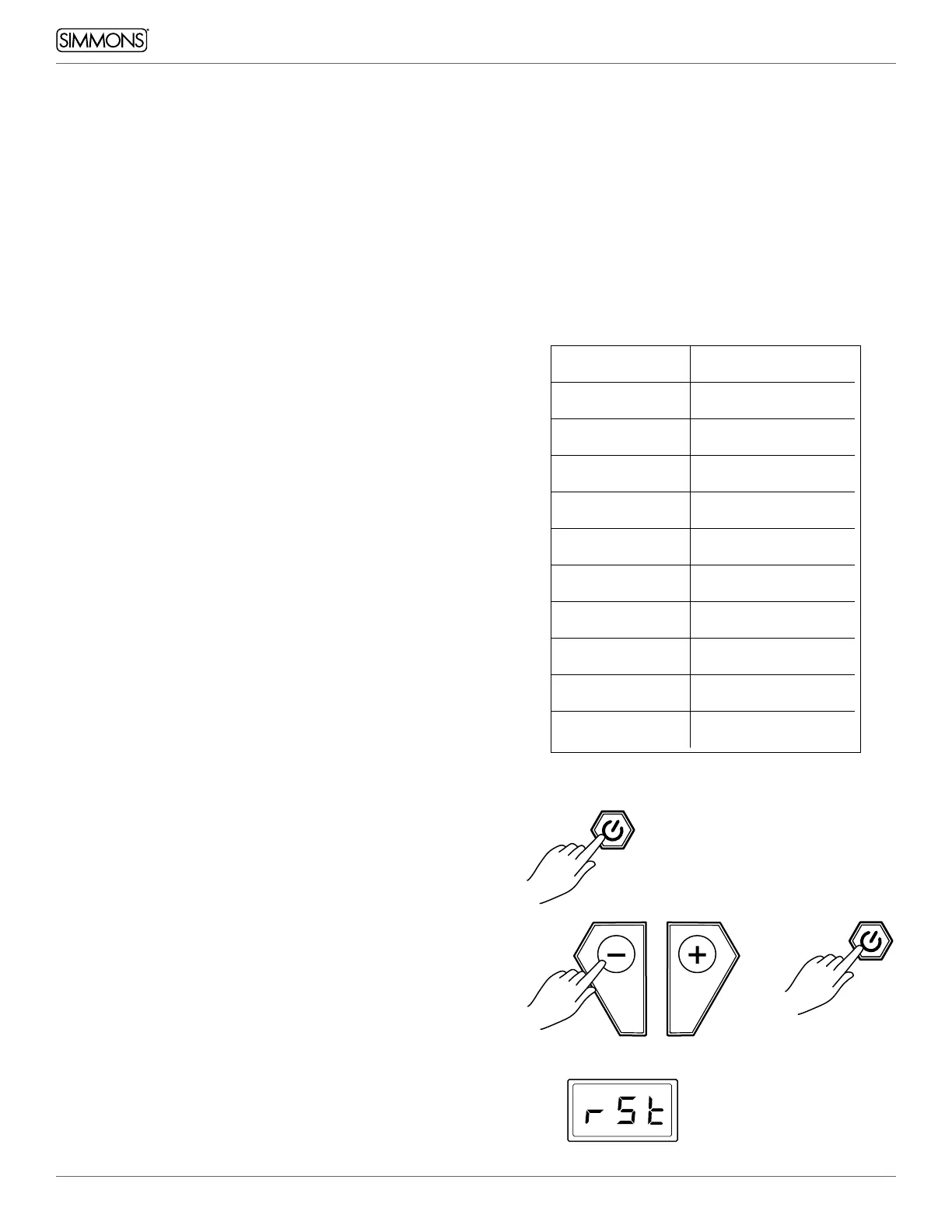
FACTORY RESET
There may be occasions where you want the module to return to
the factory settings. This function will return the module back to
factory setup.
1. Power off the module
2. Press and hold the [ - ] / [+ ] buttons while simultaneously
pressing and holding the power button. The module display
will read “rSt” during startup.
MIDI Note Pad
36
Kick
38
Snare – Center
48
Tom 1
45
Tom 2
43
Tom 3
46
Hi Hat – Open
42
Hi Hat – Closed
44
Hi Hat – Pedal
49
Crash
51
Ride


 To Next Page