116
ENG
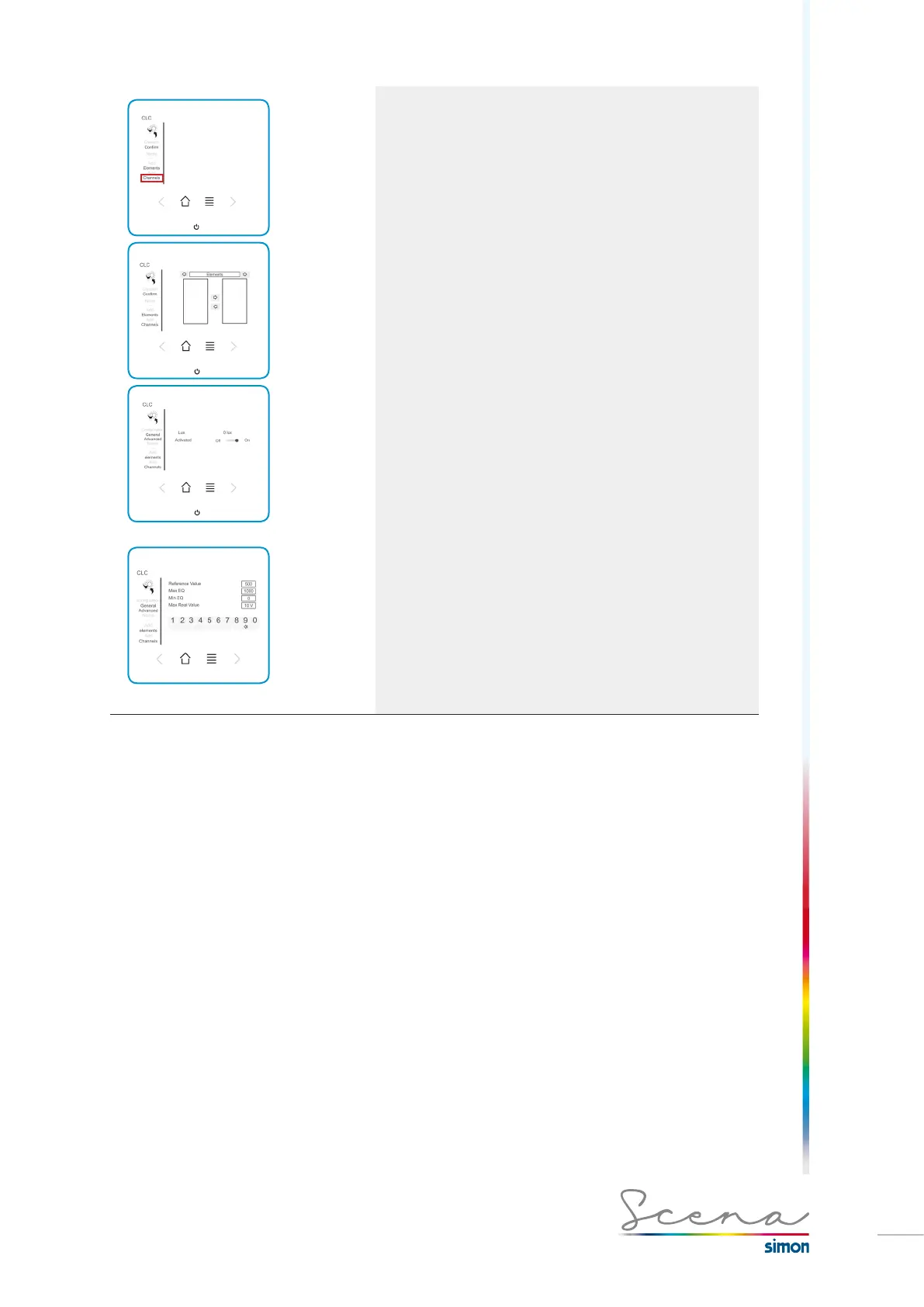
Pantalla General
Pantalla Avanzada
3. Channels
We need to have created an analog sensor for the
console to relate the analog sensor with a channel.
The analog signal converter device has 2 inputs and therefore
these two inputs will appear in the left zone. We select the one
we require depending on the installation.
To configure the CLC we have general and advanced mode.
Below we see the editable items in each case:
In the General screen we can check the sensor’s capture
and its status.
In the Advanced screen, we can modify certain of the
sensor’s values.
We can configure the set point in Luxes that will govern the channels connected to the CLC.
EQ Max and EQ Min is the sensor’s lighting range. To do this, we need to consult its technical characteristics.
In this case we use the SIMON light sensor Ref. 9000570-039. The latter’s range is (0-1000 Lux) and output
0-10V.
EQ Max: Maximum luminosity range.
EQ Min: Minimum luminosity range.
Real Max Value: Fixes the maximum value of the sensor’s output, in this case 10V.



 To Next Page