117
ENG
5.13 Presence simulation
Presence simulation is a simulation method that randomly activates or deactivates channels or groups and that
enables us to simulate that the house is inhabited.
One example would be to turn on the lights of certain rooms for different time periods.
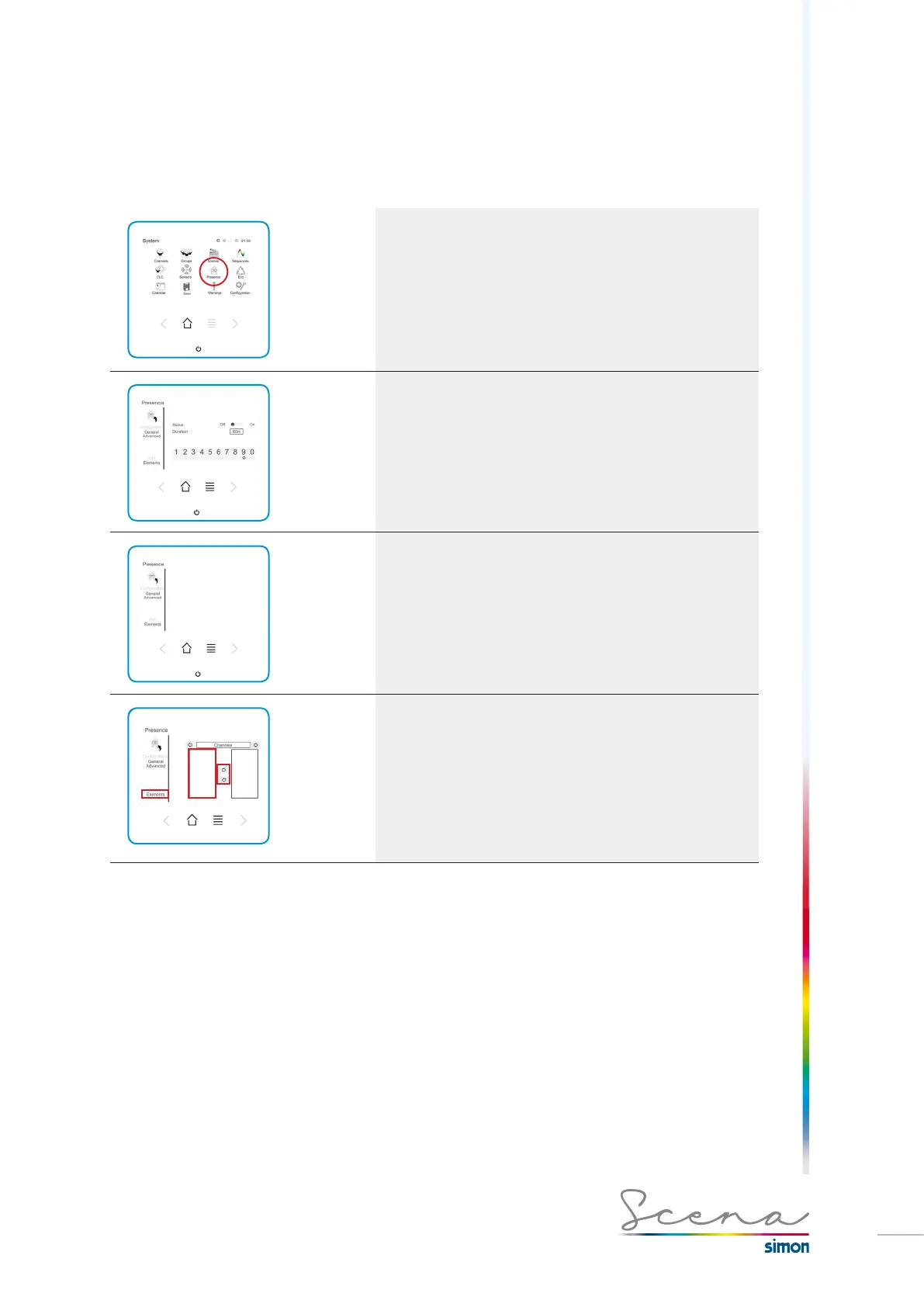
Access Presence via the System screen. The General
configuration screen appears, in which we can activate
and deactivate its status and duration.
General screen
In this General screen we can check the status of the pre-
sence simulation function and the duration of this function by
activating minutes for it.
Maximum presence cycle duration time is 1000m.
Once activated, the presence simulation will last between 20
and 60 min.
Advanced screen
In the Advanced screen, we can select the channel and its
setting value. We also have the option of selecting either a
random simulation (random channel activation) or a fixed
simulation (activation according to the same channel
activation sequence).
Elements
If we access Elements, we can include the channels we want
to be activated for the simulation.
If we select the right or left arrows, we will access channels
or groups to select which channels or groups we want to
activate. To do this, we must press on the channel and then on
the right arrow.



 To Next Page