118
ENG
5.14 ECO
Eco is a system that controls the power consumed by the installation.
It enables us to fix limits for consumed power, so that they cannot be exceeded. We can also limit the entire
installation or only specific channels.
We can program different priorities so that if the limit is exceeded certain lights disconnect or reduce their power.
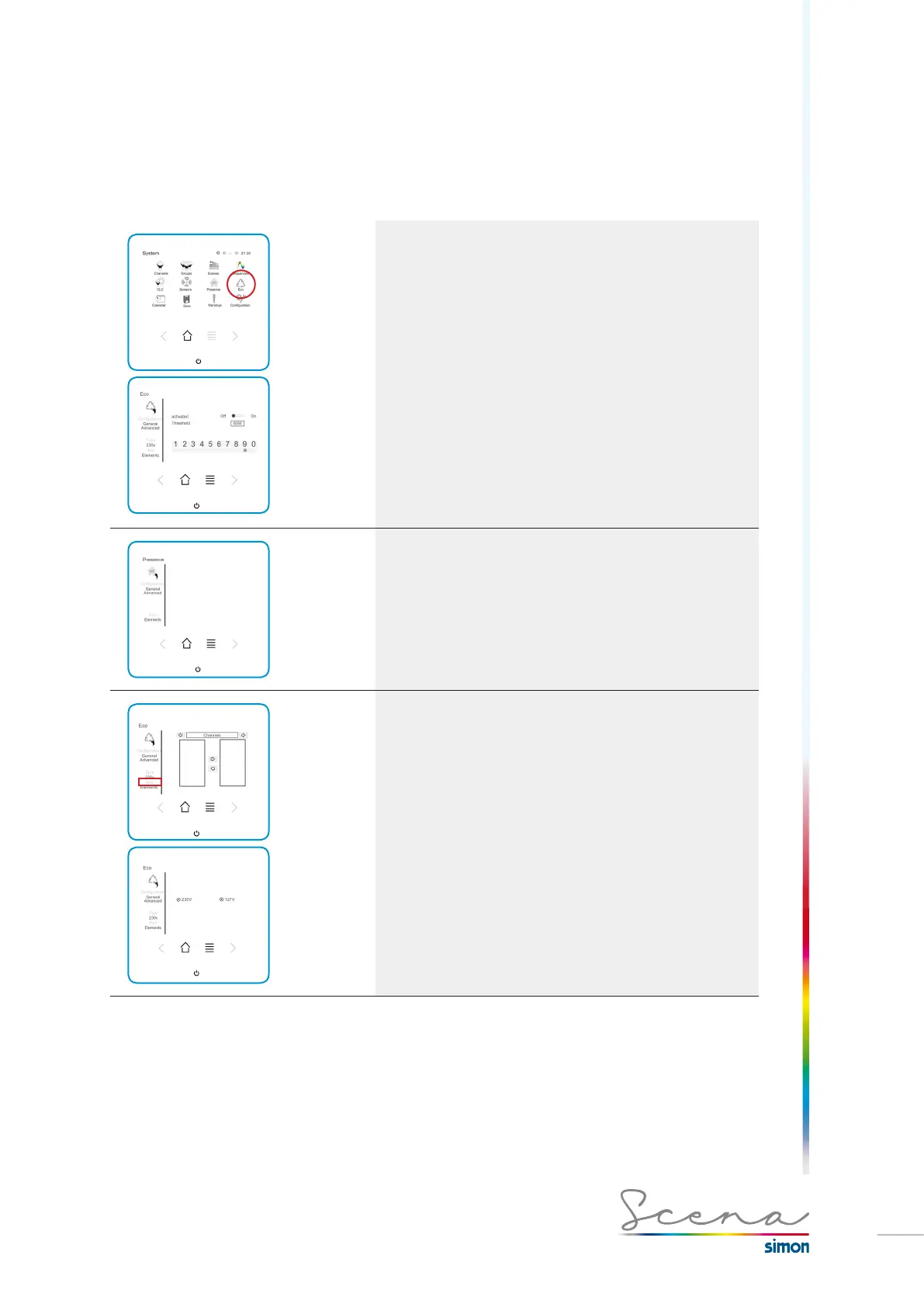
General Screen
In the “General” screen, the one that appears immediately
after we have pressed the ECO icon, we can enable or disable
ECO and also establish the admissible power threshold.
Advanced Screen
In “Advanced” we can change the priority of each channel
and the power it is granted.
High Priority. When the specified power is exceeded, this
channel will not be disabled.
Low Priority. When the specified power is exceeded, this
channel will be disabled.
Elements
To access the elements ECO will activate if the power thres-
hold is exceeded, press “Elements”.
To add these channels, transfer the channels from the left list
to the right.
If we access Type, we can select between ECO mode for
zones in which the supply network is 230V and ECO mode for
zones in which the network is 127V.



 To Next Page