120
ENG
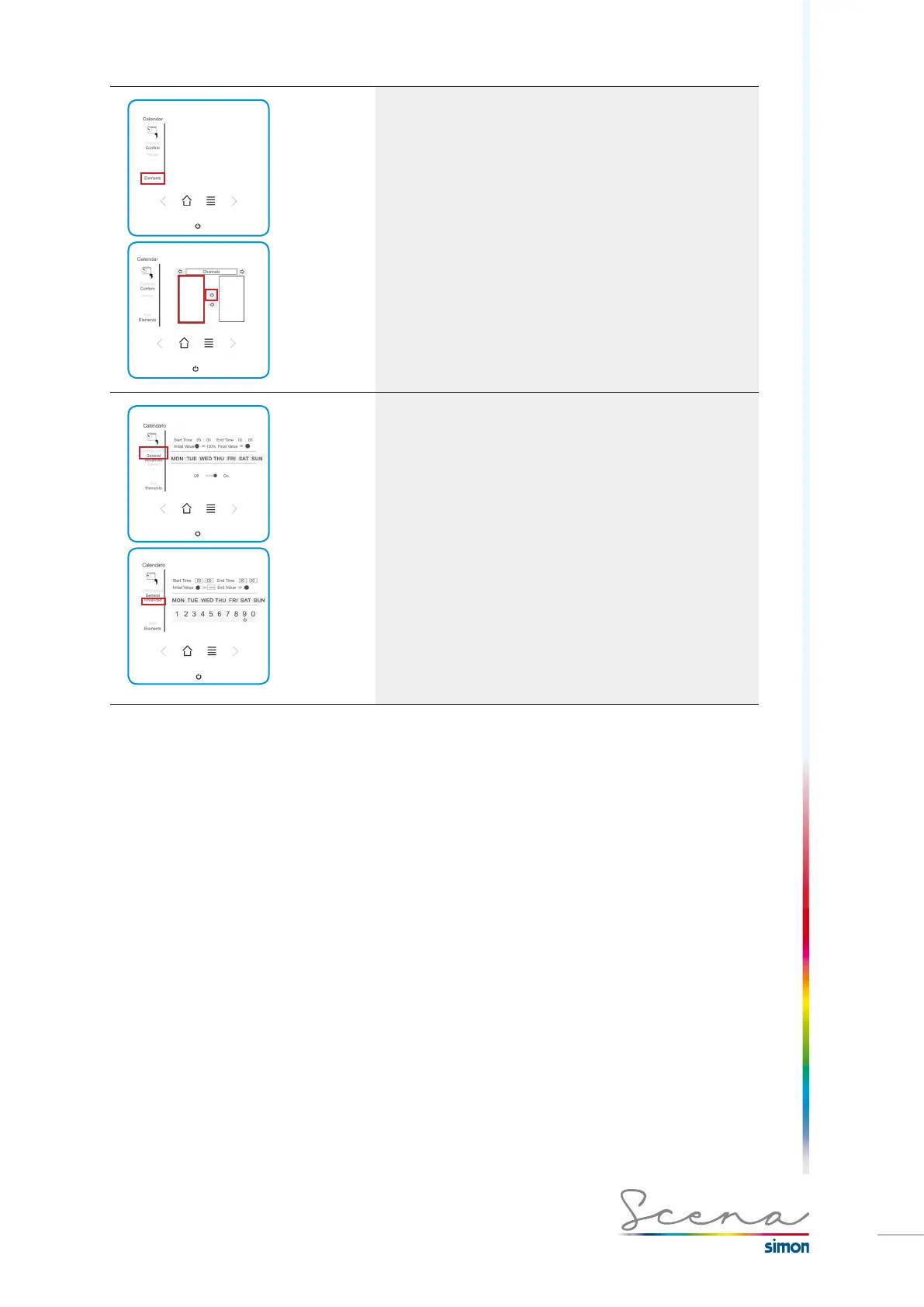
2. Elements
Add elements. We can add channels, groups, scenarios,
sequences, CLC, Presence or ECO to the time program.
To include them in the program we have to move the object to
the list on the right.
To save the changes press Confirm.
3. Configuration
Once we have created the Calendar, we can start the
configuration. To do this, we long press on the calendar
program previously created.
In this General screen, we can only view the program.
· Start Time: Time the functions entered activate.
· End time: Time the functions entered deactivate.
· Initial value: Status of the functions associated with the
program when activated.
· End value: Status of the functions associated with the
program when deactivated.
In the Advanced screen, we can program the times and the
days of the week on which we want to activate this program.



 To Next Page