122
ENG
5.16 Configuring the Start screen
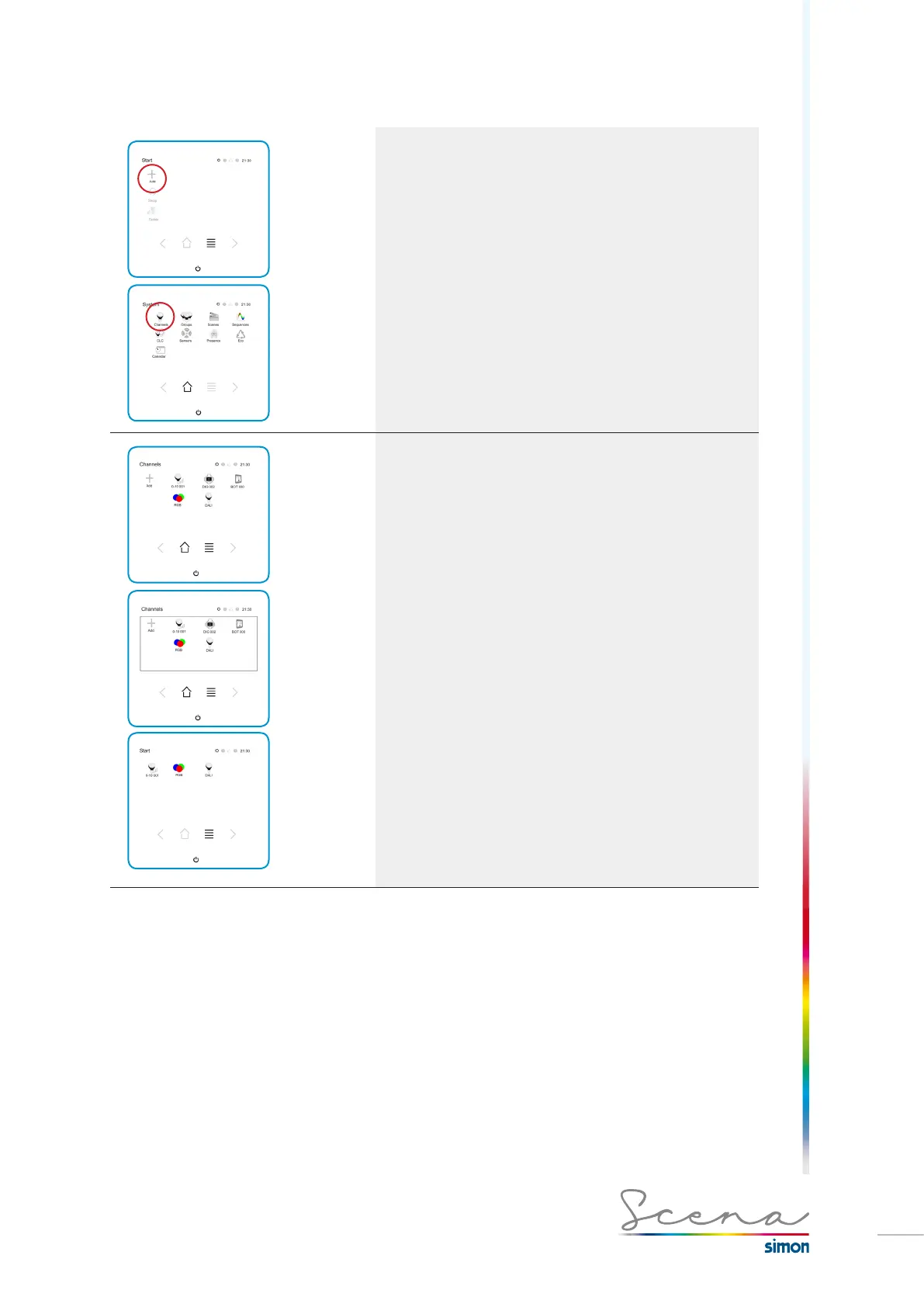
Once in installer mode, in the Start screen we press Add
and immediately access the System screen in which we
can select the function we want to incorporate. Continuing with
the example, if we press Channels, a list will appear with the
registered channels that can be included in the Start screen
(these must be created previously, as detailed above).
As we can see below, a screen appears with the list of chan-
nels that can be included in the Start screen. In this example
we have the following channels.
As we can see in this example, the Start screen would be
configured as follows.



 To Next Page