123
ENG
5.17 Save
Scena has automatic saving. In the event of a voltage drop or power cut, when the voltage returns, Scena will
have saved the program.
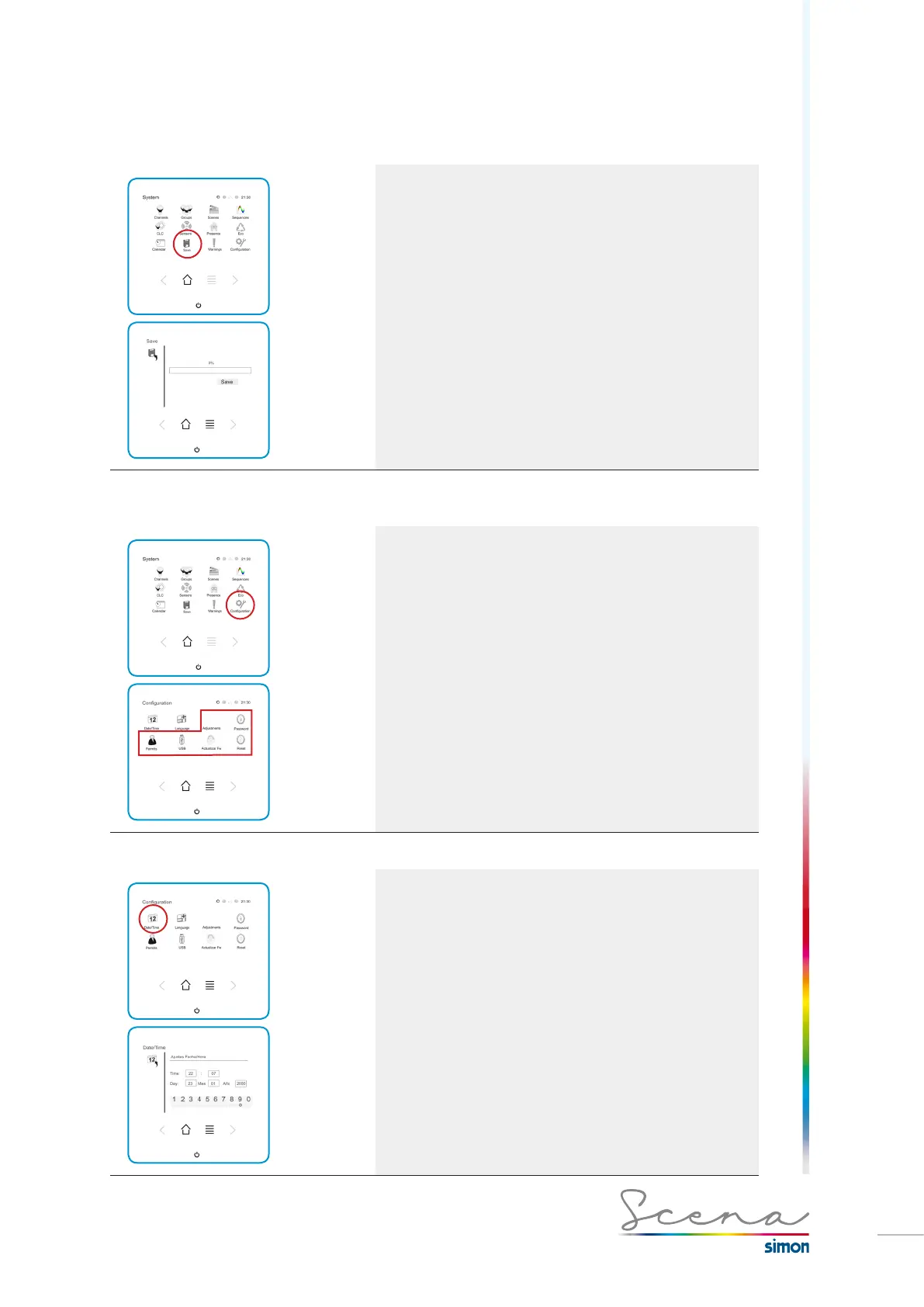
In the “System” screen, access “Save”.
5.18 Configuration
If we want to make changes to Scena’s configuration, we need
to access “Configuration” from the “System” screen.
In “Configuration” a series of functions appear for modifying
certain of Scena’s parameters.
The functions in bold can only be accessed in installer
mode. See page 95, Access to installer mode.
5.18.1 Date and Time
In the System screen, if we press the Date/Time icon, we
will access a screen in which we can make changes to the
time, date, month and year as they appear in Scena.
*Winter/Summer time changes must be done manually.



 To Next Page