124
ENG
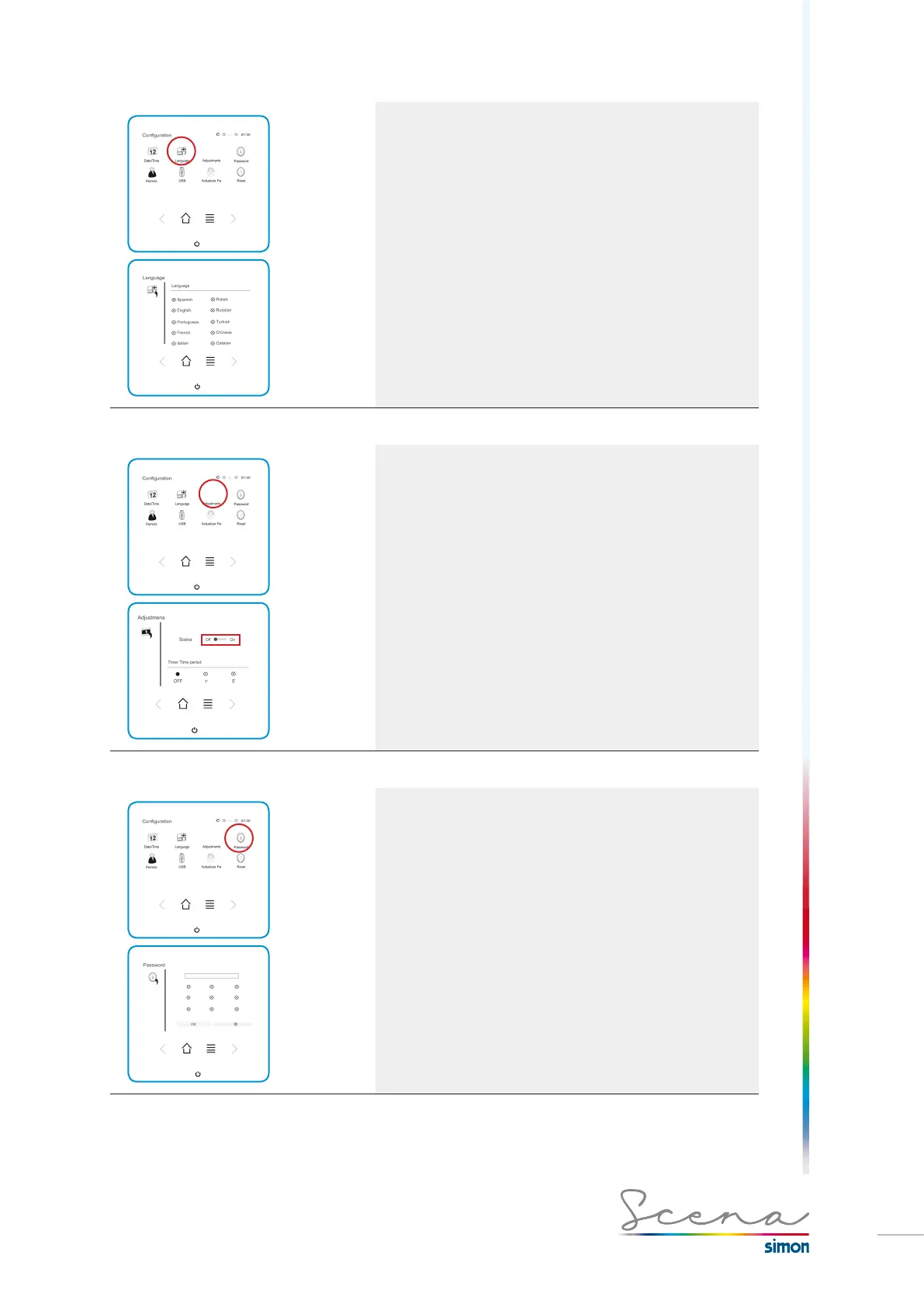
5.18.2 Language
Scena enables us to change the language to 10 different
languages.
*On a change of language, the names of the predefined
Scenarios will be translated, the names of the created
elements cannot be translated.
5.18.3 Settings
Scena enables us to configure its standby screen. We can
program the automatic turn-off time to the options Off, 1 or 5
minutes.
Scena can show the Simon Scena logo on the idle screen.
This can be enabled or disabled with the Scena option.
5.18.4 Password
This enables us to directly change the password for
accessing the system in installer mode.
In the Password screen, enter the new password and
press OK.
*The new code must be 4-digit.



 To Next Page