98
ENG
Name
Accept
pressing OK
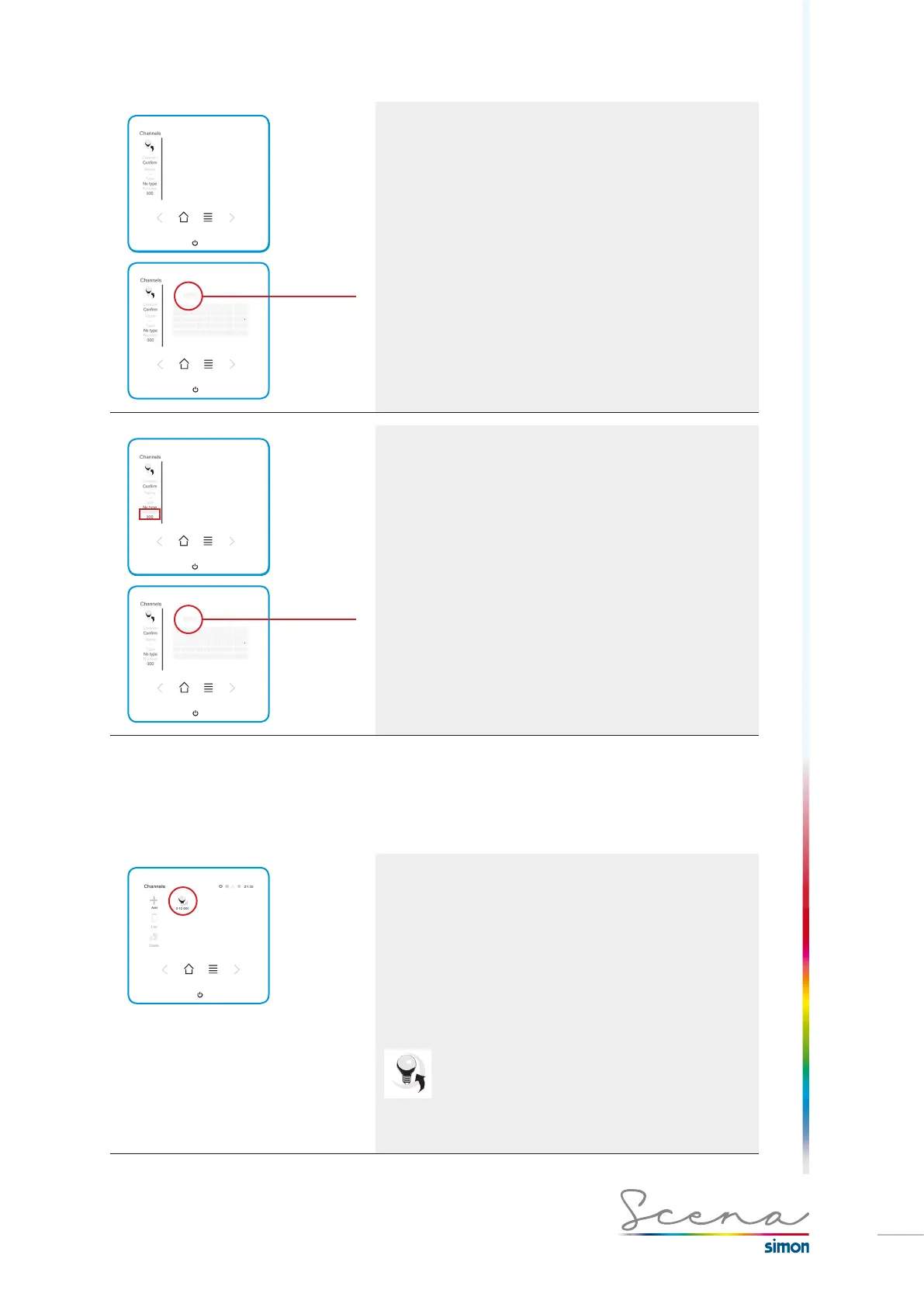
Name
· Select Name on the Channels screen
· Maximum 9 characters.
· Ideally the name should match the installation.
To accept, we press the OK icon.
Number
Accept
pressing OK
Number
For the protocol converters DMX-DALI and DMX-PWM, in
order to install a channel, its address must be correct. Phy-
sically assigned address: “n”, address to be assigned in the
console:”n-1”, this registration procedure is only for named
converters (see section “3.1 Switch operation” page 90).
· Select Number on the Channels screen.
To accept, we press the OK icon.
5.4 Standard channel settings
Once all the channels have been registered, their settings will be adjusted individually for each channel.
Setting
The setting of each channel can be done in a general (user
and installer mode) or advanced (installer mode) fashion.
· A short press activates / deactivates the channel.
· A long press gives us access to this channel’s general
menu.
If we have channels active on the screen this will be
demonstrated by a halo on each icon:
Each type of channel will have its own general and advanced
screen.
Below we present the screens for each type of channel.



 To Next Page