99
ENG
5.4.1 Electronic transformer regulator module
Type: Dimmer
General Mode
Advanced Mode
Configuration
Change the
intensity of the
channel, by
sliding a finger
Configuration
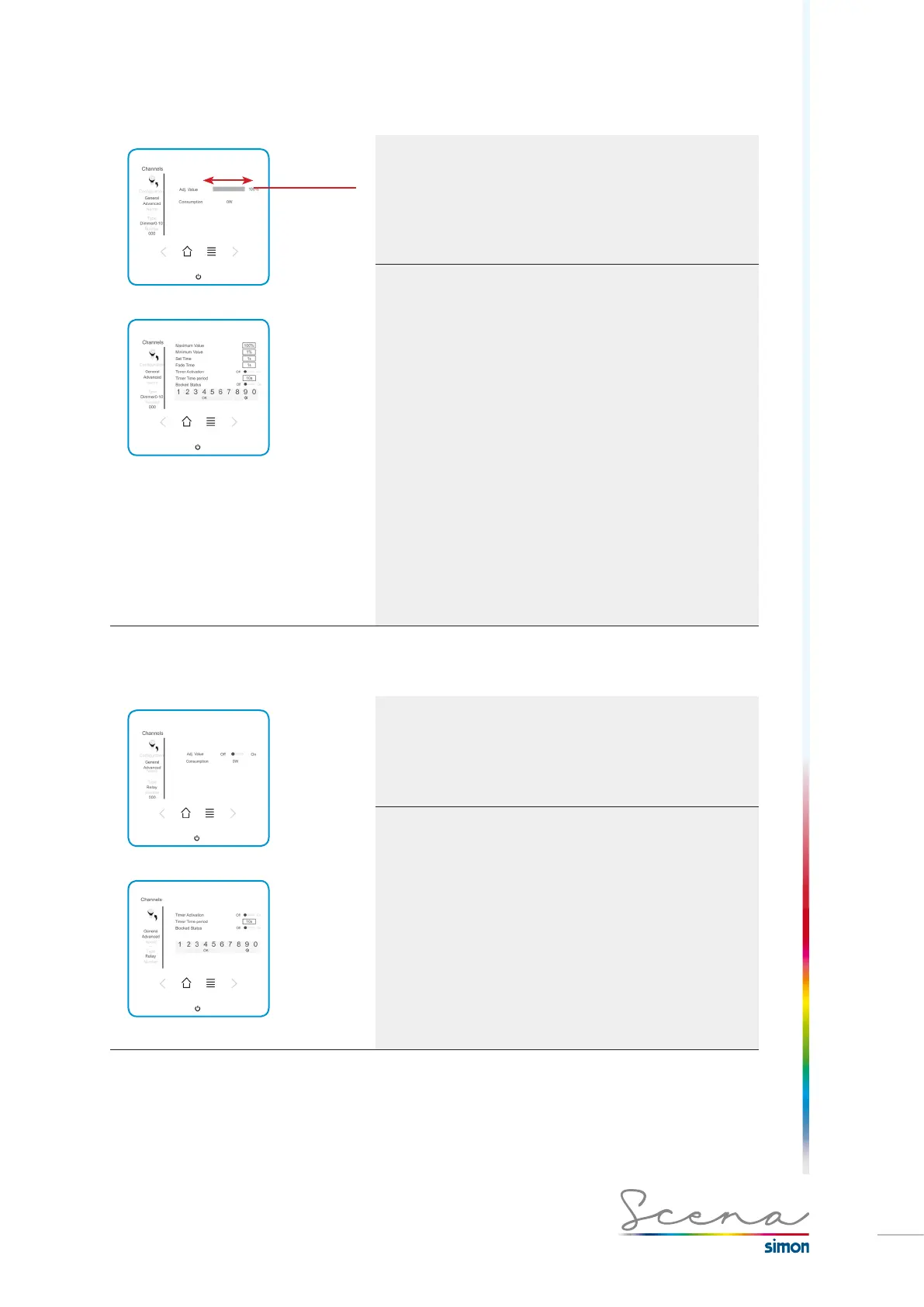
In “general” mode we can change the intensity of the channel,
by sliding a finger over the grey zone slider.
Advanced mode, on the other hand, gives us more detailed
control (only in administrator mode)
· Maximum value: maximum value to which the luminaire
can be set.
· Minimum value: minimum value to which the luminaire can
be set.
NOTE: For luminaires that flicker when turned off, we need to apply
a value between 10% and 20%, depending on the source used, to
solve this problem.
· Selection of the ‘set’ and ‘fade’ time:
Set: Time it takes to get to the maximum luminosity. (Raising
of the signal).
Fade: Time it takes to go out. (Lowering of the signal)
Maximum Set and Fade times: 5s
· Enab Tim: Enable timing, i.e. use a regulator module or
circuit breaker as a timer for its automatic turn-off.
· Time Delay: Time delay, time the luminaire associated with
the module will take to go out.
Maximum time delay: 1000s.
· Locked status: does not permit changes in the luminaire
by means of the auxiliary inputs (conventional push-buttons).
5.4.2 Electronic Switch-Type Circuit Breaker module
Type: Relay
General Mode
Advanced Mode
Configuration
In “general” mode it enables us to change the channel’s
status.
Advanced mode, on the other hand, gives us more detailed
control (only in administrator mode).
Functions already explained on page 98.



 To Next Page