13
To use the pre-defined maqam buttons, follow the steps below.
1- Select the desired maqam that needs to be played, for example, Bayati, Rast…., etc.
2- The 12-scale keys, C-B, will start flashing sequentially, starting from C all the way to B.
3- Select the scale key to be played with the desired maqam selected in Step 1.
4- Tune Maestro will calculate all the different steps/increments required for the chosen maqam and will
implement quarter tuning to the necessary keys.
Example. If the musician needs to implement Rast on C (C here is used only for example):
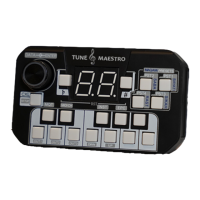
1- Press the “Rast” key as shown below.
2- The LEDs will start flashing sequentially starting from C all the way to B.
3- Press “C”, then the Tune Maestro will calculate the necessary steps to turn on the keys of E and B.
4- This completes the implementation of maqam of Rast.


 To Next Page