14
Tuning and Preset Saving.
One of the most outstanding features of the Tune Maestro is the ability to save micro-tuning predefined by the
musician. The Tune Maestro is equipped with 4 buttons that are designed for saving tunings that are implemented by
the musician, and the purpose of this feature is to give the musician the ability the recall those tunings instantly.
The four preset saving buttons are the same buttons for the 4 maqams, both features share the same set of
buttons. So, in definition:
1- Bayati/PST1
2- Saba/PST2
3- Sikah/PST3
4- Rast/PST4
However, keep in mind that when one of the presets are used as a memory save/recall, then the corresponding
maqam will no longer apply as long as that button is used for memory save/recall. For example, if the button
Bayati/PST1 has a user micro-tuning saved, then pressing that button will not apply Bayati maqam, instead it will
recall whatever is saved by the user. If the user happens to have certain tuning saved, i.e. -50 tuning on D#, +32
tuning on F#, and -40 tuning on B. Then pressing PST1 will recall the above tuning to their corresponding keys.
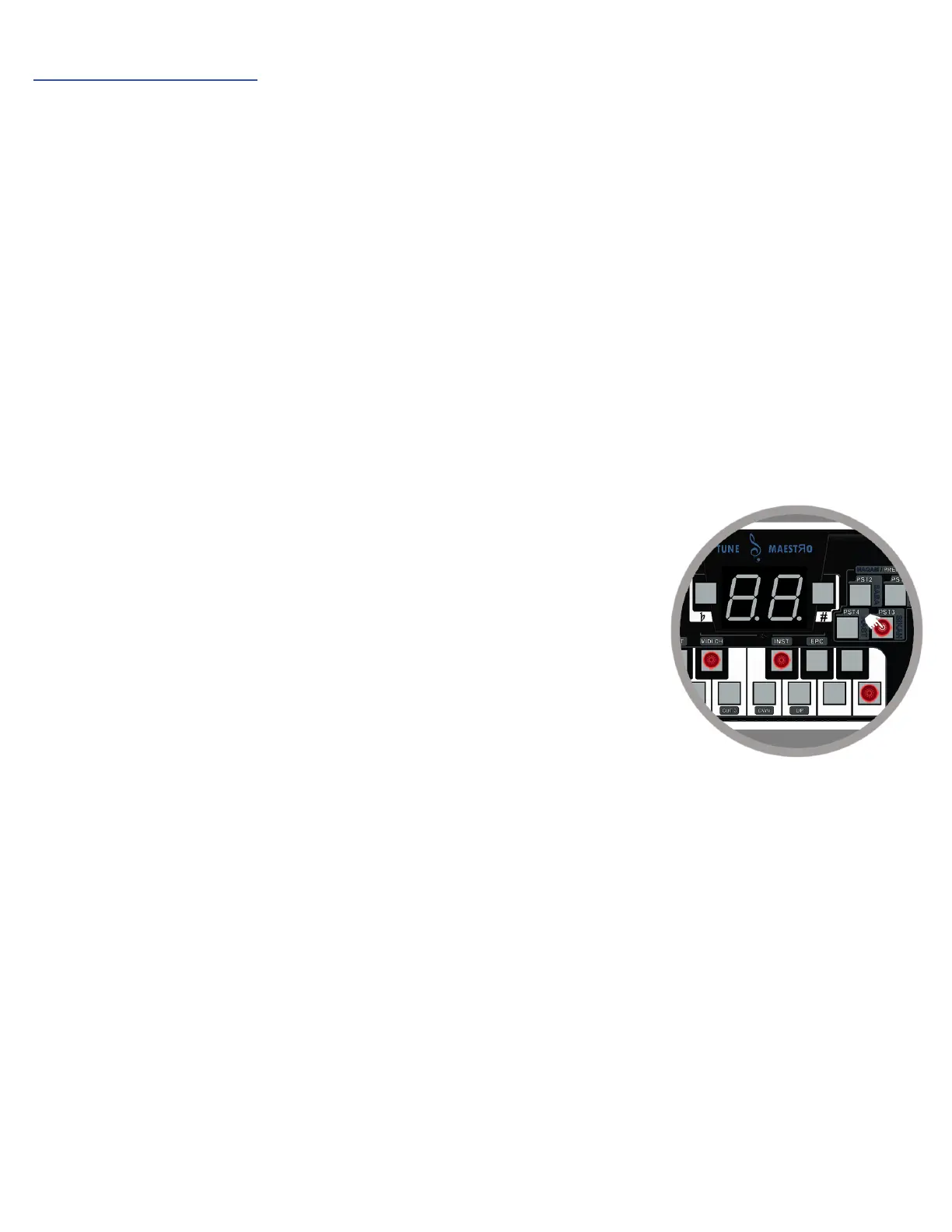
To use the preset keys for saving and recalling user tuning,
1- Apply the micro-tuning desired to any of the keys necessary.
2- Press and hold any one of the 4 preset buttons for 3-seconds as shown
below.
3- The preset button chosen will flash 3 times, indicating that the user
tuning has been saved.
4- To recall the user tuning that was saved, simply click on the button where
the tuning is saved, and the Tune Maestro will recall the user tuning
instantly on the desktop.


 To Next Page