SimPal-G400 4G Alarm Camera User Manual
18
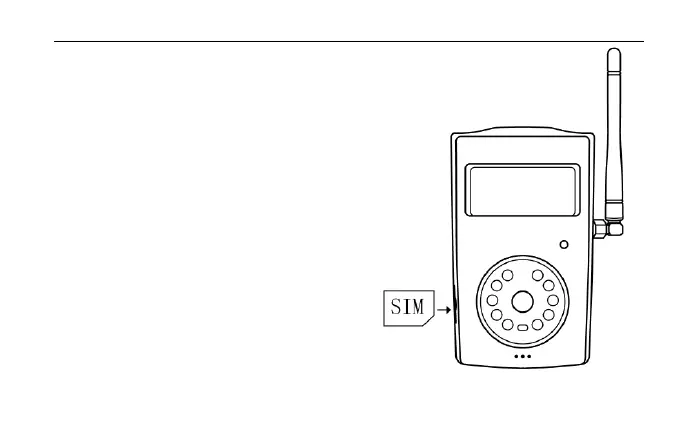
Installing the SIM card
SIM card slot at the side of battery
cover. Needs to disable SIM card PIN
code before install this SIM on camera.
Insert the SIM card carefully into the
SIM card slot. Make sure that the
golden connectors facing downwards
and cut corner at left. Hardly push the
SIM card until its fully locked.


 To Next Page