12
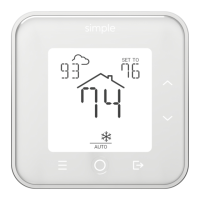
You can temporarily choose an energy-saving setting using AWAY button,
located in the lower-right. Pressing this button cycles through the
following choices:
• AWAY 2 HRS
• AWAY 6 HRS
• AWAY ON
• AWAY OFF
You may adjust the temperature for the Away period using the UP or DOWN
buttons while the away duration is ashing.
If no other button is pressed, after 5 seconds the current Away setting
is applied. Pressing the MODE button when Away is ashing accepts the
current settings and start Away immediately.
While any Away mode is active, manual temperature changes using UP or
DOWN buttons are disabled. You must cancel Away before making further
adjustments.
Setting Away


 To Next Page