5
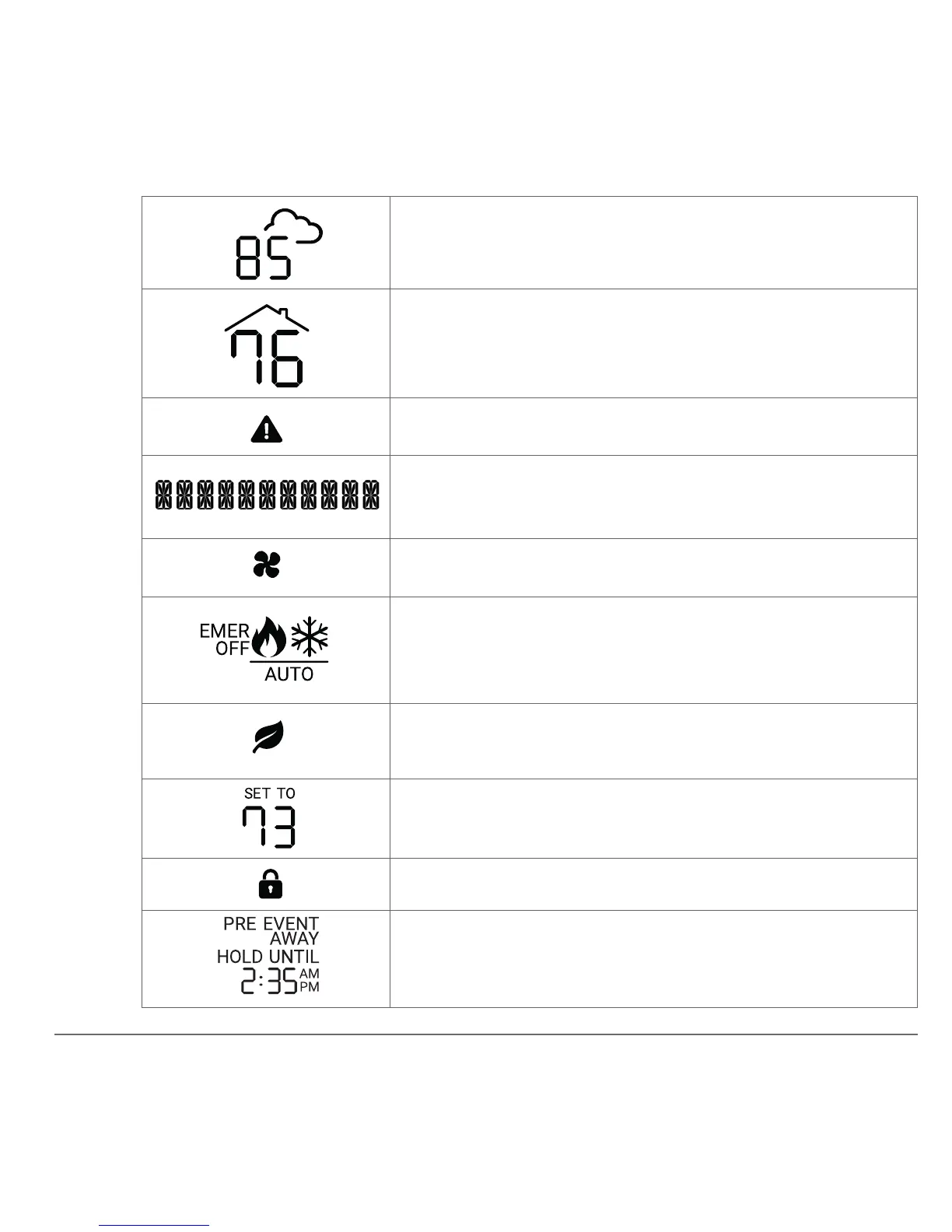
Outside temperature, shown when your
account is congured with a ZIP code.
Indoor temperature.
Error/warning indicator.
The message line provides information to
the user and displays the menu options.
Fan indicator, ashes when running.
Mode indicator, the heat or cool icon ashes
when running. Automatic mode switching
occurs when AUTO is shown.
Efciency indicator when energy saving
settings are applied.
Temperature setting for the current mode.
Lock indicator when front panel is locked.
Status display for Hold, Away duration, and
energy management events.
A
B
C
D
E
F
G
H
I
J


 To Next Page