EasyManua.ls Logo

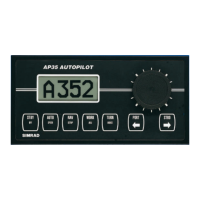
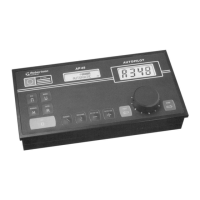
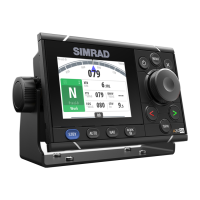
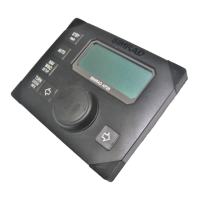
Simrad AP27 - User Manual

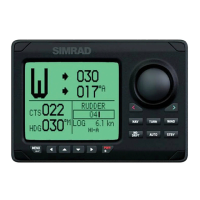
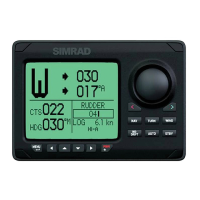
Simrad AP27
122 pages
Print Icon
To Next Page IconTo Next Page
Loading...
www.simrad-yachting.com A brand by Navico - Leader in Marine Electronics
Manual
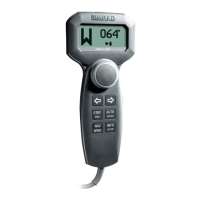
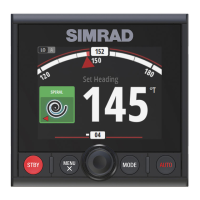
Simrad AP26 and AP27 Autopilots
for Volvo Penta IPS system
English Sw.1.2

Table of Contents

Other manuals for Simrad AP27

Questions and Answers

  • B
    bradley12Sep 23, 2025
    What to do if Simrad AP25 Autopilot System displays Shallow water?
    • H
      Henry PatelSep 23, 2025
      If your Simrad AP25 Autopilot System displays 'Shallow water', it means depth data is missing. Carefully observe the actual depth, adjust the alarm limit if not hazardous, steer to a safe depth so the alarm resets automatically, or turn off the shallow alarm if depth data is missing.
  • M
    Mary AdamsAug 25, 2025
    Why is my Simrad Autopilot System making the boat go off course?
    • K
      Keith LopezAug 25, 2025
      If the boat is off course when using the Simrad Autopilot System, it could be due to the boat's heading being outside the fixed off-course limit or extreme weather conditions, or too slow speed. To resolve this: 1. Check the steering parameters (Rudder, Autotrim, Seastate filter). 2. Increase the Rudder value. 3. Increase boat speed, if possible, or steer by hand.
  • S
    Samuel LambAug 25, 2025
    What to do if Simrad Autopilot System shows 'Low supply voltage'?
    • M
      Michael AyalaAug 26, 2025
      If your Simrad Autopilot System displays 'Low supply voltage', it means the supply voltage is less than 10.8 Volts. To address this: 1. Verify the voltage in the System Data Menu. 2. Switch the autopilot off and charge the batteries. 3. Check/repair the battery charger.
  • I
    Ivan ThomasAug 27, 2025
    What to do if Simrad Autopilot System shows 'High supply voltage'?
    • A
      Amanda PowellAug 27, 2025
      If your Simrad Autopilot System displays 'High supply voltage', it indicates that the supply voltage exceeds 31.2 V. To resolve this: 1. Verify the voltage in the System Data Menu. 2. Switch the autopilot off. 3. Check/repair the battery charger.
  • R
    Richard ThompsonSep 23, 2025
    How to resolve Failure active Control Unit on Simrad Autopilot System?
    • M
      Mrs. Stacy MannSep 23, 2025
      To address a 'Failure active Control Unit' message on your Simrad Autopilot System: * Press the STBY button on an "Inactive" unit to reset it. * Check or repair the Robnet2 cable. * Replace the control unit PCB.
  • E
    erichuntSep 13, 2025
    What does high supply voltage mean on Simrad Autopilot System?
    • G
      gstephensSep 13, 2025
      If your Simrad Autopilot System displays 'High supply voltage', it means the AC20/AC40 Mains exceeds 44 V, or the AC10 Mains exceeds 29 V. Verify this in the System Data Menu, switch the autopilot off, and check/repair the battery charger.
  • N
    Nicole BeckerSep 12, 2025
    How to fix Compass data missing on Simrad Autopilot System?
    • D
      Diane BakerSep 12, 2025
      If your Simrad Autopilot System shows 'Compass data missing', and multiple compasses are connected, use the User Setup2/Source select menu to select a different compass. If no compass is available, make a source update. Check connections and replace the compass PCB, ensuring you do not cut cables and use the screw terminals inside.
  • G
    Gabriel FarmerSep 12, 2025
    What does low supply voltage mean on Simrad Autopilot System?
    • B
      bwongSep 12, 2025
      If your Simrad Autopilot System displays 'Low supply voltage', it means the mains voltage is less than 9 Volts. Verify this in the System Data Menu. Switch the autopilot off, charge the batteries, and check/repair the battery charger.
  • T
    troy98Sep 4, 2025
    Why is my Simrad Autopilot System boat off course?
    • W
      Walter AriasSep 4, 2025
      If your Simrad Autopilot System boat is off course, it may be due to extreme weather conditions or too slow speed. Check the steering parameters (Rudder, Autotrim, Seastate filter), increase the Rudder value, and increase boat speed if possible. If not, steer by hand.
  • C
    catherinesmithSep 1, 2025
    How to fix 'Failure active Control Unit' on Simrad Autopilot System?
    • J
      Jennifer BeckSep 2, 2025
      If your Simrad Autopilot System indicates 'Failure active Control Unit', and the active control unit goes silent, here's how to troubleshoot: 1. Press the STBY button on an "Inactive" unit to reset. 2. Check/repair Robnet2 cable. 3. Replace the control unit PCB.

Summary

Operation

ON;OFF - Standby Mode

Instructions for powering the system on, off, and managing standby mode.

Follow-Up Steering (FU)

How to use the Follow-Up steering mode for manual rudder control.

Non-Follow-Up Steering (NFU)

How to use the Non-Follow-Up steering mode for direct rudder commands.

Automatic Steering

Engaging and maintaining course using the AUTO steering mode.

Automatic Control of Steering Parameters

How the autopilot automatically adjusts steering parameters based on speed.

Manual Selection of HI;LO Parameters

Manually selecting High (HI) or Low (LO) steering parameters.

PATTERN Steering

Utilizing various automated turn patterns for specific navigation scenarios.

Dodge in AUTO

Temporarily disengaging autopilot for obstruction avoidance in AUTO mode.

Thruster Steering (Optional)

Operating the boat's thruster in conjunction with the autopilot system.

NoDrift

Using the NoDrift mode to maintain heading unaffected by wind and current.

Navigating with the AP26 and AP27

Steering the boat to waypoints or routes using NAV mode.

Dodge in NAV

Temporarily disengaging autopilot for obstruction avoidance in NAV mode.

Installation

Autopilot Computer Installation

Instructions for mounting and connecting the AC05 Autopilot Computer.

Control Unit Installation

Procedures for mounting AP26 and AP27 control units on panel or bracket.

Configuration and Setup

First Time Turn On

Initial power-up sequence and automatic interface setup.

Sea Trial

Crucial adjustments and tests performed on the water for optimal performance.

Automatic Tuning

Automatically setting steering parameters for optimal performance.

Parameters

Viewing and adjusting steering parameters manually or after autotuning.

Service Menu

Accessing system data, SimNet setup, and reset functions.

Master Reset

Restoring autopilot memory to factory default settings.

Trouble Shooting

Alarms

Interpreting and resolving system alarms and fault indicators.

Technical Specifications

AP26 and AP27 Autopilot System

Overall system specifications including boat size, steering types, and interfaces.

Simrad AP27 Specifications

General IconGeneral
BrandSimrad
ModelAP27
CategoryAutopilot System
LanguageEnglish

Related product manuals