EasyManua.ls Logo

Simrad AP16 - User Manual

Simrad AP16
156 pages
Print Icon
To Next Page IconTo Next Page
Loading...
MANUAL
Simrad AP16
Autopilot

Table of Contents

Other manuals for Simrad AP16

Questions and Answers

  • R
    Rachael RaySep 4, 2025
    What to do if Simrad AP16 Autopilot System displays 'Memory failure ACXX'?
    • J
      Janet VasquezSep 4, 2025
      If your Simrad Autopilot System displays 'Memory failure ACXX', it means there's a wrong checksum on memory parameters or variables, and the Autopilot Computer will use default values. To resolve this: 1. Perform a "Master reset". 2. Switch the system off and on again. 3. If the alarm repeats, replace the Autopilot Computer PCB.
  • N
    Nancy WestSep 18, 2025
    What to do if Simrad AP25 Autopilot System indicates shallow water?
    • C
      Connie PerezSep 18, 2025
      If your Simrad AP25 Autopilot System indicates shallow water, carefully observe the actual depth. Adjust the alarm limit if it's not hazardous. Steer to a safer depth to automatically reset the alarm. If depth data is missing, turn off the shallow alarm. This issue occurs when the depth is within the set limit or outside the range, or when depth data is absent.
  • J
    Jennifer DavidSep 16, 2025
    Why is the Simrad AP16 rudder too slow?
    • J
      jennifer50Sep 16, 2025
      If the rudder is too slow on your Simrad Autopilot System, check for mechanical obstructions at the rudder, tiller, or quadrant and examine the back drive force. Bleed the hydraulic system to remove any air. If the issue persists, you may need to replace the current pump unit with a bigger one. This problem is often caused by excessive load on the steering gear, air in the hydraulic system, or insufficient drive unit capacity.
  • A
    Albert StephensSep 14, 2025
    Why is my Simrad Autopilot System boat off course?
    • W
      williamsmichelleSep 14, 2025
      If your Simrad Autopilot System boat is off course, first check the steering parameters such as Rudder, Autotrim, and Seastate filter. If needed, increase the Rudder value. Also, consider increasing boat speed if possible, or manually steer the boat. This issue may occur if the boat's heading is outside the fixed off-course limit of 20 degrees, or due to extreme weather conditions or slow speed.
  • A
    Amanda CooperSep 13, 2025
    Why Simrad AP16 Autopilot System has no connection with IPS system?
    • R
      Rebekah JonesSep 13, 2025
      If your Simrad Autopilot System has no connection with the IPS system, it is because data is missing or erratic. You should check the connections to the Volvo Autopilot Interface and also refer to the Volvo IPS User Manual.
  • N
    Nancy CummingsSep 12, 2025
    What to do if Simrad AP16 displays 'Shallow water'?
    • P
      Patrick WatersSep 12, 2025
      If your Simrad AP25 Autopilot System displays a 'Shallow water' warning, it means the depth is inside the set limit or outside the range, or depth data is missing. Here's how to handle it: 1. Carefully observe the actual depth. 2. Adjust the alarm limit if it's not hazardous. 3. Steer to a safe depth; the alarm will reset automatically. 4. Turn off the shallow alarm if data is missing.
  • L
    Linda BrownSep 9, 2025
    What to do if Simrad Autopilot System displays 'ACXX high temp.'?
    • D
      Douglas DavisSep 9, 2025
      If your Simrad Autopilot System displays 'ACXX high temp.', it indicates excessive temperature inside the Autopilot Computer. The solution is to switch off the autopilot.
  • M
    Mark TylerSep 7, 2025
    What to do if Simrad AP16 Autopilot System displays 'NAV. data failure'?
    • A
      Alvin SandovalSep 7, 2025
      If your Simrad Autopilot System displays 'NAV. data failure', it indicates missing or invalid NAV data. To resolve this: 1. Check the Nav. Receiver/GPS setup. 2. See Service menu Chapter 4.8
  • O
    opotterSep 5, 2025
    What to do if Simrad AP16 Autopilot System displays 'Failure active Control Unit'?
    • S
      Samuel SummersSep 6, 2025
      If the Simrad Autopilot System displays 'Failure active Control Unit', it means the active control unit has gone silent. To fix this: 1. Press the STBY button on an "Inactive" unit to reset it. 2. Check or repair the Robnet2 cable. 3. Replace the control unit PCB.
  • C
    Christopher DaltonAug 21, 2025
    What to do if Simrad AP16 has rudder response failure?
    • J
      Julia FosterAug 21, 2025
      If you are experiencing a rudder response failure with your Simrad Autopilot System, start by checking all connections. Then, check the Rudder FB transmission link, noting this isn't applicable for Virtual feedback installations. Inspect the drive unit motor and brushes. If problems persist, consider replacing the Autopilot Computer Power PCB. This issue arises when there is no response to rudder commands.

Summary

1 System Description

1.3 System Components

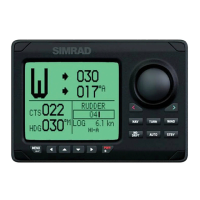
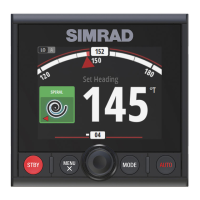
Overview of the basic AP16 system hardware units, including control unit, computer, compass, and feedback unit.

1.7 Heading Sensors

Details on compatible heading sensors like RFC35, RC36, NMEA compass, and gyrocompasses for the AP16.

2 Operation

2.1 Overview

Introduction to the AP16 control unit interface, display, buttons, and operating modes.

2.2 ON;OFF - Standby Mode

Instructions for powering the system on, off, and utilizing the standby mode for basic control.

2.7 Automatic Steering

How to engage and operate the autopilot in AUTO mode for maintaining a set course.

2.17 Wind Vane Steering

Detailed operational guide for the WIND mode, used for sailing based on apparent wind angles.

2.22 User Set-up Menu

Accessing and navigating the User Set-up Menu for customizing autopilot settings.

3 Installation

3.2 Installation Checklist

A comprehensive checklist of steps required for the successful installation of the AP16 autopilot system.

3.10 Drive Unit Installation

Guidelines and considerations for installing various types of hydraulic and linear drive units.

3.19 SimNet

Information on setting up and connecting devices using the SimNet networking system.

4 Configuration and Setup

4.1 First Time Turn On

Initial system startup procedure, including automatic interface setup and readiness checks.

4.4 Dockside Settings

Essential configuration settings that must be completed before taking the vessel to sea.

4.7 Sea Trial

Procedures and considerations for conducting sea trials to verify and fine-tune the autopilot system.

5 Maintenance

5.1 Control Unit

Routine maintenance recommendations for the AP16 control unit, including cleaning and connection checks.

5.6 Exchange of Software Programme

Procedure for replacing the EPROM and updating the autopilot software on the computer.

6 Trouble Shooting

6.1 Alarms

Guide to identifying system alarms, probable faults, and recommended actions for resolution.

8 Technical Specifications

8.1 AP16 Autopilot System

Comprehensive technical specifications for the entire Simrad AP16 autopilot system.

8.3 Autopilot Computers

Detailed technical specifications for the AC10, AC20, and AC40 autopilot computer models.

8.11 IP Protection

Explanation of IP protection codes classifying the system's resistance to solids and liquids.

8.12 NMEA and SimNet Messages

Overview of NMEA0183 and SimNet messages supported by the AC10, AC20, AC40 computers.

Simrad AP16 Specifications

General IconGeneral
BrandSimrad
ModelAP16
CategoryAutopilot System
LanguageEnglish

Related product manuals