EasyManua.ls Logo

Simrad NAIS-500 - User Manual

Simrad NAIS-500
36 pages
Print Icon
To Next Page IconTo Next Page
Loading...
ENGLISH
NAIS-500 Class B
AIS Transceiver
User Manual
www.bandg.com | www.simrad-yachting.com | www.lowrance.com
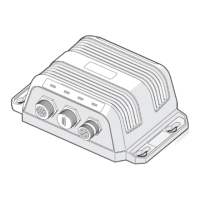
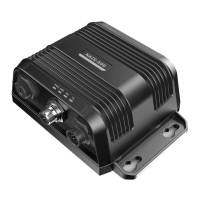
NAIS-500 unit

Questions and Answers

  • E
    Erika LawsonAug 3, 2025
    Why is the red 'error' indicator illuminated on my Simrad Transceiver?
    • S
      Steven KingAug 3, 2025
      If the red 'error' indicator is illuminated on your Simrad Transceiver, it could be due to several reasons: * The unit may not have a valid MMSI. Ensure that the AIS transceiver is correctly configured with a valid MMSI. * The VHF antenna may be faulty. Check the connection to the VHF antenna and ensure it is not damaged. * No GPS position fix can be obtained. Verify that the external GPS antenna is properly connected and installed. * The power supply is outside the allowable range. Confirm that the power supply is within the range of 9.6 V to 31.2 V. The red indicator may also briefly illuminate if the power supply is interrupted or the VHF antenna characteristics are briefly affected. You can review the GPS signal strength graph available in NAIS System Configurator.
  • J
    Jonathan WilliamsAug 10, 2025
    Why is my MMSI being received but not my vessel name on other vessels' chartplotters using Simrad NAIS-500 Transceiver?
    • J
      Jason WeberAug 10, 2025
      If your MMSI is being received by other vessels, but your vessel name isn't showing on their chartplotter or PC, it may be because some older AIS devices and chartplotters don't process the specific class B AIS message (message 24) that provides the vessel name. Software upgrades are available for many older chart-plotters which will correct this issue. The other vessel should update its AIS unit and/or chart- plotting software to receive AIS message 24.
  • K
    Kenneth SalasAug 18, 2025
    What to do if no data is being received by the chartplotter from my Simrad Transceiver?
    • W
      Walter DorseyAug 18, 2025
      If no data is being received by the chartplotter from your Simrad Transceiver, ensure that the power supply is correctly connected and is either a 12 V or 24 V supply. Also, check that the connections to the chartplotter are correct.
  • C
    Courtney ParkAug 26, 2025
    How to fix no illuminated indicators on Simrad NAIS-500?
    • H
      Hannah WheelerAug 26, 2025
      If no indicators are illuminated on your Simrad Transceiver, check that the power supply is connected correctly and that it is a 12 V or 24 V supply.

Summary

Notices

Safety warnings

Essential warnings for safe installation and operation of the equipment.

RF emissions notice

Information on radio frequency emissions, installation requirements, and exposure limits.

Installation

Preparing for installation

Guidance on necessary items and initial familiarization before installation begins.

Installation procedures

Step-by-step instructions for physically installing the AIS transceiver and its components.

Configuring your AIS transceiver

Introduction to NAIS System Configurator

Overview of the configuration software, its purpose, and installation.

Configuration using NAIS System Configurator

Details on how to use the software for configuring vessel data and troubleshooting.

Operation

Troubleshooting

Specifications

Simrad NAIS-500 Specifications

General IconGeneral
TypeAIS Transceiver
Frequency161.975 MHz / 162.025 MHz
Output Power2 W
NMEA 0183Yes
NMEA 2000Yes
AIS ClassClass B
WaterproofIPx6
Power Supply12/24 V DC

Related product manuals