EasyManua.ls Logo

Simtronics GD1 MK3 - User Manual

Default Icon
76 pages
Print Icon
To Next Page IconTo Next Page
Loading...
P/N: 850-816926-EN Rev6
Operating Manual
Simtronics GD1 MK3
Toxic Open Path Gas Detector

Questions and Answers

  • A
    angelaolsonAug 20, 2025
    What to do if Simtronics Gas Detectors show a beam block (2 mA)?
    • S
      Sharon DouglasAug 20, 2025
      If your Simtronics Gas Detector indicates a beam block (2 mA), it could be due to several reasons. First, check the lens for dirt and clean it if necessary. Second, verify the detector alignment and realign if needed. Also, ensure that there are no objects obstructing the measuring path and remove any that are present. Finally, if the detector is in alignment or service mode, reboot it using the Service Interface (Ethernet), HART®, or by disconnecting and reconnecting the power.
  • M
    mary07Aug 22, 2025
    What to do if Simtronics Gas Detectors have no power (0 mA)?
    • P
      Phillip DavisAug 22, 2025
      If your Simtronics Gas Detector shows no power (0 mA), the first step is to verify that the detector is receiving power. Use a multimeter in the junction box to confirm this. Also, inspect the detector and system cable wires on terminals 1 and 2 in the junction box to ensure they are properly connected.
  • D
    Darrell ScottAug 25, 2025
    Why is my Simtronics Gas Detectors showing a clean optics warning (3 mA)?
    • R
      Robert MurrayAug 25, 2025
      A 'Clean optics warning (3 mA)' on your Simtronics Gas Detectors typically indicates that the lens is dirty and needs cleaning. It may also indicate that the detector is out of alignment and needs to be realigned.
  • S
    Spencer EricksonAug 26, 2025
    What to do if Simtronics Gas Detectors have no wireless or cable Ethernet connection?
    • J
      Joyce BryanAug 27, 2025
      If your Simtronics Gas Detectors are not establishing a wireless or cable Ethernet connection, ensure that your browser is connected to the GD1 wireless network. Also, check that the terminal adapter is securely connected to terminals 3 – 6.
  • K
    Karen IngramAug 28, 2025
    What to do if Simtronics Gas Detectors have no Ethernet cable connection?
    • V
      vwilliamsAug 28, 2025
      If your Simtronics Gas Detectors lack an Ethernet cable connection, begin by checking the cable for any faults. If the cable is functional, ensure that the device is set up to connect to a fixed IP address, configure your laptop network settings to connect using a static IP.
  • L
    lzimmermanAug 30, 2025
    What to do if Simtronics Gas Detectors display error 33-40, a software error?
    • C
      Cody McdanielAug 30, 2025
      If your Simtronics Gas Detectors are showing a software error (33-40), try restarting the detector by turning the power off and on again.
  • M
    Mario RodriguezSep 1, 2025
    What to do if Simtronics Gas Detectors display error 32, laser temperature too high?
    • C
      Christopher MillsSep 1, 2025
      If your Simtronics Gas Detectors display error 32 indicating that the laser temperature is too high, disconnect the power, allow the detector to cool down, and then reboot it.
  • S
    Samantha WilliamsSep 2, 2025
    What to do if Simtronics Gas Detectors display error 16, timeout during initialization?
    • A
      Alexis LeeSep 3, 2025
      If your Simtronics Gas Detectors display error 16, indicating a timeout during initialization, reboot the detector.
  • P
    Paul FreemanSep 4, 2025
    What to do if Simtronics Gas Detectors display error 15, high transmission?
    • P
      porterjamesSep 5, 2025
      If your Simtronics Gas Detectors display error 15, indicating high transmission (Relative transmission >125%), redo the alignment and ensure the lenses are clean before aligning.
  • R
    Rebecca SanchezSep 7, 2025
    What to do if Simtronics Gas Detectors display error 14, beam block?
    • J
      Jean CurtisSep 7, 2025
      If your Simtronics Gas Detectors display error 14, indicating a beam block, remove any object obstructing the laser or improve the alignment.

Summary

Introduction to GD1 System

The GD1 System Overview

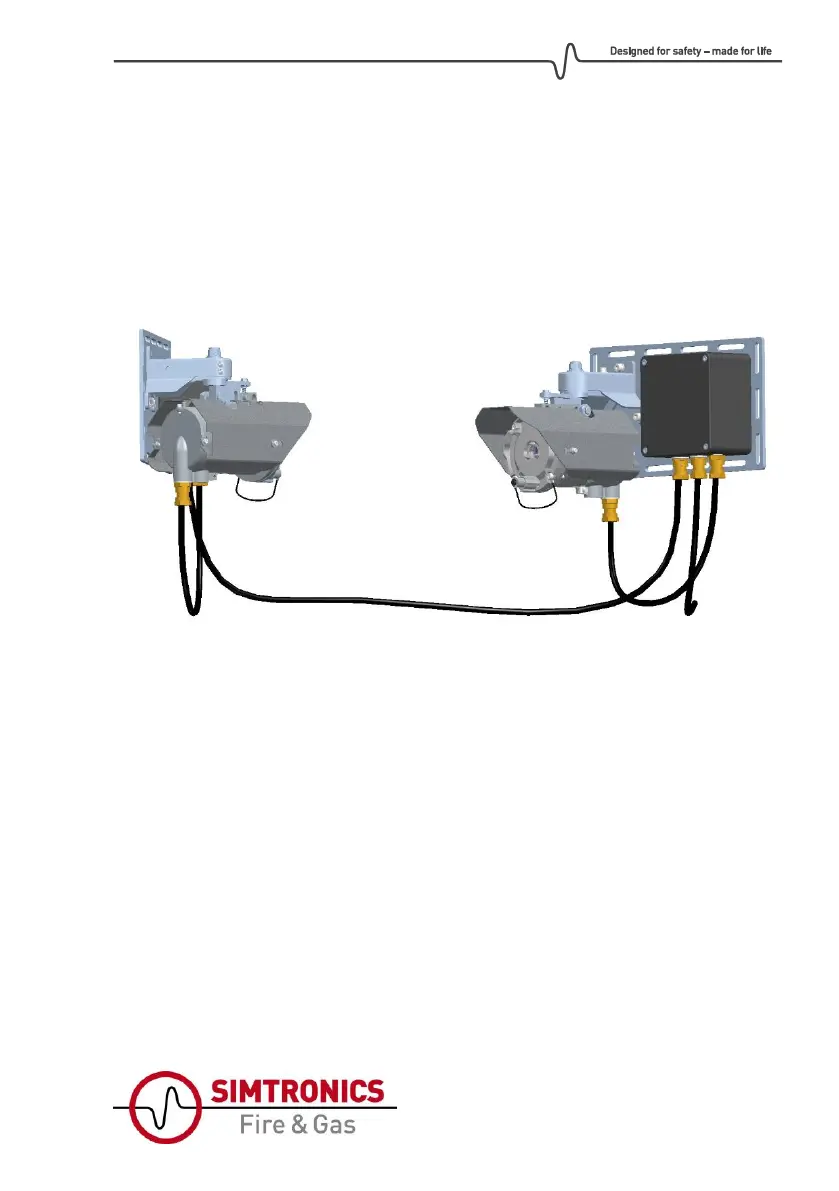
Explains the GD1 as a laser-based open path gas detector with TX and RX.

Key Definitions for GD1

Defines key terms like TX, RX, Absolute and Relative transmission for GD1.

GD1 Installation Procedures

System Components Identification

Details the transmitter (TX) and receiver (RX) components of the GD1 system.

Detector Positioning Guidelines

Guidelines for optimal placement of GD1 detectors for accurate readings.

Mounting the GD1 Detector

Information on how to mount the GD1 Transmitter and Receiver assemblies.

Mounting on Pole

Specific instructions for mounting the GD1 detector on a pole or pipe.

Sun Shielding Information

Discusses the use of sun shields and canopies for environmental protection.

Electrical Connection and Wiring

Provides diagrams and instructions for connecting power and communication cables.

Alternative Wiring Configurations

Presents different wiring options for system power connection to GD1 units.

Cable Types and Specifications

Details required cable types and specifications for GD1 system installation.

Earth Connection Requirements

Explains the necessity and method for connecting the GD1 housing to earth.

Performing the Loop Test

Step-by-step guide for testing the 4-20 mA wiring after powering up the GD1.

GD1 Commissioning Process

Commissioning Preparation Steps

Checks to ensure optimal conditions before commissioning the GD1 detector.

Coarse Alignment Procedure

Procedure to set an initial transmission level for GD1 alignment.

Fine Tuning Signal Strength

Guides on adjusting signal strength for optimal GD1 performance.

GD1 Function Test

Procedure for performing a functional test on the GD1 detector.

Function Test with CO2

How to conduct a functional test using CO2 as a non-toxic alternative.

GD1 Operation Modes

Analogue Output Protocol Details

Details the 4-20 mA output signals and their meaning under various conditions.

Test Cell Filling and Emptying

Instructions for safely filling and emptying the test cell for calibration.

GD1 Maintenance Procedures

Regular Maintenance Overview

Outlines the limited maintenance requirements for the GD1 detector.

Cleaning of Optical Surfaces

Step-by-step guide for cleaning the lenses to maintain performance.

GD1 Troubleshooting and Support

Understanding GD1 Error Codes

Lists common error codes and their corresponding actions for the GD1.

Tuning for Reduced Noise

Procedures to reduce noise and stabilize the H2S signal.

Downloading Diagnostic Files

Instructions for downloading diagnostic files for support purposes.

Uploading Configuration Files

Steps for uploading configuration files to change GD1 detector settings.

GD1 Certifications and Standards

ATEX and IECEx Certification

Details the ATEX and IECEx certifications for the GD1 detector.

Explosive Atmosphere Conditions

Outlines special conditions for using the GD1 in explosive atmospheres.

GD1 Accessories and Spare Parts

Ordering GD1 Components

Provides part numbers and descriptions for GD1 accessories and spare parts.

GD1 Technical Specifications

GD1 System Description

System Architecture Overview

Overview of the GD1 as an optical open path gas detector.

Positioning Considerations

Factors to consider for optimal placement and performance of the detector.

Detection Principles

Explains how the GD1 measures gas concentration using laser scanning.

Web Interface Connection via Ethernet

Steps to connect the GD1 to a web browser using an Ethernet cable.

Data Logging Functionality

Details how to set up, record, and download data logs from the GD1.

GD1 Support and Contact Information

Shipping Units for Support;Repair

Procedures for preparing and shipping GD1 units for support or repair.

EU Declaration of Conformity

Simtronics GD1 MK3 Specifications

General IconGeneral
BrandSimtronics
ModelGD1 MK3
CategoryGas Detectors
LanguageEnglish